How to Handle Enterprise Dashboard Embedding Without Breaking Your Budget
Why Your Enterprise BI Platform Choice Determines Your Embedding Budget
Choosing the right enterprise BI platform is one of the most consequential – and expensive – decisions a SaaS product or analytics team can make. And if you need to embed those dashboards into a branded customer portal, the stakes get even higher.
Here’s a quick answer to what separates enterprise BI platforms in 2026:
| Platform | Best For | Starting Cost |
|---|---|---|
| Microsoft Power BI | Azure-heavy orgs | $14/user/month |
| Tableau | Visualization-first teams | $70/user/month |
| Amazon QuickSight | AWS-centric infrastructure | $24/user/month |
| Metabase | SQL-first teams | $85/month |
The numbers above are just the starting point. Once you layer in viewer licenses, infrastructure, custom development, and row-level security configuration across vendors, costs can spiral fast.
Consider this: between 60% and 73% of all enterprise data goes unused for analytics, according to Forrester. Most organizations are already sitting on a data problem. Choosing a platform that’s hard – or expensive – to embed into a customer-facing portal makes that problem significantly worse.
And it’s not just about money. If you’re managing dashboards from multiple BI tools (a reality for most product teams at scale), keeping branding consistent, auth unified, and row-level security coherent across vendors becomes a full-time engineering burden.
This guide breaks down the real costs, the key capabilities to look for, and the smartest approaches to embedding enterprise dashboards without blowing your budget.
The True Cost of Embedding a Traditional Enterprise BI Platform
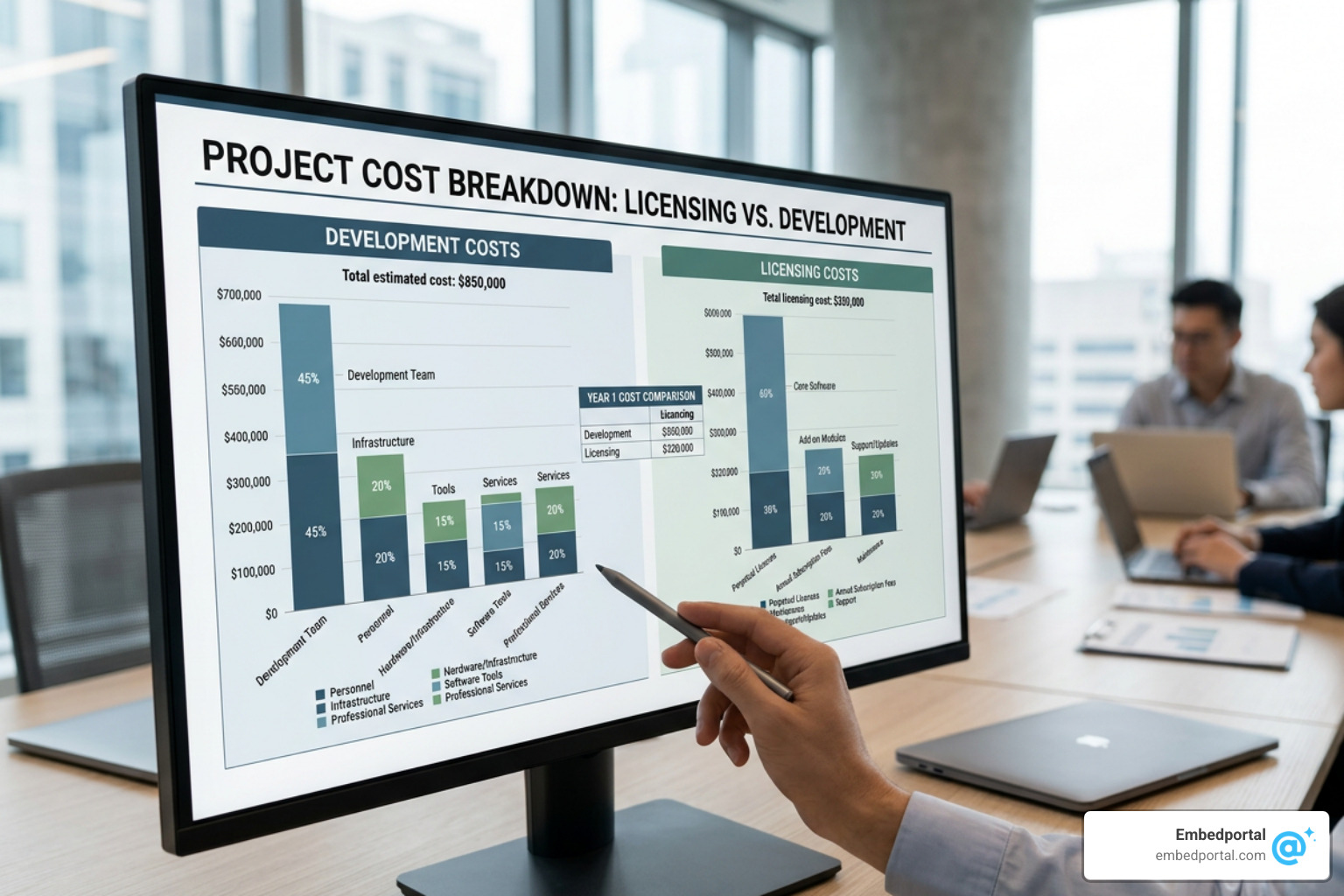
When organizations evaluate a traditional enterprise bi platform, they often look solely at the sticker price of the creator licenses. But the true total cost of ownership (TCO) of embedding analytics goes far deeper than that.
In 2016, the average company managed 162.9 terabytes of data. Fast forward to July 2026, and that volume has exploded exponentially. To make matters more complex, companies now use an average of 400 data sources across their organization to feed their BI capabilities.
When you try to funnel hundreds of data sources into a customer-facing portal using a legacy enterprise bi platform, you run headfirst into three major cost drivers:
- The “User Licensing Cliff”: Traditional BI tools were built for internal business intelligence, not external SaaS delivery. Charging on a per-user basis works when you have 100 internal analysts, but it becomes economically ruinous when you want to embed those dashboards for 10,000 external customers.
- Aggravated Data Silos: When licensing fees prevent you from democratizing data, departments build their own isolated reporting setups. These data silos make it nearly impossible to maintain a single source of truth.
- Custom Development Bloat: Building and maintaining custom-coded wrapper applications to securely display BI assets to external users consumes months of valuable engineering time.
To understand why this happens, we must look at how the industry defines these platforms. According to Tableau’s definition of What Is Enterprise Business Intelligence (BI)? Definition … , true enterprise BI requires platforms that scale with growing data volumes from more employees, processes, and sales, while prioritizing centralized governance. However, translating that internal governance to external, budget-friendly customer portals is where legacy platforms fall short.
Hidden Licensing Traps of a Legacy Enterprise BI Platform
Legacy BI vendors are notorious for complex licensing structures that penalize growth. If you want to share a dashboard externally, you will likely encounter several hidden traps:
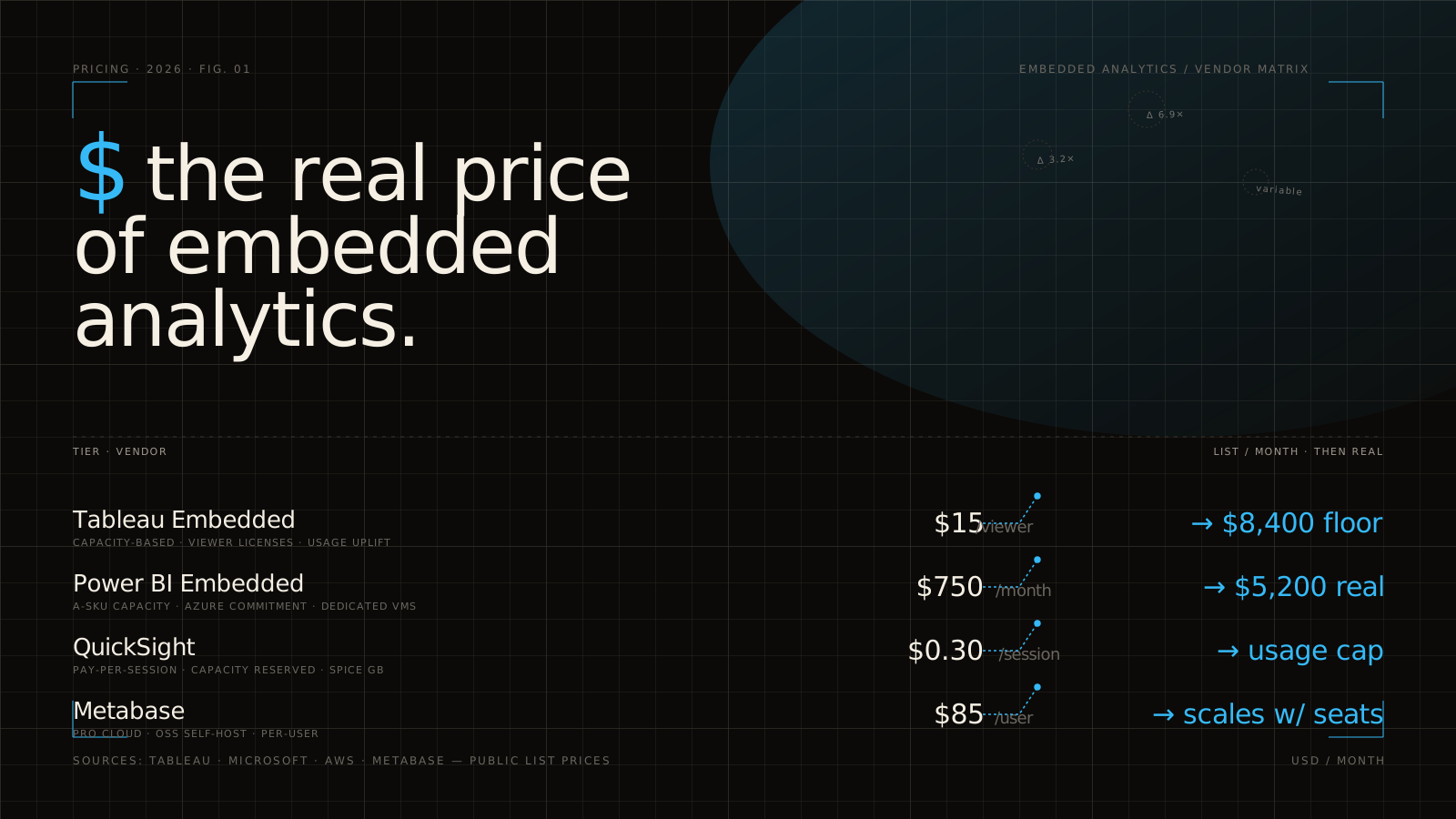
- The Viewer License Tax: Many platforms require every single external customer who views a dashboard to have a paid viewer license. Even at a discounted rate of $15 per viewer/month, serving 500 customers can easily cost $90,000 per year just for read-only access.
- Core-Based Pricing Hurdles: To avoid per-user fees, some vendors offer core-based pricing. However, this requires you to pay tens of thousands of dollars upfront for dedicated server capacity, regardless of whether your customers are actively using the portal.
- Session-Based Cost Spirals: Other platforms charge based on session usage or “tokens.” While this looks cheap during a low-traffic pilot, your bill will skyrocket the moment your customers begin actively adopting your reporting features.
To avoid these traps, product teams are increasingly turning to dedicated Embedded Analytics solutions that decouple BI creation from consumer delivery, allowing for predictable, flat-rate pricing.
Infrastructure and Maintenance Overhead
Beyond licensing, the infrastructure required to run a legacy enterprise bi platform at scale is massive. You aren’t just paying for the software; you are paying to keep the lights on.
Consider a real-world use case: a major bottling company consolidated up to 200 million lines of data from 100 different systems into a unified dashboard, replacing a daily 45-minute manual data compilation process. While the productivity gains were immense, the background infrastructure required to process, clean, and query that volume of data in real-time was highly demanding.
Without optimization, embedding these massive datasets directly into your applications can lead to:
- Cloud Data Warehouse Cost Spirals: Every time an external customer opens an embedded dashboard, it triggers live queries back to your cloud data warehouse (like Snowflake or BigQuery). Without efficient caching, your data warehouse costs will spiral out of control.
- Server Maintenance and Upgrades: Managing on-premises or private cloud deployments requires dedicated DevOps resources to handle security patches, version upgrades, and performance tuning.
- Query Performance Degradation: If thousands of concurrent external users query your BI platform simultaneously, dashboard load times will suffer, directly harming your SaaS user experience.
As highlighted in leading industry guides on Enterprise Business Intelligence (BI): Guide + Tools , an effective enterprise BI strategy must align business, data, and analytics strategies while supporting seamless integration with existing on-premises and cloud data sources to keep operational overhead manageable.
Key Capabilities Required for Secure Enterprise Embedding
Before choosing how to embed your dashboards, you must understand the technical and security requirements of enterprise-grade delivery.
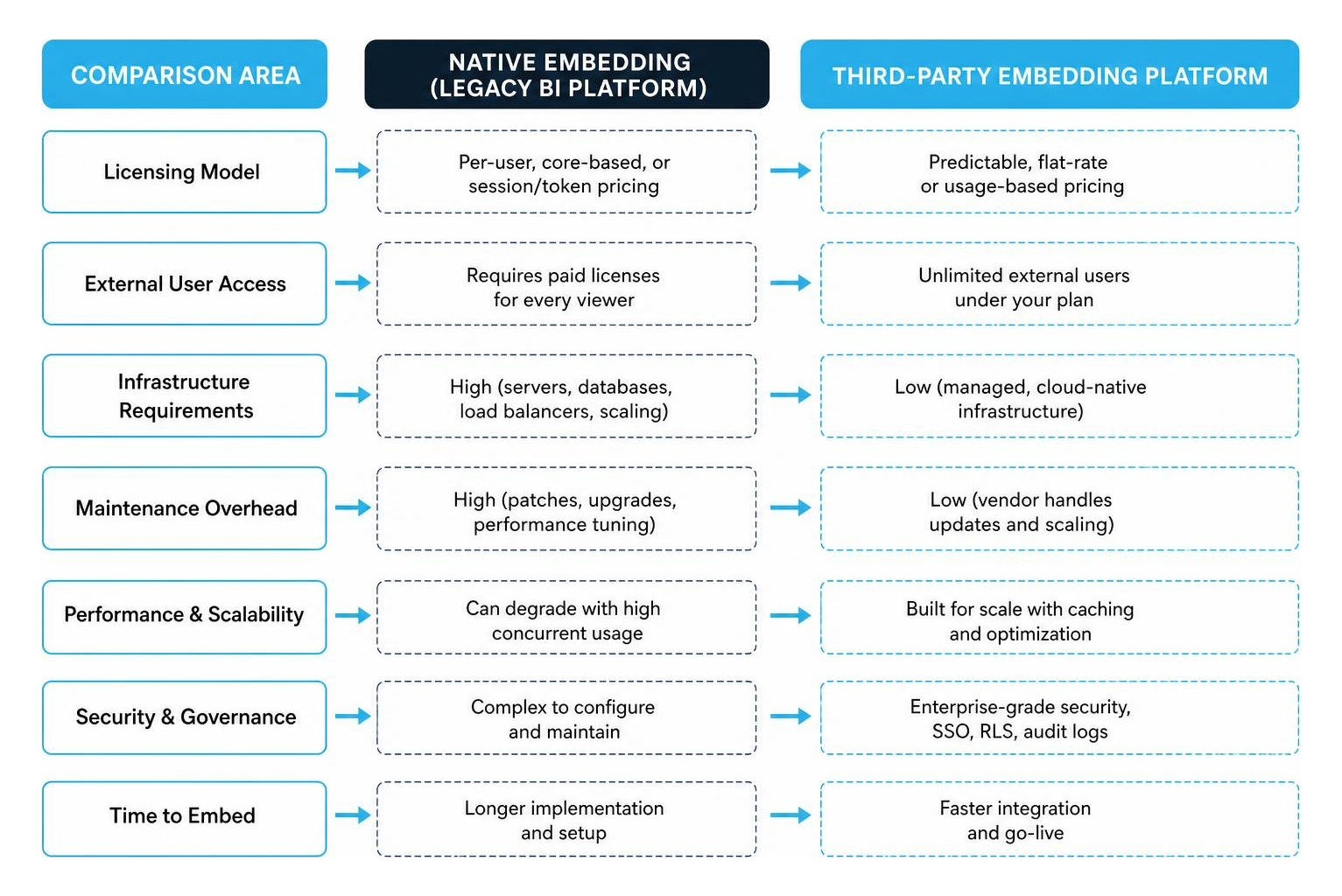
When selecting the Best Enterprise Business Intelligence Platforms , organizations must look beyond basic visualization capabilities. True enterprise-grade embedding requires robust data governance, semantic layer consistency, and complete data lineage to ensure that the “decision-grade” data shown to your customers is accurate, auditable, and secure.
Row-Level Security and Single Sign-On Integration
When embedding dashboards for external customers, data privacy is non-negotiable. Customer A must never, under any circumstances, see Customer B’s data.
To guarantee this, your embedding architecture must support:
- Row-Level Security (RLS): This feature filters the underlying data dynamically based on the identity of the user viewing the dashboard. Instead of building 100 different dashboards for 100 different customers, you build a single master dashboard, and the RLS engine dynamically filters the rows at the database or semantic layer.
- Single Sign-On (SSO): Your customers should not have to log into your application and then log in again to view their dashboards. Seamless SSO integration (via SAML, OIDC, or JWT tokens) ensures that authentication passes securely from your host application to the embedded BI engine.
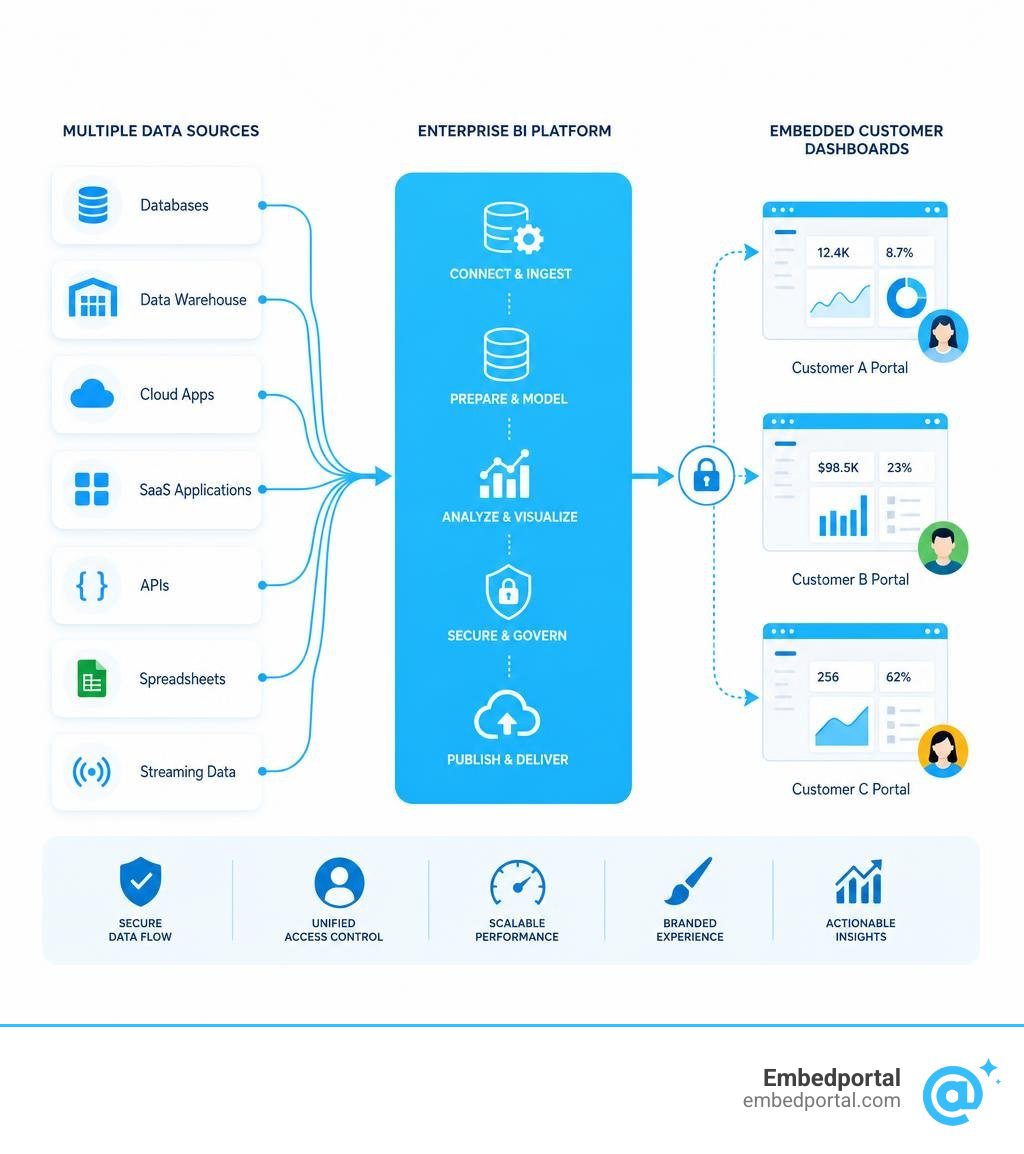
Implementing this natively across complex BI environments can take months of custom engineering. Utilizing a specialized Embedded Analytics Platform simplifies this process by acting as a secure middleware layer that handles RLS and SSO out-of-the-box in under an hour.
Unifying Multi-Vendor Dashboards on a Single Enterprise BI Platform
In the real world, enterprises rarely use just one BI tool. Your finance team might love Tableau for deep exploratory analysis, while your operations team standardizes on Microsoft Power BI (which is deployed in 97% of Fortune 500 companies and serves over 350,000 organizations globally).
This tool sprawl creates a massive headache when you need to present a unified analytics portal to your customers. If you try to embed these dashboards natively, your developers have to write completely different integration code for each vendor, resulting in a fragmented user experience and fractured branding.
The modern solution is dashboard consolidation through a unified portal. By leveraging the Best Embedded Analytics Tools, you can orchestrate dashboards from Tableau, Power BI, and other systems into a single, cohesive customer interface with unified authentication and consistent styling.
Strategic Approaches to Budget-Friendly Dashboard Embedding
If you want to deliver world-class analytics to your customers without breaking the bank, you need a strategic approach that minimizes both developer resources and licensing fees.

Building a custom analytics portal from scratch is a massive drain on developer resources, often taking 3 to 6 months of dedicated engineering time. To accelerate your time-to-market and keep costs low, adopting a pre-built SaaS BI Embedding framework allows you to deploy secure, interactive dashboards in a fraction of the time.
White-Labeling vs. Native Portal Development
One of the biggest strategic decisions you will face is whether to build a custom embedding portal from scratch or use a white-label embedding platform.
| Strategic Dimension | Custom Native Development | White-Label Embedding Platform |
|---|---|---|
| Development Time | 3 – 6 Months | < 1 Hour |
| Upfront Engineering Cost | Very High ($50k – $150k) | Low (Subscription-based) |
| Maintenance Burden | High (Internal team handles bugs/updates) | None (Handled by the platform provider) |
| Brand Consistency | Perfect (but requires manual styling) | Perfect (via built-in CSS/theming engines) |
| Multi-Vendor Support | Extremely difficult to build and maintain | Native out-of-the-box |
Choosing White Label Analytics allows you to completely strip out the BI vendor’s branding and replace it with your own logo, colors, and fonts. This gives your customers a seamless, fully integrated experience without requiring your developers to write a single line of visualization code.
Managing Multi-Tenant Analytics at Scale
In a multi-tenant SaaS environment, you must manage data isolation, tenant provisioning, and access controls at scale.
As your customer base grows from tens to thousands of users, manually managing permissions becomes impossible. You need an automated system that handles:
- Tenant Provisioning: Automatically setting up new customer workspaces and data connections as soon as they sign up for your service.
- Robust Data Isolation: Ensuring that tenants are logically separated at the database, schema, or row level.
- Self-Service Customization: Giving power users the ability to build their own ad-hoc reports without compromising the core data model.
Implementing Multi-Tenant Analytics correctly ensures that your application remains highly performant and secure, even when handling millions of queries across thousands of distinct customer accounts.
Frequently Asked Questions about Enterprise Embedding
Navigating enterprise BI and dashboard embedding can be confusing. Here are answers to some of the most common challenges and questions we hear from product teams.
What is the difference between standard BI and embedded enterprise BI?
Standard BI is designed for internal decision-makers. It prioritizes deep data exploration, ad-hoc querying, and internal collaboration. Users log directly into the BI tool’s native interface (like Power BI Service or Tableau Cloud) to view reports.
In contrast, Embedded BI is designed for external users, such as your customers, partners, or vendors. It prioritizes a seamless user experience, portal integration, and strict data access controls. The dashboards are embedded directly into your own software application or customer portal, meaning users never realize they are interacting with a third-party BI tool.
How do you prevent licensing cost spirals when embedding dashboards?
To prevent your licensing costs from spiraling out of control as your user base grows, you should avoid per-user viewer licensing models entirely. Instead, look for solutions that offer flat-rate, predictable pricing models.
By utilizing a middleware embedding platform, you can purchase a limited number of creator licenses from your BI vendor to build the dashboards, and then use the middleware to securely distribute those dashboards to thousands of external viewers without paying additional per-user fees. To see how this works, you can check out our transparent Pricing structure.
Can you embed dashboards from multiple BI vendors simultaneously?
Yes, but doing so natively is incredibly complex. Each BI vendor has its own proprietary APIs, authentication mechanisms, and embedding SDKs. If you try to build this integration yourself, your engineering team will be locked in a perpetual cycle of maintaining multiple codebases.
The most efficient way to achieve multi-vendor integration is to use an embedding platform designed to unify different BI tools. This allows you to host Tableau, Power BI, and other dashboards side-by-side in a single, unified portal with a single sign-on experience for your users. You can Compare how different approaches stack up to find the best fit for your tech stack.
Conclusion
Successfully embedding an enterprise bi platform into your customer-facing applications doesn’t have to break your budget or consume months of your engineering roadmap.
By understanding the hidden licensing traps of legacy BI vendors, prioritizing robust row-level security, and opting for a white-label embedding approach, you can deliver a world-class analytics experience to your customers at a fraction of the cost.
At Embedportal, we help SaaS and product teams bypass the high costs and development headaches of native BI embedding. Our platform allows you to embed multi-vendor analytics (including Tableau, Power BI, and more) with unified branding, robust row-level security, and seamless SSO in under an hour.
Ready to unlock the full value of your data without the enterprise price tag? Explore how Embedded BI can transform your product today.