
See exactly what any user sees with one-click impersonation
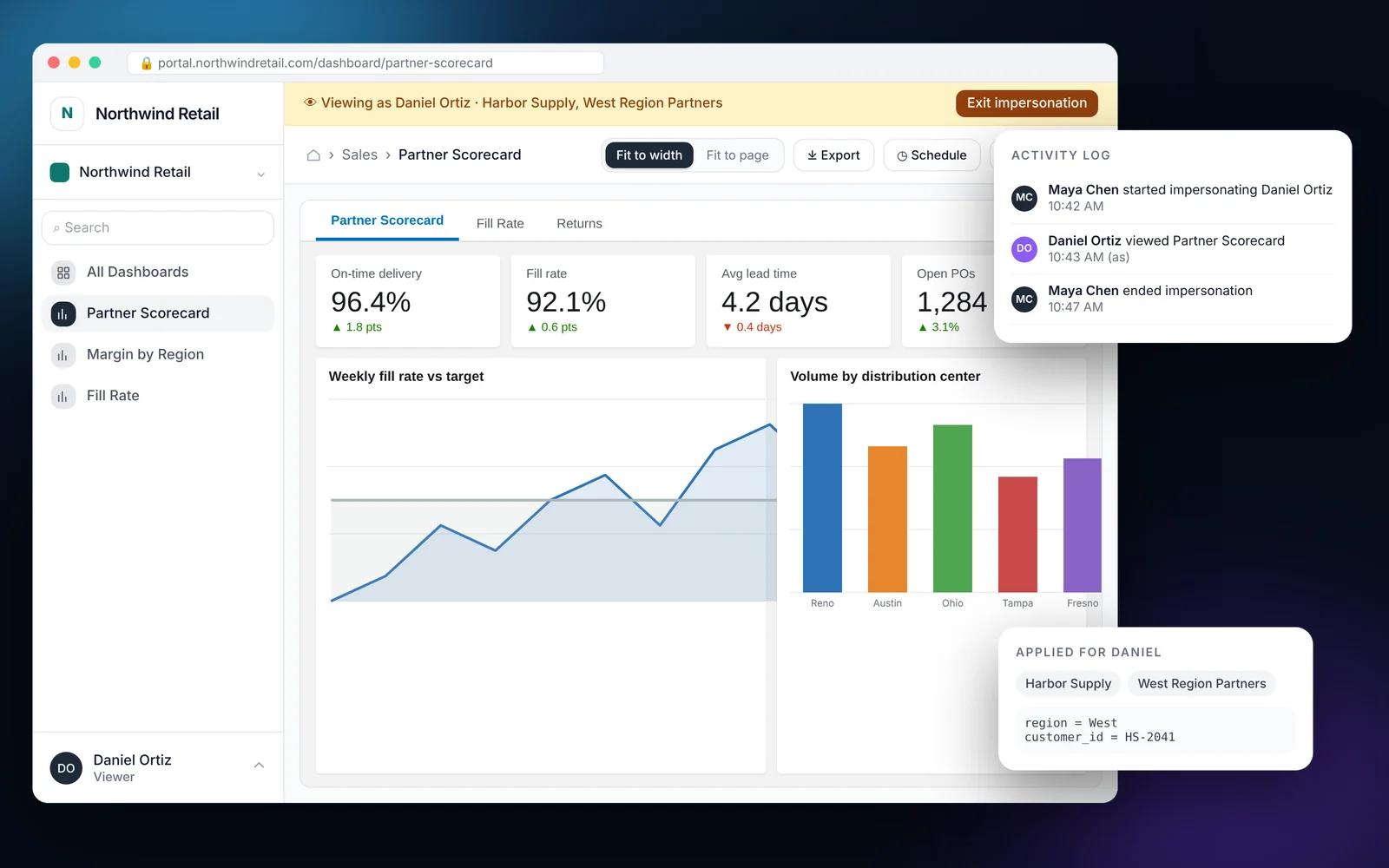
Impersonation lets an admin open the portal as a specific user, with that user's groups, navigation and row-level security applied. It is the fastest way to answer a support ticket or confirm your RLS rules before a customer logs in. Every impersonation session is recorded in the activity log.
How it works
Most teams finish these steps in under an hour.
Open Users
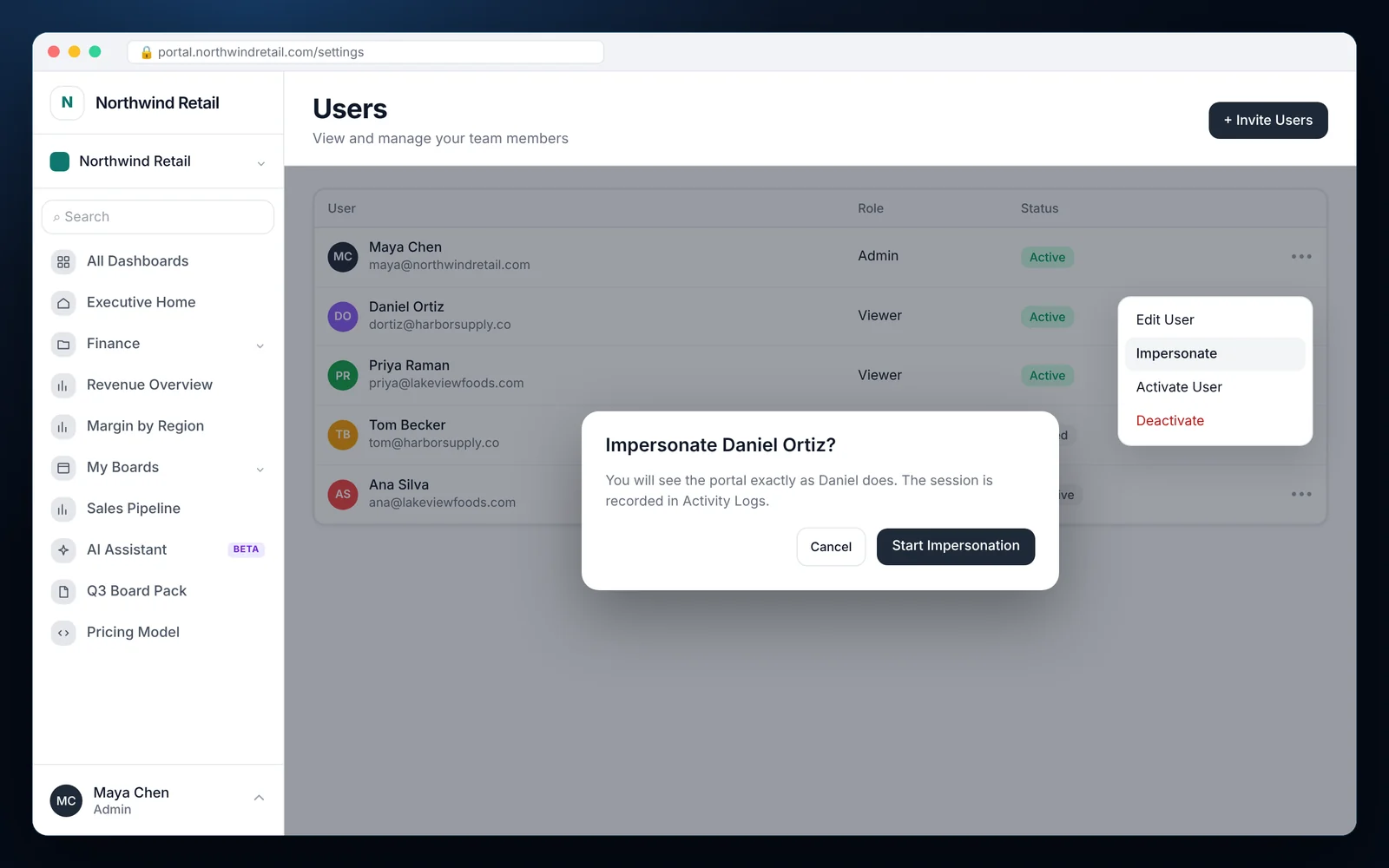
Go to Users in the admin to see everyone in the organization.
Choose Impersonate
Open the menu on the user's row and choose Impersonate.
Confirm
Check the groups that will apply and click Start impersonation.
Review and exit
Browse the portal as that user, then exit to return to your own account.
What it looks like in EmbedPortal
User impersonation features
True to the viewer
Same groups, same navigation, same RLS values. No guessing.
Logged
Each session is written to the activity log with who started it and when.
Admin only
Only admins can impersonate. Viewers never see the option.
Fast support
Reproduce what a customer reports in seconds instead of asking for screenshots.
RLS testing
Confirm a new rule works before you roll it out.
User status control
Activate, deactivate or reset a user from the same menu.
Why impersonation matters
When a customer says the numbers look wrong, the first question is always what are they seeing. Impersonation answers that immediately.
It also removes the habit of creating test accounts for each customer, which tend to linger with access long after they are needed.
Common questions
What is user impersonation in a reporting portal?
It lets an admin view the portal as another user, with the same permissions and data filters, to troubleshoot or test access.
Is impersonation audited?
Yes. Each session is recorded in the activity log.
Does impersonation show row-level security?
Yes. The user's group RLS values are applied, so you see exactly the rows they see.
Share your first dashboard this week.
Connect your BI tool, set up groups and row-level security, and invite viewers. One flat price with unlimited viewers.