
A white-label analytics portal with your logo, colors and domain
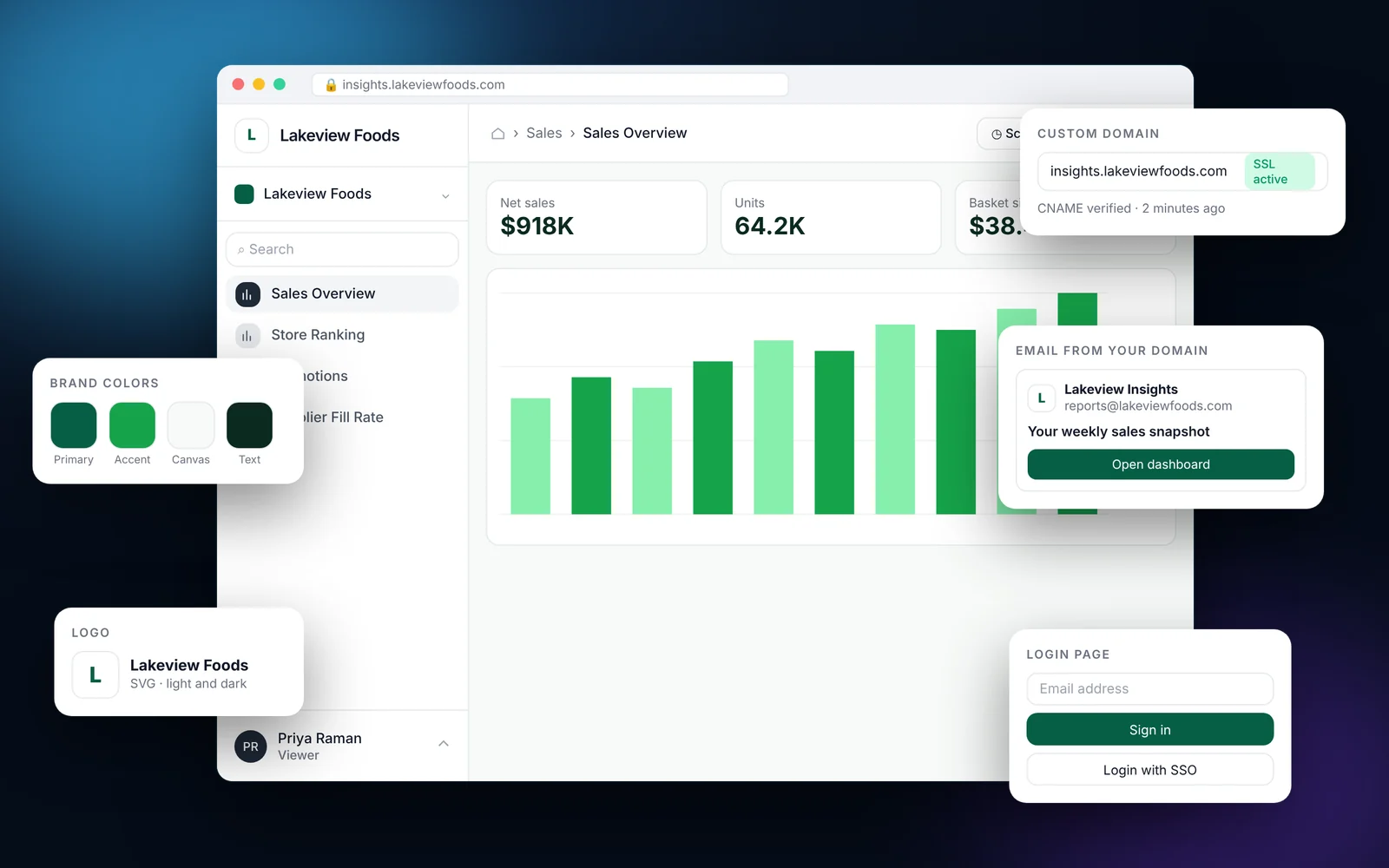
Make the portal look like part of your product. Upload your logo, set your brand colors and preview them live, use your own custom domain with SSL, and send emails from your own address. Viewers never see EmbedPortal branding unless you want them to.
How it works
Most teams finish these steps in under an hour.
Upload your logo
Add the logo that should appear in the portal and in emails.
Set brand colors
Pick primary, accent, background and sidebar colors, and watch the preview update.
Add a custom domain
Point a subdomain such as insights.yourcompany.com to the portal. SSL is set up for you.
Choose an email service
Use the managed email service with domain verification, or your own SMTP server.
What it looks like in EmbedPortal

White-label branding features
Live brand preview
See your colors in action before you save.
Form element styling
Match buttons and inputs to your design system.
Custom domain with SSL
Serve the portal from your own domain.
Branded email
Invites, resets and scheduled reports come from your address.
Landing page
Choose cards or rows, add search, and post announcements.
Light and dark mode
Viewers can pick the theme that suits them.
Why white-label matters
Customers trust analytics that feel like part of your product. A third-party login page or a vendor logo breaks that.
With EmbedPortal, the portal carries your brand from the sign-in screen to the scheduled report email.
Common questions
Can I use my own domain for the analytics portal?
Yes. Add a custom domain such as insights.yourcompany.com. SSL is provisioned automatically.
Can I send emails from my own domain?
Yes. Use the managed email service with domain verification, or connect your own SMTP server.
Can each customer have different branding?
Yes. Branding is set per organization.
Share your first dashboard this week.
Connect your BI tool, set up groups and row-level security, and invite viewers. One flat price with unlimited viewers.