
Run a separate analytics portal for every customer from one account
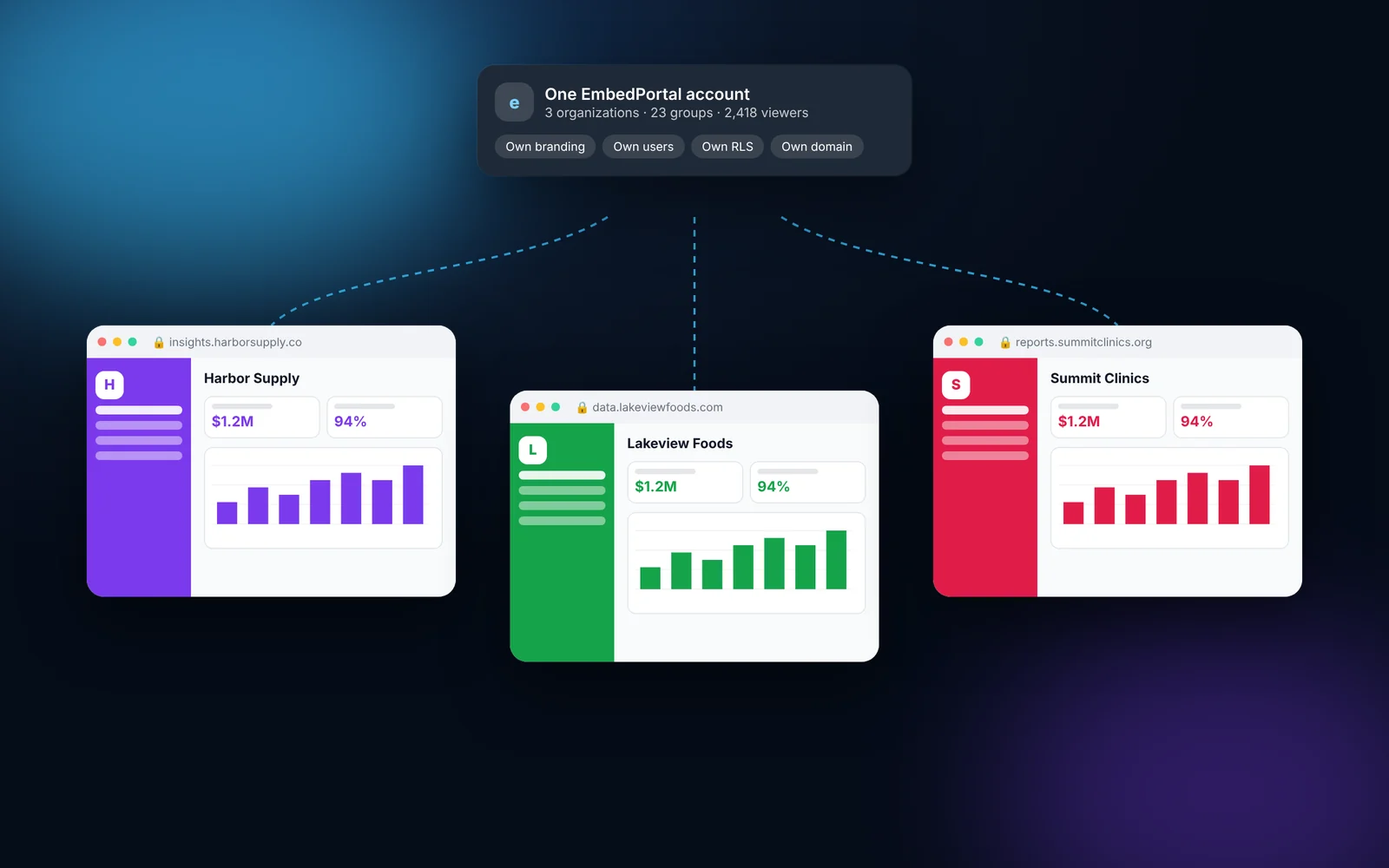
EmbedPortal is multi-tenant by design. Create an organization for each customer, partner or business unit, give each its own branding and users, and group people inside it with their own dashboards and RLS values. Admins switch between organizations from one menu.
How it works
Most teams finish these steps in under an hour.
Create an organization
Add an organization for each customer or business unit.
Brand it
Set the logo, colors and custom domain for that organization.
Create groups
Group users by team, region or account, and give each group its dashboards.
Invite users
Invite people directly or let them sign in through SSO with groups assigned from their identity provider.
What it looks like in EmbedPortal

Multi-tenant portals features
Organization switcher
Super admins move between tenants without signing out.
Groups with RLS
Each group carries its own dashboards and RLS values.
Roles
Admins, editors and viewers each get the right level of access.
Per-tenant branding
Every organization can have its own look and domain.
Internal and external
Use the same setup for customer portals and internal team portals.
Unlimited viewers
Flat pricing, so adding a tenant does not add per-viewer fees.
Why multi-tenancy matters for embedded analytics
Sharing dashboards with many customers is a tenancy problem first and a BI problem second. You need clean separation between customers, and you need it to be easy to run.
EmbedPortal gives every customer their own space while you manage them all from one place.
Common questions
What is a multi-tenant analytics portal?
It is one platform that serves many separate customers, each with their own users, branding and data access, without them seeing each other.
Can I use EmbedPortal for internal teams too?
Yes. Create organizations or groups for departments and share internal dashboards the same way.
How are customers kept apart?
By organization, by group and by row-level security values passed to your BI tool at embed time.
Share your first dashboard this week.
Connect your BI tool, set up groups and row-level security, and invite viewers. One flat price with unlimited viewers.