
Embed custom web apps, HTML files, PDFs and images next to your dashboards
Not every report lives in a BI tool. EmbedPortal lets you embed an externally hosted web app through a signed HMAC token, upload HTML files, PDFs and images, and add custom links. Each item gets the same folders, permissions and branding as your dashboards.
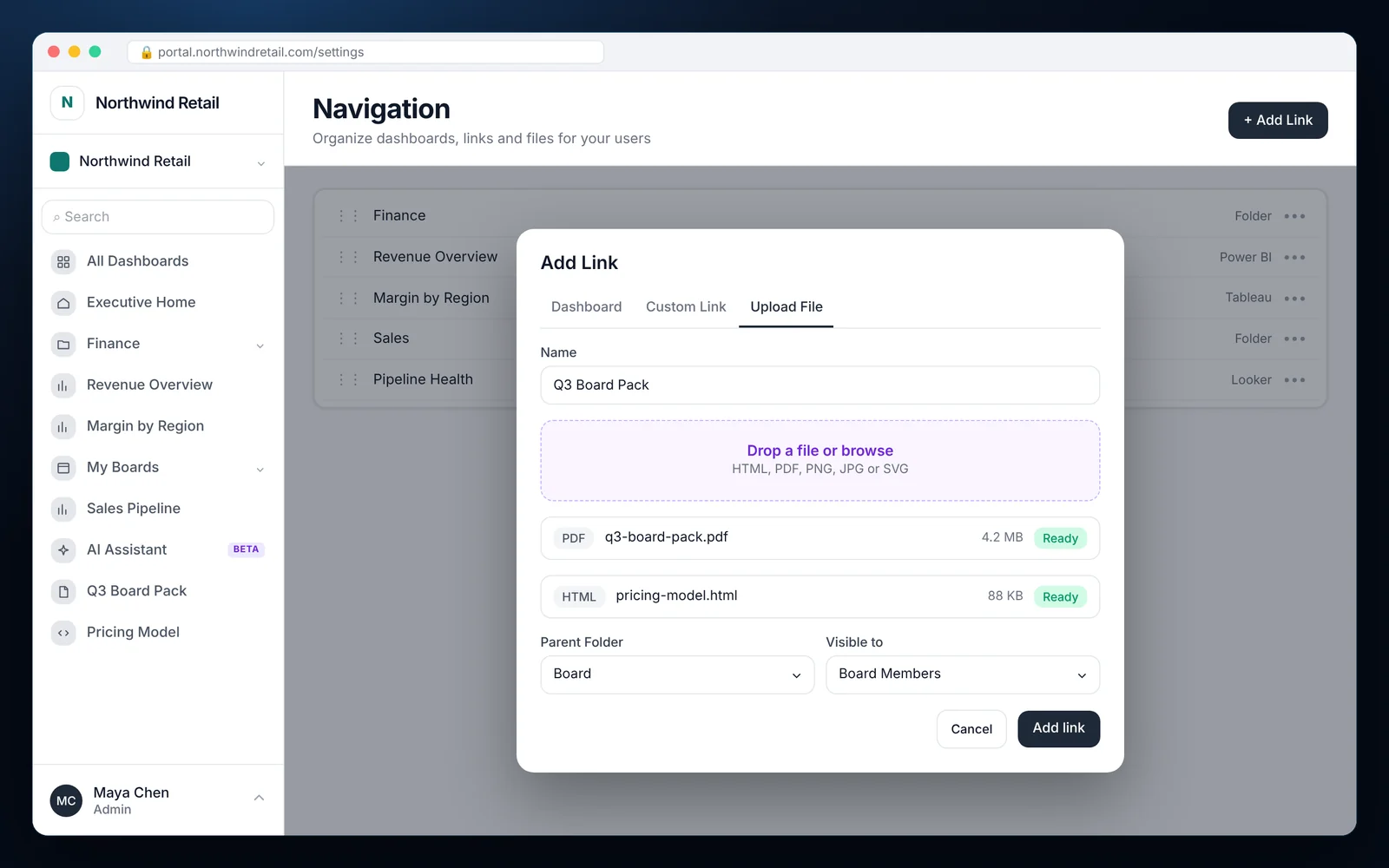
How to add custom content
Most teams finish these steps in under an hour.
Choose Add link
Open Navigation in the admin and choose Add link.
Pick the content type
Select Custom link for a URL, Upload file for HTML, PDF or images, or the custom app integration for a signed web app.
Set the folder and audience
Pick the parent folder and the groups that should see it.
Publish
The item appears in the portal navigation for those groups right away.
What it looks like in EmbedPortal
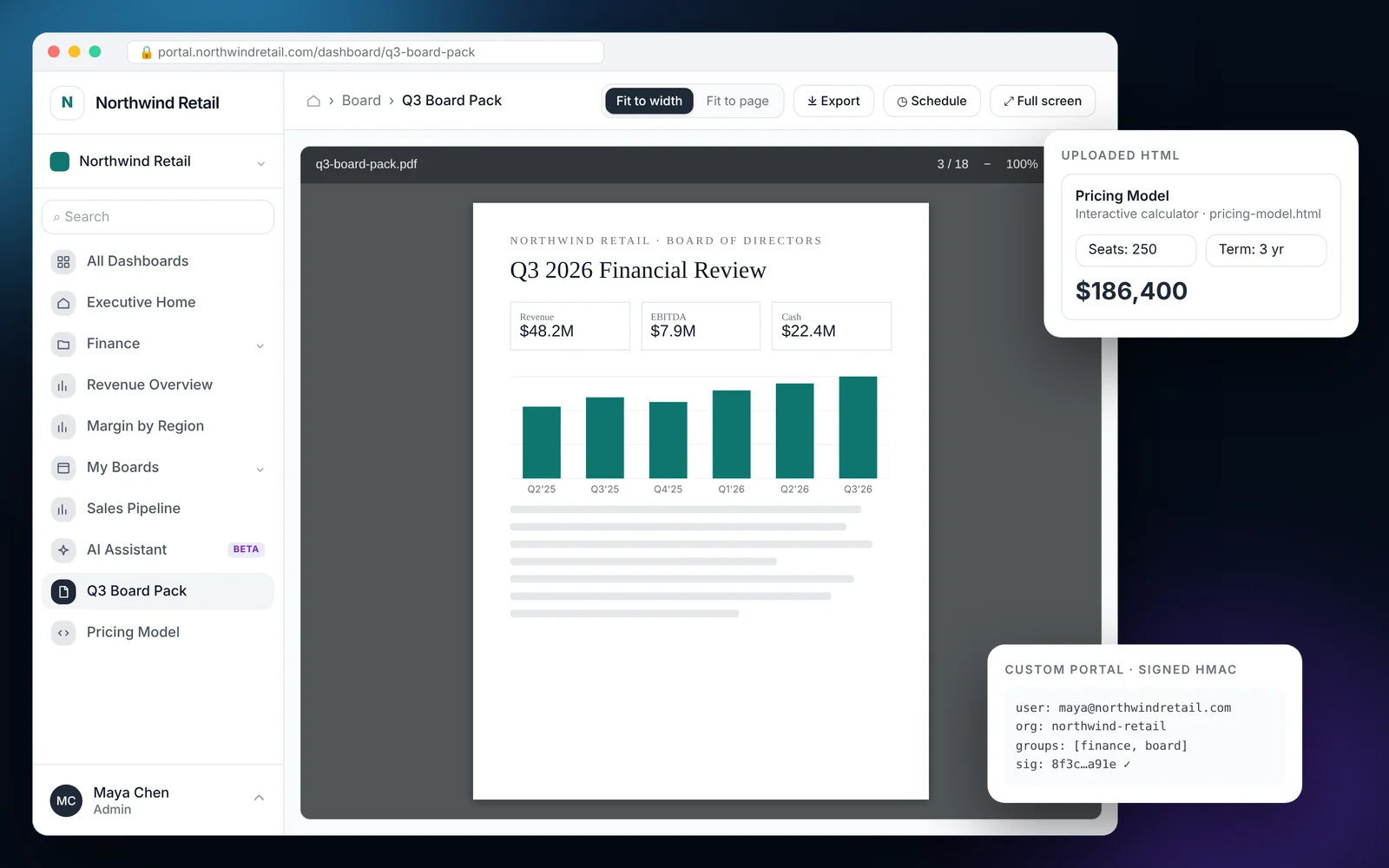
Custom apps and files features
Signed HMAC web apps
Embed a bespoke portal or internal tool. EmbedPortal signs each request so your app knows who the viewer is.
HTML file uploads
Share static HTML reports, calculators or exported notebooks without hosting them yourself.
PDFs and images
Publish board packs, statements and maps with the same permissions as dashboards.
Custom links
Point to a URL and keep it inside the portal navigation.
Per-group visibility
Show each file or link only to the groups that need it.
Tracked like dashboards
Views of files and apps show up in usage analytics and the activity log.
One portal for every report you share
Customers do not care which tool made a report. They want one place to find it. Custom embeds let you put BI dashboards, PDFs, HTML outputs and your own web apps in one navigation with one login.
That also means one place to control access. When someone leaves a customer account, removing them from a group removes access to everything at once.
Common questions
Can I embed a custom web application in EmbedPortal?
Yes. Use the custom app integration. EmbedPortal sends a signed HMAC token with the viewer's identity so your app can trust the request.
Which file types can I upload?
HTML files, PDFs and common image formats such as PNG, JPG and SVG.
Are uploaded files private?
Yes. They follow the same group permissions as dashboards and are only visible to signed-in users in those groups.
Share your first dashboard this week.
Connect your BI tool, set up groups and row-level security, and invite viewers. One flat price with unlimited viewers.