
Embed Looker dashboards with signed URLs and user attributes
EmbedPortal embeds Looker dashboards using signed embedding. It creates the signed request for each viewer and passes their RLS attributes as Looker user attributes, so access filters apply automatically. You manage customers and groups in EmbedPortal instead of in Looker.
How to embed Looker
Most teams finish these steps in under an hour.
Enable embedding in Looker
Turn on embed authentication in your Looker admin settings and create an embed secret.
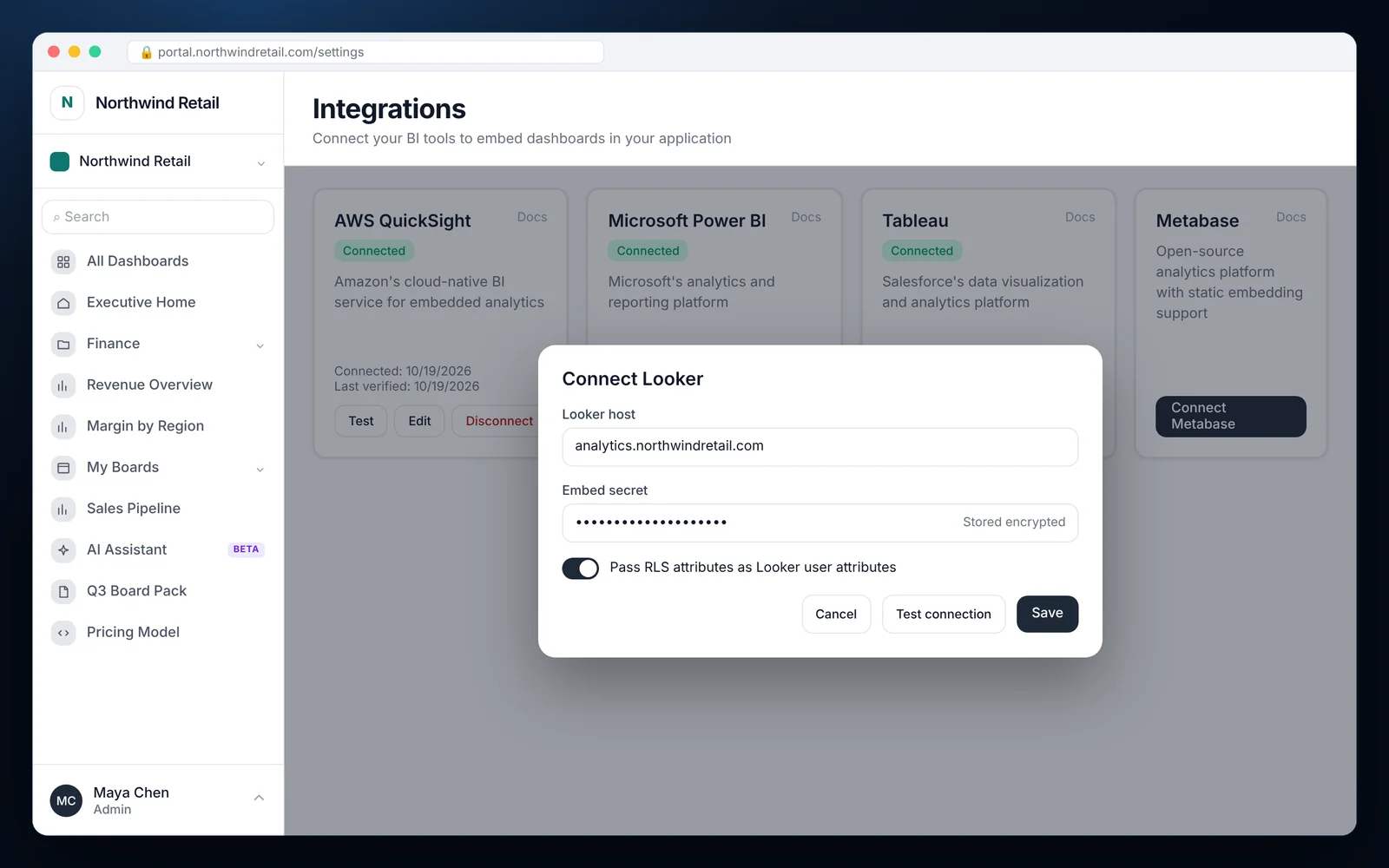
Connect Looker
Add your Looker host and embed secret under Integrations in EmbedPortal.
Map user attributes
Match EmbedPortal RLS keys, such as customer ID, to the Looker user attributes your access filters use.
Add dashboards to the portal
Choose the dashboard, its folder and the groups that can see it.
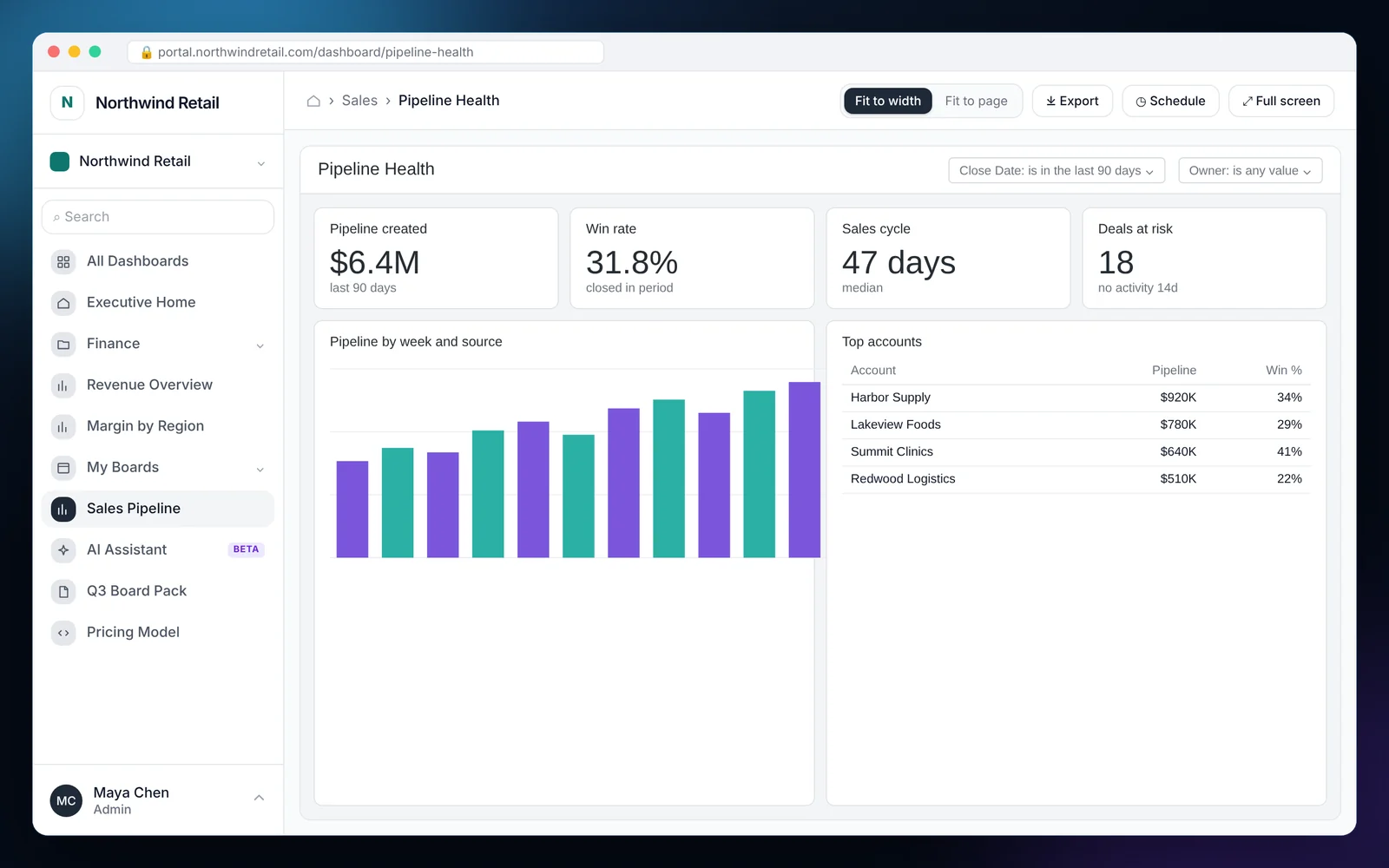
What it looks like in EmbedPortal
Looker features
Signed embedding
Each viewer gets a short-lived signed URL. No shared links and no public dashboards.
User attributes for RLS
Pass group and user values so Looker access filters restrict rows.
External users stay out of Looker admin
Invite and manage customers in EmbedPortal. Looker sees them as embed users.
Mixed-tool navigation
Show Looker dashboards beside Power BI, Tableau and uploaded files.
Branded portal
Your domain, logo and colors around every dashboard.
Audit trail
Every view, export and login is recorded in the activity log.
Why teams embed Looker with EmbedPortal
Looker's embedding is solid, but someone still has to build the app around it: login, user management, navigation and branding. EmbedPortal gives you that layer without a dev project.
Your LookML and access filters stay the same. EmbedPortal just decides who the viewer is and what attributes Looker should apply.
Common questions
How do I embed a Looker dashboard in my app?
Enable signed embedding in Looker, connect it to EmbedPortal with your host and embed secret, then add dashboards and assign them to groups.
How is row-level security handled for embedded Looker?
EmbedPortal passes RLS keys as Looker user attributes. Your existing access filters in LookML use those attributes to restrict rows.
Do customers need their own Looker accounts?
They are created as embed users through signed embedding. You manage them in EmbedPortal, not in the Looker admin panel.
Can I use Looker alongside other BI tools?
Yes. Every connected tool appears in the same portal navigation.
Share your first dashboard this week.
Connect your BI tool, set up groups and row-level security, and invite viewers. One flat price with unlimited viewers.