
Embed Tableau dashboards with per-user filters, parameters and row-level security
EmbedPortal embeds Tableau Cloud and Tableau Server views inside your own branded portal. You set default filters and parameters per user, apply row-level security attributes, and control toolbar, sizing and exports for each dashboard, all from one settings panel.
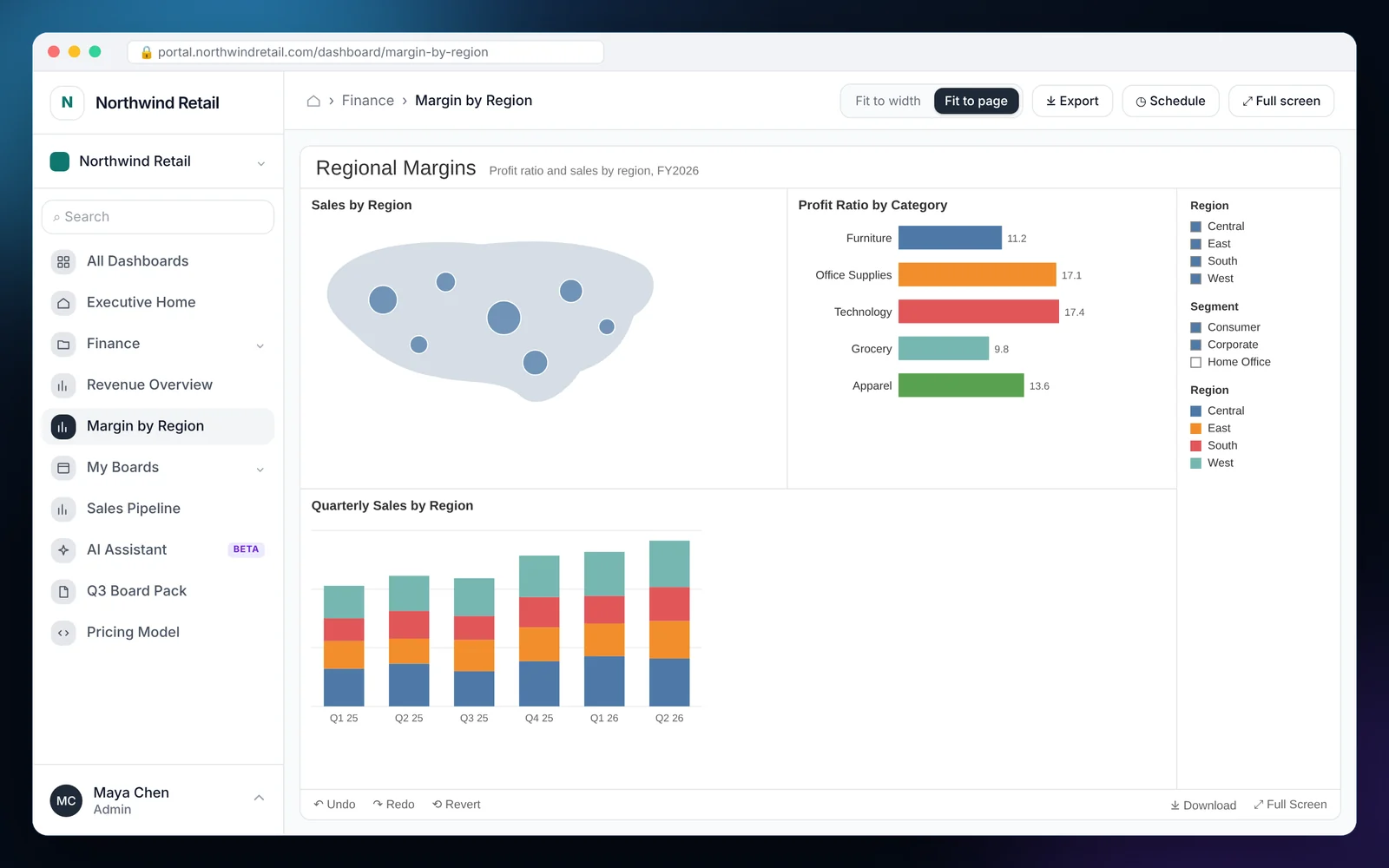
How to embed Tableau
Most teams finish these steps in under an hour.
Create a connected app in Tableau
In Tableau Cloud or Server, create a connected app so EmbedPortal can sign trusted requests for your users.
Connect Tableau in EmbedPortal
Add the connected app details under Integrations and run a test.
Add a dashboard and pick the view
Choose the workbook view, the folder it lives in, and who can see it.
Turn on Use RLS attribute
Pass each group's RLS keys, such as region or customer ID, to Tableau when the view loads.
Set defaults and exports
Add default parameters and filters per user, pick toolbar and page sizing, and allow or block on-demand exports.
What it looks like in EmbedPortal
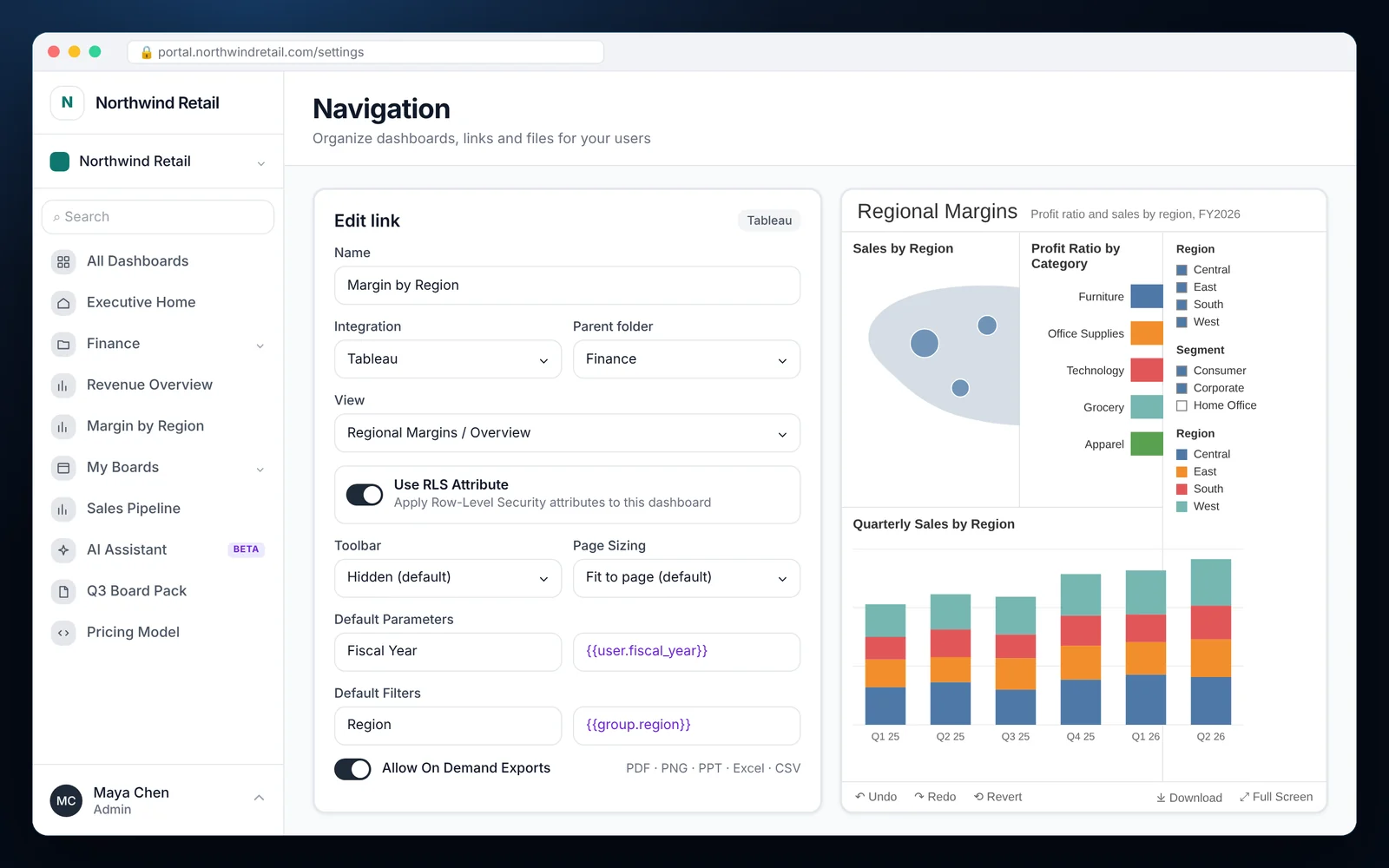
Tableau features
Default filters per user
Set filter values on load using the exact field name from the view, such as Region. Values can come from the user or their group.
Default parameters per user
Set Tableau parameter values on load, such as Fiscal Year, using the parameter name from the workbook.
Row-level security attributes
Send RLS keys with every request so Tableau returns only the rows a viewer is allowed to see.
Toolbar and page sizing
Hide the toolbar by default and fit the view to the page, or show it for analysts who need it.
On-demand exports
Let viewers export to PDF, image, PowerPoint, crosstab Excel or CSV. Disable it per dashboard when needed.
Schedules and sharing
Deliver Tableau views on a schedule to groups or individual recipients.
Why teams embed Tableau with EmbedPortal
Embedding Tableau the hard way means writing JWT signing, building a user model and keeping filters in sync with every workbook. Most teams only want their customers to open a link and see their own numbers.
EmbedPortal gives you that in a settings panel. Pick the view, map the RLS attributes, set the defaults and publish it to the right groups. Tableau still does the rendering and enforces the data rules.
EmbedPortal works with the licensing model you already have, including Tableau's usage-based licensing for external audiences, and puts Tableau dashboards next to reports from your other BI tools.
Related reading: Tableau embedded alternative
Common questions
Can I embed Tableau dashboards in a web app without coding?
Yes. Connect Tableau once, then add views from the EmbedPortal admin. Your users open the portal or the embedded component and see the dashboards they have access to.
How do I apply row-level security to embedded Tableau?
Turn on Use RLS attribute for the dashboard. EmbedPortal passes each viewer's attributes, such as region or customer ID, and Tableau filters the data using your user functions or data policies.
What is the difference between default filters and default parameters?
Filters use the field name from the view, such as Region. Parameters use the parameter name from the workbook, such as Fiscal Year. Both can be set per user when the dashboard loads.
Does EmbedPortal support Tableau Server as well as Tableau Cloud?
Yes. You can connect either one through a connected app.
Can viewers export embedded Tableau dashboards?
If you allow it. Exports to PDF, PNG, PowerPoint, crosstab Excel and CSV can be turned on or off for each dashboard.
Share your first dashboard this week.
Connect your BI tool, set up groups and row-level security, and invite viewers. One flat price with unlimited viewers.