Skip the Slow Build: Your Guide to Embedding BI Dashboards in Record Time
Why Teams Are Racing to Embed BI Dashboards Fast
If your team needs to embed BI dashboards fast into a customer-facing portal, here are the fastest paths available today:
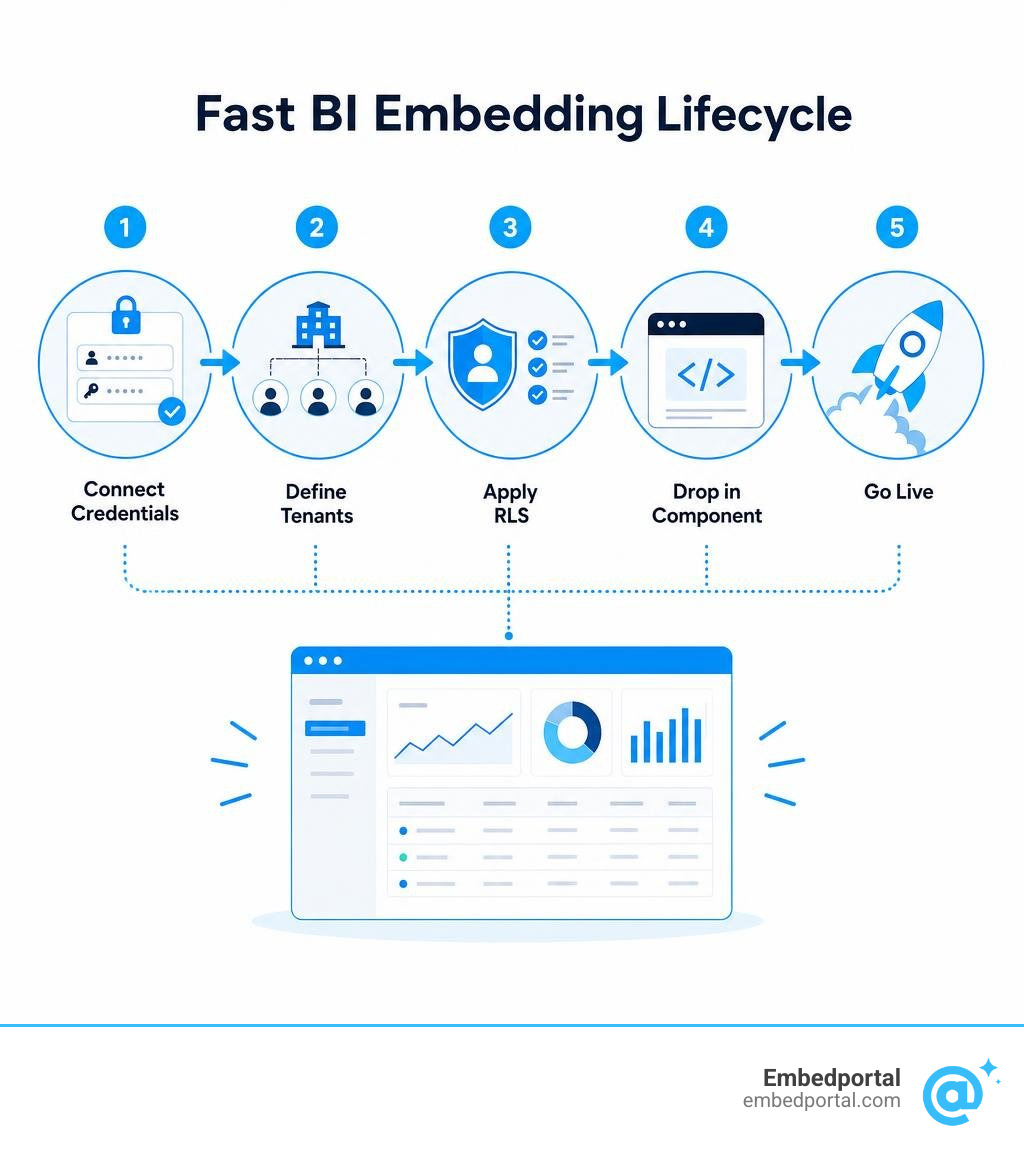
- Use a multi-vendor embedding layer (like Embedportal) — connect your BI credentials, define your tenants, and drop in a React component or iframe. Time to first embed: under one hour.
- Use native iframe embedding — grab the embed code directly from Power BI, Tableau, QuickSight, or Metabase. Fast to start, but limited on branding and security.
- Use Power BI Embedded APIs — more control, but requires Azure AD setup, capacity provisioning, and significant dev time.
- Use a BI tool’s built-in SDK — works well for single-vendor setups, but adds complexity when you need to support multiple tools.
Here is the reality most analytics and product leads run into: embedding a single dashboard from a single BI tool is manageable. Embedding dashboards from multiple BI tools — with consistent branding, row-level security, and a smooth auth flow for external customers — is a completely different problem.
The custom build route is slow. One team described going down the path of building their own embedding layer and finding it a constant distraction from their core product focus. And that experience is common.
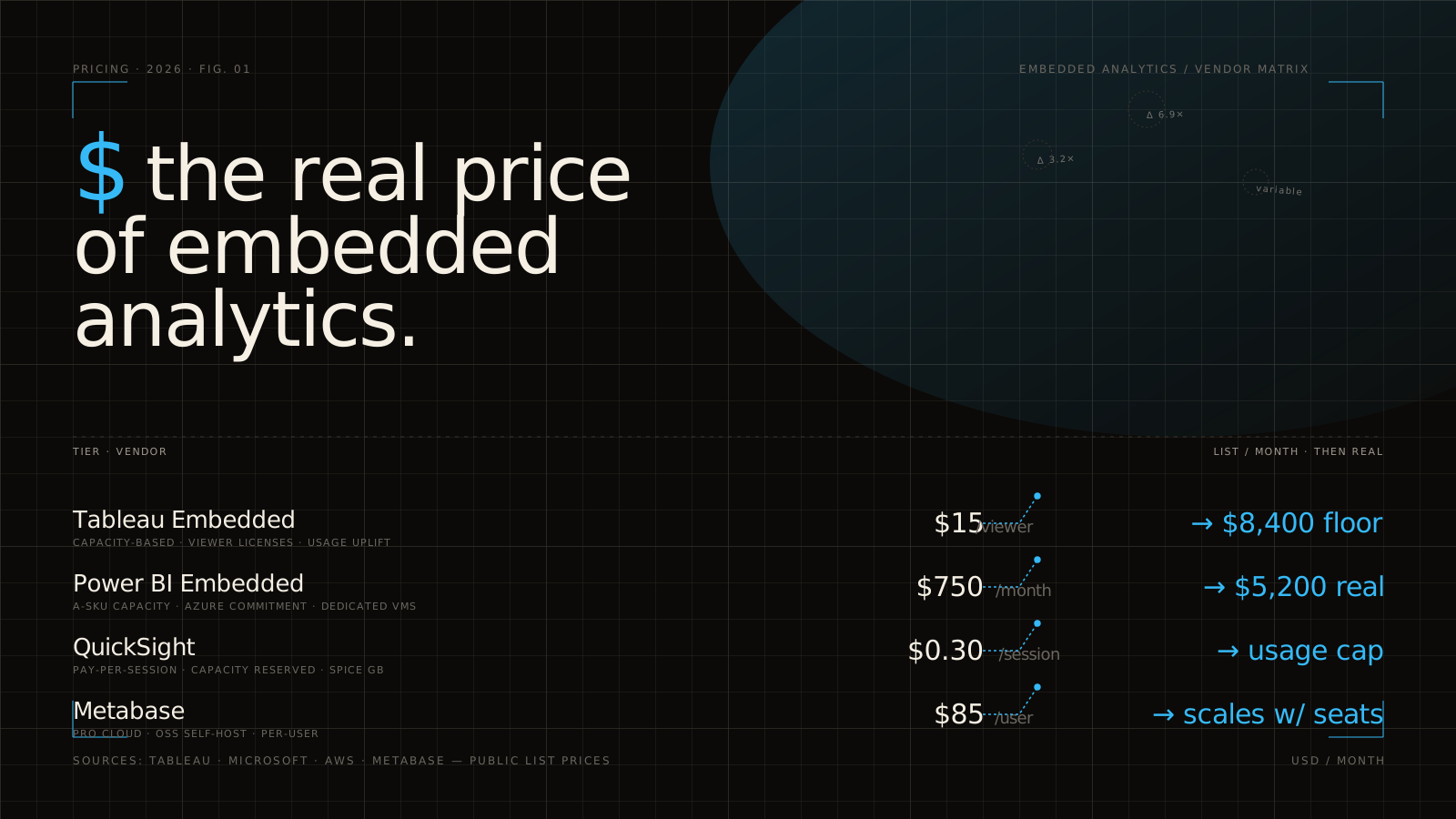
On top of that, the licensing math gets painful quickly. Power BI Embedded capacity alone starts at around $735 per month running continuously — before you’ve written a single line of frontend code. Add fragmented RLS rules across Tableau, Power BI, and QuickSight, and you’re looking at weeks of engineering work just to get to a basic working state.
There is a faster way. This guide breaks it all down.
The Technical Landscape: How to Embed BI Dashboards Fast
When product and data teams in California and beyond look to deploy user-facing dashboards, they generally choose between three core architectures. Understanding the trade-offs of each is the first step toward deciding how to embed BI dashboards fast without sacrificing security or user experience.
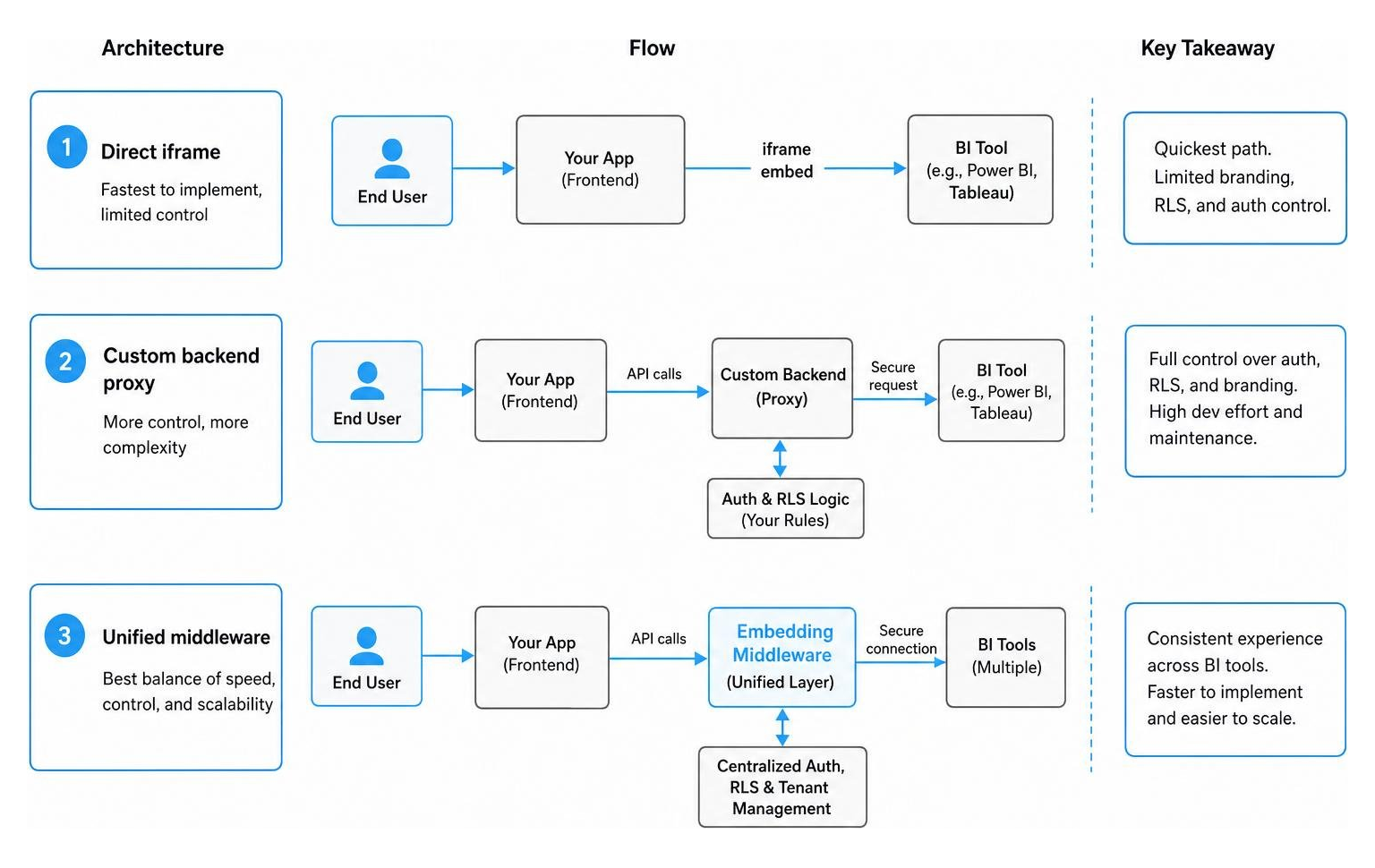
To get a complete grasp of what is possible, you can read more about Power BI embedded analytics overview to see how Microsoft handles this natively, or explore our comprehensive guide on Embedded Analytics for a broader architectural perspective.
Comparing Iframe, Web Components, and Native SDKs to Embed BI Dashboards Fast
The choice of frontend technology directly impacts your loading speeds, customization depth, and development timelines. Let’s compare the three main delivery methods side-by-side:
| Feature | Iframe Embedding | Native Web Components | Native SDKs (e.g., React SDK) |
|---|---|---|---|
| DOM Rendering | Isolated inside an iframe element | Renders directly in the host application’s DOM | Managed via framework-specific lifecycle hooks |
| Customization | Low (constrained by BI vendor’s default UI) | High (can style and control interactions directly) | Medium to High (depends on SDK exposed properties) |
| Loading Speed | Slower (requires loading full BI page assets) | Very Fast (optimized, lightweight rendering) | Fast (highly integrated with client bundle) |
| Development Effort | Under 1 hour | Moderate to High | High (requires deep vendor-specific coding) |
| Security Setup | Simple (URL parameters or short-lived tokens) | Advanced (JWT signature validation) | Advanced (SDK authentication models) |
While traditional iframe embedding remains the quickest way to get a dashboard onto a page, it often feels clunky and disconnected from your app’s native layout. On the other hand, native web components render directly in the DOM, offering a seamless user experience but requiring significant engineering hours if built from scratch. Modern teams look to bridge this gap by using pre-built platforms that package these technologies into a single, easy-to-implement wrapper.
Bypassing the Complexity of Power BI Embedding
If you have ever tried to navigate the Microsoft ecosystem to set up Power BI Embedding, you know it is rarely a “fast” process. The standard workflow requires registering an application in Microsoft Entra ID (formerly Azure AD), configuring specific API permissions, creating a service principal, and setting up workspace access inside the Power BI Service.
Furthermore, you have to manage two distinct token types:
- Aad tokens: Used when embedding dashboards for users within your own organization who already have their own Power BI Pro licenses.
- Embed tokens: Used when embedding for external customers who do not have individual Power BI accounts.
This separation introduces a steep learning curve. If you get it wrong, you risk running into licensing violations or rate limits that can shut down your customer portal. We designed our platform to bypass this complexity entirely. Instead of writing custom backend token-generation services and managing complex Azure infrastructure, you can connect your BI credentials once and let a dedicated portal handle the rest in under an hour.
Secure Authentication and Row-Level Security (RLS) for External Users
The moment you share a dashboard with external clients, security becomes your top priority. You must guarantee that Tenant A never sees the data belonging to Tenant B, even though both are looking at the exact same dashboard template.
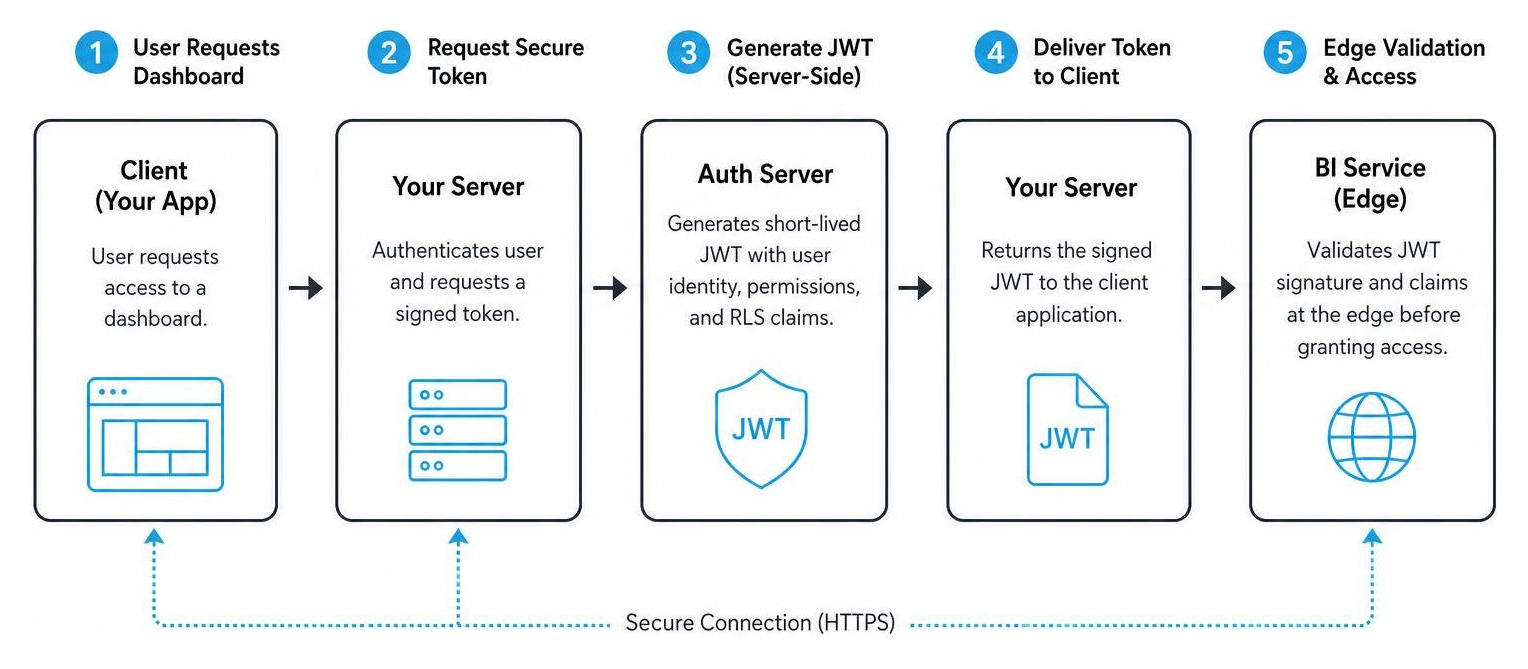
To do this securely, you must implement a robust authentication flow. You can learn more about how to structure these environments by reading about Multi-Tenant Analytics.
Implementing Row-Level Security (RLS) Without Complex Code
Traditionally, implementing Row-Level Security (RLS) required writing custom SQL queries, configuring User Filters in Tableau, or setting up Effective Identities and DAX rules in Power BI. If you are managing a multi-vendor stack, this means writing and maintaining security rules in three or four different languages.
With a unified embedding platform, you can define your security rules in a single place using simple JSON configurations. The platform translates these rules on the fly into the native security models of your BI tools:
- For Power BI, it generates the appropriate Effective Identities.
- For Tableau, it maps the rules to User Filters.
- For Amazon QuickSight, it translates them into session tags.
Every request is scoped, signed at the edge, and secured with short-lived JSON Web Tokens (JWTs) that expire in 5 minutes or less. This ensures that even if a user intercepts an embed URL, they cannot modify the parameters to access unauthorized data.
Managing External User Access Without Individual Pro Licenses
One of the biggest financial hurdles when scaling customer-facing analytics is licensing. If you attempt to use standard Power BI Pro licenses for external users, Microsoft requires you to add each user to your Entra ID as a guest and assign them a license. At scale, this becomes incredibly expensive and administratively impossible.
Some teams try to bypass this by using a single Power BI Pro license to generate embed codes for all external users. However, this violates Microsoft’s licensing terms, and their systems will eventually throttle the requests, causing your external portal to break.
To stay compliant and cost-effective, you have two real options:
- Purchase dedicated capacity: Start with a Power BI Embedded A1 capacity SKU, which costs approximately $735 per month when running continuously (or around £550 per month).
- Leverage alternative BI tools: Use tools like Metabase (with Pro plans starting around $500 to $575 per month for 10 users).
To compare these options in detail, check out our guide on Power BI Embedded Pricing.
Overcoming the Limitations of Traditional BI Embedding
Traditional BI embedding methods are notorious for feeling “tacked on.” Users are often greeted with loading spinners, mismatched fonts, and clunky scrollbars that ruin the SaaS experience.
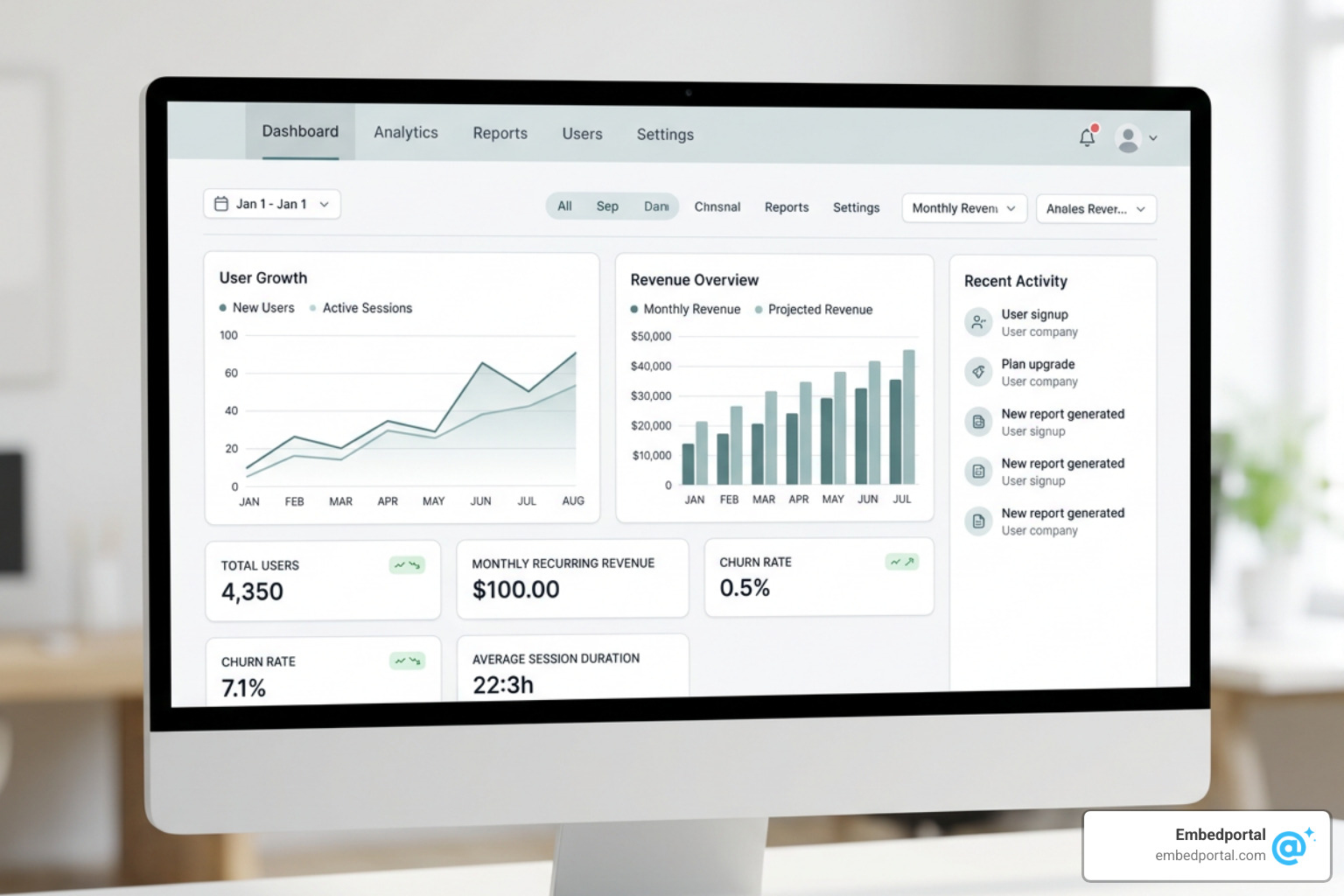
To build a product that your customers love, you need to achieve a native look and feel. Explore how to do this at scale with White Label Analytics.
Achieving a Native, White-Labeled Look and Feel
To make an embedded dashboard look like an organic part of your software, you must remove all traces of the original BI vendor’s branding. This process, known as white-labeling, involves:
- Hiding default navigation headers and action bars.
- Applying custom CSS to match your application’s exact color palette and typography.
- Implementing Single Sign-On (SSO) so users never have to log in twice.
For instance, if you want to Embed Power BI Report content, you can use advanced client-side APIs to control the page view. Options like fitToWidth or oneColumn help the report scale responsively across desktop and mobile screens. For a deeper dive into this process, check out our resources on White Label Power BI.
Performance Optimization Best Practices to Embed BI Dashboards Fast
Slow loading times are the number one complaint from users viewing embedded analytics. Because BI dashboards are asset-heavy, rendering them inside an external application requires careful optimization.
Here are the best practices we recommend to keep your dashboards loading in milliseconds:
- Bootstrap your embeds: Use bootstrapper tools to initialize the iframe container and load the required JavaScript SDKs in the background before the user even clicks on the dashboard tab.
- Cache your tokens: Generate and cache your authentication tokens server-side to avoid adding latency to the initial page load.
- Optimize database queries: Ensure your underlying data warehouse is optimized with appropriate indexing and materialized views. Your embed is only as fast as the database powering it.
- Limit interactivity when unnecessary: If users only need to view static charts, disable heavy interactive features like “Explore from here” or deep underlying data exports to reduce rendering overhead.
Frequently Asked Questions about Fast BI Embedding
What is the difference between Power BI Embedded and standard Power BI?
Standard Power BI is designed for internal business intelligence, where every employee who views a report requires a Power BI Pro or Premium Per User (PPU) license. Power BI Embedded is an Azure-based service designed for application developers who want to embed reports into custom applications for external users.
With Power BI Embedded, external users do not need individual Power BI licenses. Instead, the application developer pays for dedicated capacity (using “A” or “EM” SKUs) to handle the rendering workloads. You can learn more about these differences in our Embedded Analytics Pricing breakdown.
How do you securely embed dashboards for external customers?
The most secure method is to generate short-lived, signed JSON Web Tokens (JWTs) on your backend server using a secure HMACSHA256 signature and an embed secret that is never exposed to the client. These tokens should include strict claims, such as the specific dashboard ID allowed, the user’s tenant ID, and an expiration timestamp (usually set to 5 minutes or less).
When the iframe or web component loads, the BI server validates this signature and enforces the associated row-level security rules. To see this in action, read our guide on Embedded Analytics for SaaS.
Can you embed multiple BI vendors into a single portal?
Yes, but doing this natively requires your engineering team to write and maintain entirely separate integration pipelines for each vendor. For example, they would need to manage Tableau’s JavaScript API alongside Power BI’s REST APIs and QuickSight’s SDKs.
Using a unified platform like Embedportal allows you to connect multiple BI accounts (Tableau, Power BI, QuickSight, Metabase, and more) to a single dashboard hub. Your application only needs to interact with one unified API, rendering different vendors side-by-side inside a single branded portal. Discover how this simplifies your stack by reading about our Embedded BI solutions.
Conclusion
Building customer-facing analytics doesn’t have to be a multi-month engineering headache. You don’t need to spend weeks configuring Azure AD, writing custom token-generation microservices, or fighting with inconsistent CSS across different BI tools.
At Embedportal, we help teams in California and across the globe deploy beautiful, secure, and fully white-labeled analytics in under an hour. Whether your data lives in Power BI, Tableau, QuickSight, or Metabase, our platform gives you the tools to deliver a seamless multi-tenant experience with enterprise-grade row-level security out of the box.
Ready to see how easy it can be?
- Get a Demo to see our platform in action.
- Compare options to find the right fit for your team.
- View pricing to see how we help you scale affordably.
- Start embedding Tableau and other BI tools today and ship your customer portal this week.