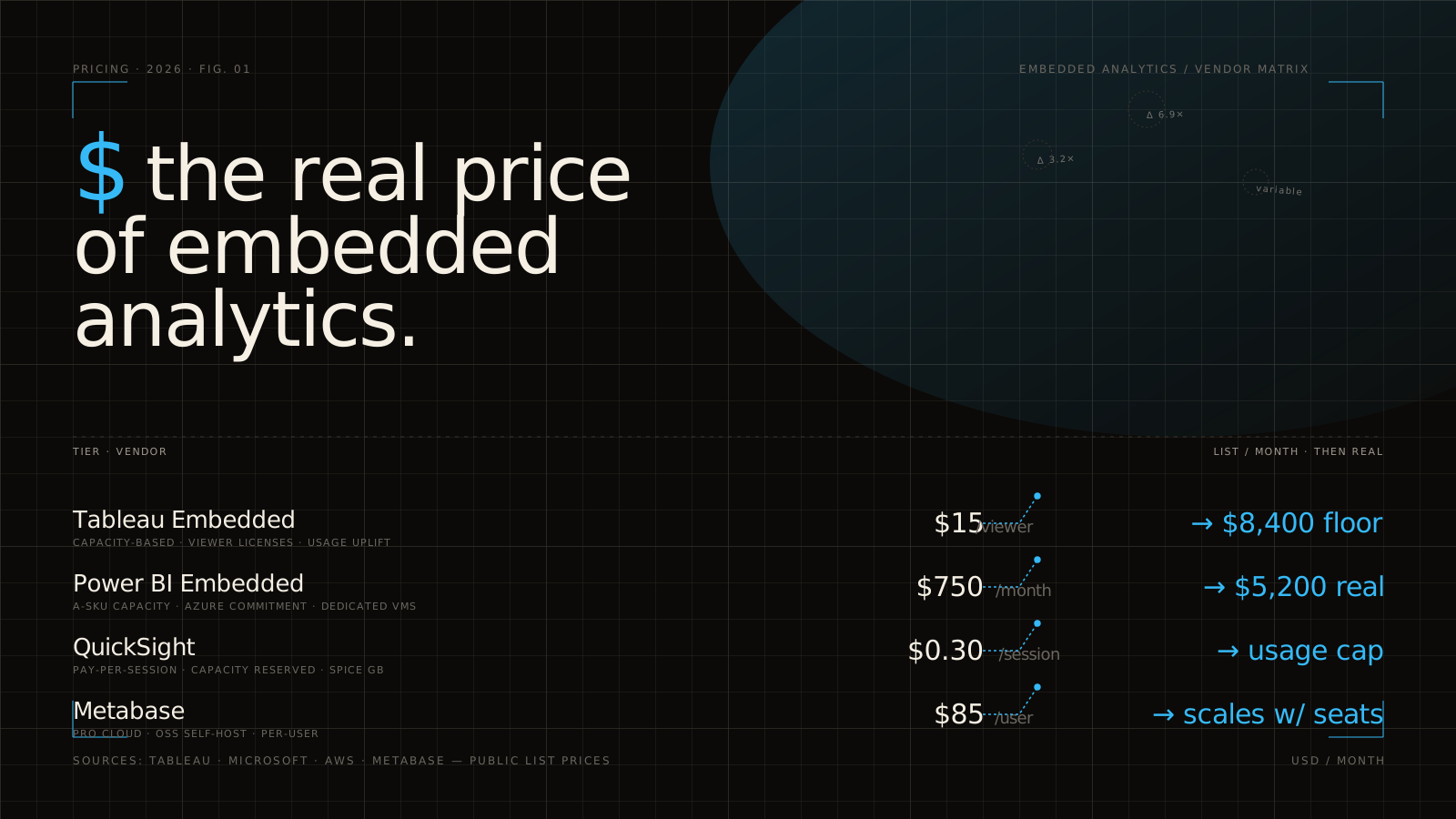
Shopping for embedded analytics pricing feels a bit like ordering a simple coffee and finding out the menu has twelve size systems, six milk surcharges, and a separate fee for the lid. You go looking for one number, then run into seats, viewers, tenants, API calls, capacity, security tiers, and that familiar line: contact sales. This guide breaks down what those pricing models actually mean, what really drives cost, and where the hidden fees tend to show up after the demo.
Why embedded analytics pricing feels harder than regular software pricing
Regular SaaS pricing is often built around a familiar idea: pay per seat, per month, maybe with a couple of feature tiers. Embedded analytics rarely works that way. Once analytics becomes customer-facing, the vendor is no longer just selling a tool for your internal team. The vendor is supporting part of your product experience.
That changes everything.
You are paying for dashboard delivery inside your app, but also for tenant isolation, identity handoffs, branded UI, API access, performance under load, and some version of “please don’t let one customer see another customer’s data.” That is much closer to product infrastructure than to a basic app subscription.
The market is moving in that direction fast. Research suggests embedded analytics is becoming a default product capability rather than a premium extra, with more than 60% of new business applications expected to ship with it by 2027. That growth is good news for buyers, because competition is increasing, but it also means vendors are getting more creative with packaging.
Here’s the catch: a quote can look reasonable until your architecture shows up. Multi-tenant SaaS, external users, row-level permissions, white-labeling, and staging environments all push pricing in ways a standard BI pricing page does not explain.
The main pricing models you’ll run into
A lot of confusion disappears once you recognize the commercial pattern behind the quote. Most vendors mix a few of these models together.
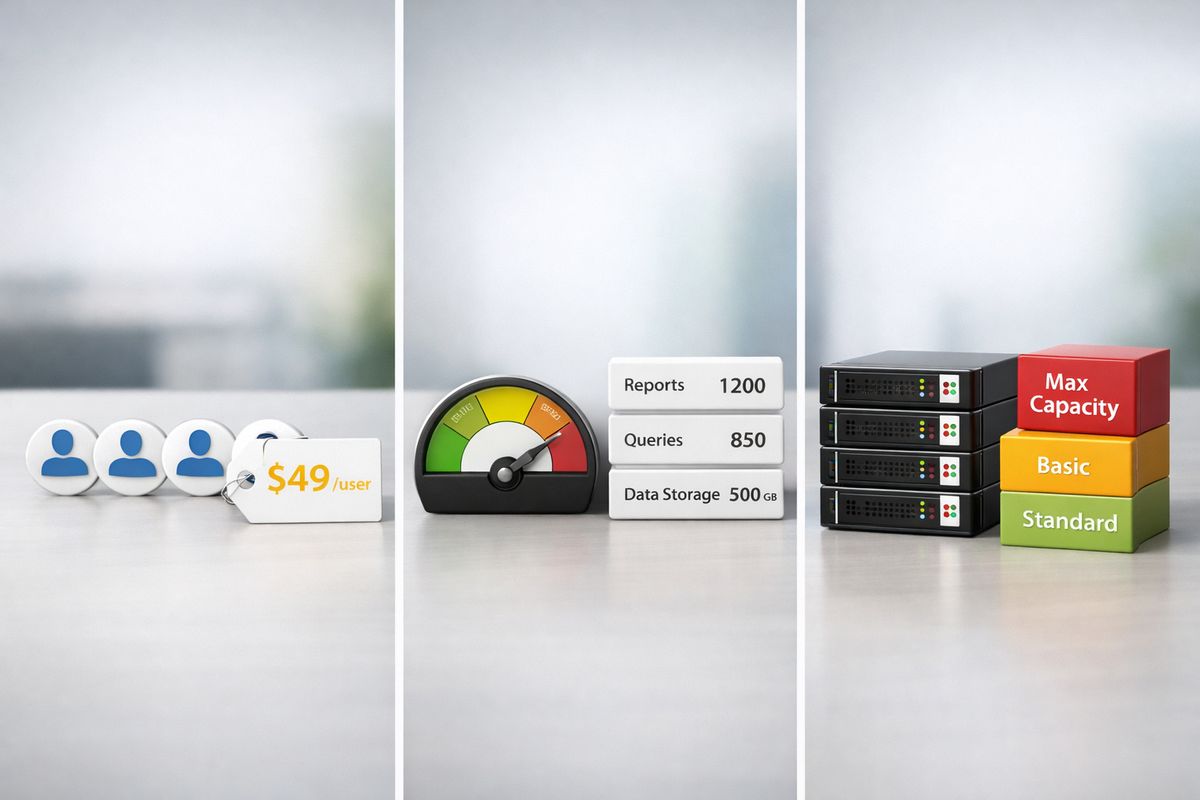
Per-user and per-seat pricing
This is the easiest model to understand and often the easiest one to outgrow.
Per-user pricing usually splits users into categories like creators, editors, viewers, internal users, and external users. Named-user licensing means a specific person gets a license. Viewer licensing often sounds cheaper, but it can still get expensive if your analytics is exposed to hundreds or thousands of customer users.
For internal BI, this model can work fine. For customer-facing analytics, it often falls apart. If analytics is built into your product, charging by named user can punish adoption. The more successful your rollout is, the more painful the bill becomes. That is exactly why many product teams end up moving away from seat-heavy models after launch.
Several market analyses still describe per-user pricing as the dominant SaaS pattern, but they also note that usage-based pricing is gaining traction because it lowers the barrier to entry and maps better to growth.
Usage-based pricing
Usage pricing ties cost to activity: queries, sessions, rendered dashboards, compute time, API calls, impressions, data scanned, or some bundle of credits and tokens.
This can be a very good fit when your product usage is already variable and you want costs to rise with customer adoption. If ten pilot customers barely touch reporting, you do not overpay upfront. If a large customer starts hammering dashboards all day, your pricing scales with that value.
But forecasting gets harder. It is one thing to estimate 500 users. It is another to estimate dashboard renders after a feature launch, query volume after adding self-service exploration, or AI token consumption after turning on natural-language querying.
In some cases, usage-linked models improve adoption because the entry point feels lighter. Still, the risk is simple: if you cannot predict demand, you cannot predict cost.
Platform or capacity pricing
Capacity pricing shifts the unit from people to infrastructure. Instead of counting every end user, the vendor prices by server resources, compute blocks, environment size, or concurrency.
This is often the healthiest model for embedded use cases with broad external access. If your app could expose analytics to every customer account, you usually want pricing that assumes scale from the start rather than treating each new viewer as a separate event to bill.
A familiar example is Azure-style capacity pricing, where cost rises with the size of the provisioned analytics capacity rather than per user. If you want a deeper look at how that plays out in practice, this breakdown of what Azure capacity pricing really turns into is worth reading.
The tradeoff is that capacity pricing can hide underuse just as easily as it avoids overages. If you provision too much, you pay for headroom you do not need yet.
Enterprise and custom pricing
Custom pricing is not always a red flag. Sometimes it just means the vendor has accepted reality.
If your deployment involves SAML, SCIM, customer-specific branding, private networking, support guarantees, multiple environments, self-hosting, and procurement review from a Fortune 500 security team, a fixed pricing card will not capture that. Enterprise pricing often wraps annual minimums, implementation support, bundled services, and negotiated volume terms into one contract.
The trick is not to avoid custom pricing. The trick is to force it into a comparable structure so you can see what is software, what is service, and what is just margin disguised as complexity.
What actually moves the price up or down
Two quotes can look wildly different even when both vendors claim to solve the same problem. Usually, the difference comes from a small set of cost drivers.
User scale, concurrency, and tenant growth
Total users, active users, and simultaneous users are not the same thing. That sounds obvious, but pricing often treats them as if they are.
A SaaS product with 20,000 end users might only have 300 active in analytics on a typical day, and maybe 40 concurrent at peak. If a vendor prices against the full user count, you overpay. If the vendor prices against concurrency or actual usage, the bill may fit your reality much better.
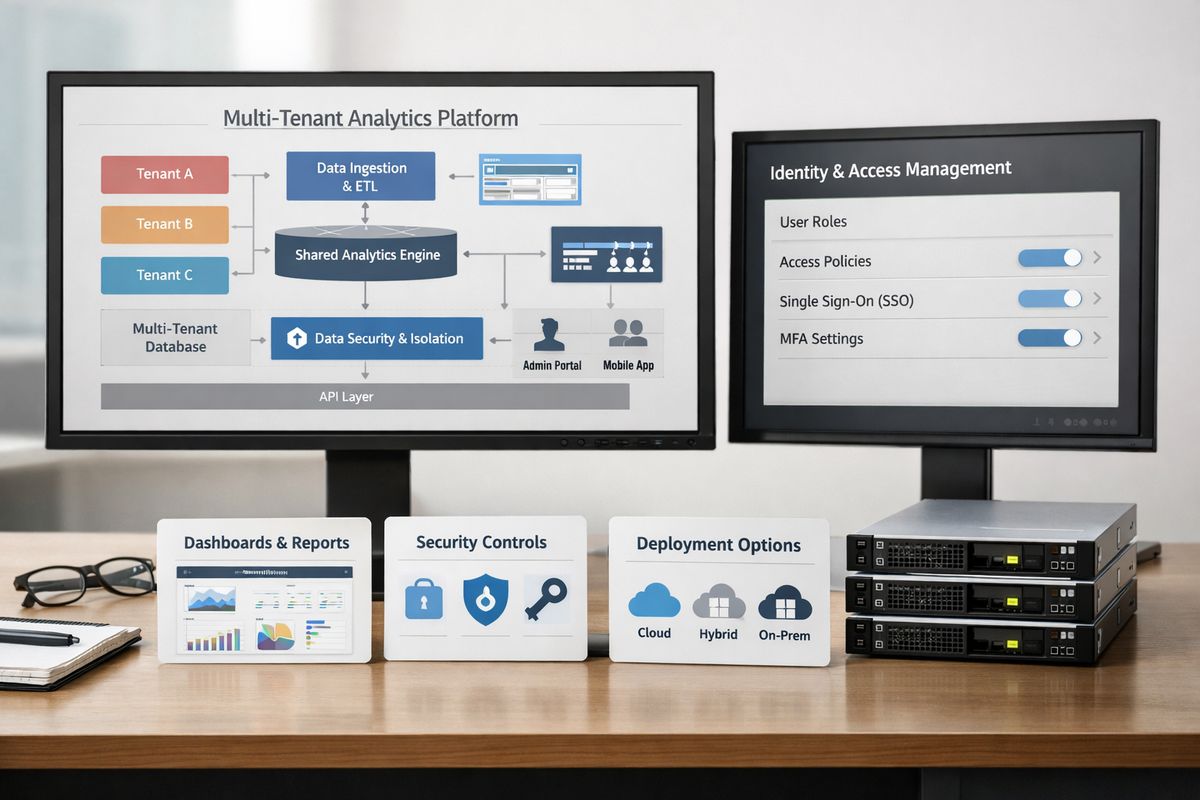
Tenant growth matters too. A multi-tenant app does not just add more users over time. It adds more permission boundaries, more branded contexts, and more customer-specific logic. If you are evaluating architectures, a guide to how tenant-aware analytics works helps clarify why some platforms price this as infrastructure rather than as seats.
Deployment model: cloud, self-hosted, or on-prem
Cloud is usually cheaper to start and easier to trial. That is one reason cloud deployment held 64% share in one market forecast. You avoid hardware, get faster setup, and typically shift upgrades and basic maintenance to the vendor.
Self-hosted and on-prem deployments cost more because you are taking on more control. That means more setup, more infrastructure planning, more security reviews, and often a higher support burden. For some teams, that trade is worth it. If you have strict data residency, private network requirements, or regulated customer contracts, paying more for deployment control can save larger headaches later.
Feature depth: dashboards, self-service, and AI
A static dashboard embed is one pricing category. Interactive drill-down, ad hoc reporting, natural-language querying, forecasting, anomaly detection, and copilots are another category entirely.
This is where a lot of teams get fooled by demos. The starter package often covers charts in an iframe or SDK embed, maybe with filtering and theming. The moment you want self-service analytics, metric exploration, write-back, or AI assistance, the price jumps.
That jump is not accidental. AI features consume compute, increase support complexity, and create new usage dimensions. Research tied augmented analytics to 40 to 60% faster time-to-insight, which is exactly why vendors treat it as a premium feature. It is rarely a free extra.
Security and identity requirements
Security features often separate a nice demo from a production system.
SSO means single sign-on, so users log in through your identity provider rather than managing another password. SAML is a common enterprise protocol for that login handoff. SCIM handles automated user provisioning and deprovisioning. JWT signing lets your app pass trusted identity information to the embedded analytics layer. Row-level security, usually shortened to RLS, restricts data so users only see the records they are allowed to see. Audit logs record who accessed what and when.
Every one of those can affect pricing. Some are locked behind higher tiers. Some require more implementation work. Some require both. If you are comparing permission models across tools, these explainers on RLS setup in Power BI and Tableau permission limits give useful context for what “supports row-level security” actually means.
The hidden fees that catch teams off guard
This is the part that matters most, because hidden cost is where “cheap” platforms become expensive ones.
Implementation and integration work
A vendor saying embedding takes a few lines of code is not exactly wrong. It is just incomplete.
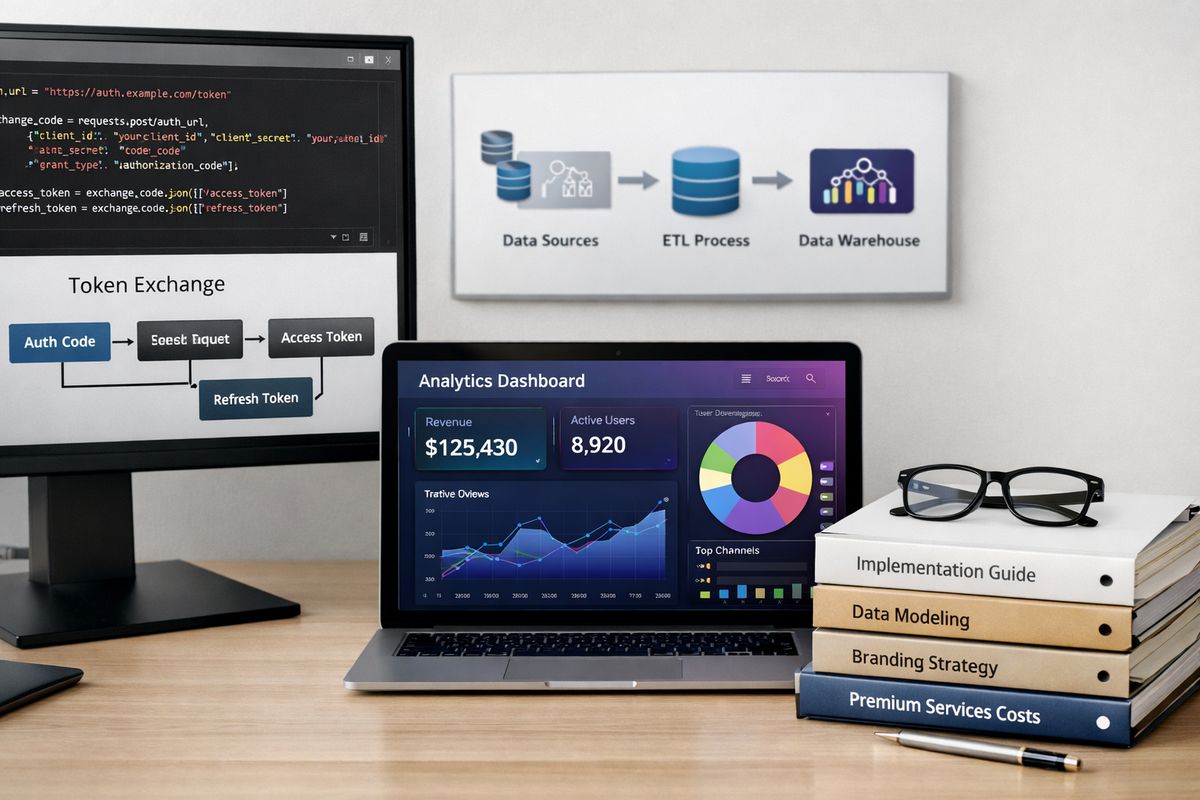
The real work starts after the first chart appears. You still need to wire authentication, pass context securely, handle token refresh, manage errors, polish loading states, fit the embedded views into your frontend patterns, and make the whole thing feel native instead of bolted on. Event handling matters too. So does what happens when a customer clicks into a filter state you need to preserve.
That work is not optional. It is product work. And if the vendor’s SDK is thin, your engineering time becomes the hidden line item.
Data modeling, ETL, and semantic layer setup
Even the nicest analytics UI becomes useless if the underlying data is messy.
You may need connectors, ETL pipelines, transformation logic, freshness monitoring, metric definitions, tenant-aware models, and a semantic layer that gives “MRR” one stable meaning everywhere. That can take longer than the embedding itself.
This is where the invoice quietly expands. Market research has estimated a three-year cost of a mid-tier implementation in the low-to-mid six figures once software, pipelines, and maintenance are included. That number sounds high until you count the hours spent cleaning metrics and fixing access logic.
White-labeling, branding, and multi-environment overhead
Branding is easy to underestimate because demos usually show a quick theme swap and a logo upload.
Real white-labeling can include custom CSS or design tokens, domain mapping, branded emails, tenant-specific navigation, localization, and different experience rules per customer segment. Add separate dev, staging, and production environments, and the cost grows fast. Some vendors charge for extra environments. Others gate advanced branding to higher tiers.
If branded delivery matters, it helps to think beyond colors and logos. This buyer guide on what native-feeling branded analytics actually requires covers the parts that tend to affect both implementation time and pricing.
Support, training, and premium services
Support is one of those line items that feels optional until launch week.
Onboarding packages, solution architects, premium Slack channels, migration services, faster SLAs, and dedicated support contacts all cost extra with many vendors. Sometimes that is annoying. Sometimes it is the cheapest money you can spend.
If premium support cuts two months off implementation or saves your team from babysitting production incidents, it may be worth far more than its price tag. The mistake is not paying for support. The mistake is pretending you will not need any.
How to estimate total cost of ownership without getting fooled by list price
List price is only the start. Total cost of ownership is the number that matters once the feature is live for a year or three.
Calculate software cost plus delivery cost
Split your budget into two buckets: software cost and delivery cost.
Software cost includes license or subscription fees, usage charges, support tiers, and environment fees. Delivery cost includes frontend engineering, backend auth work, data modeling, ETL, DevOps, QA, security review, design polish, and maintenance.
Keep those buckets separate on purpose. Otherwise a low license fee can distract you from a large implementation bill. Research has also found embedded analytics can cut development costs compared with building everything yourself, but only if you count engineering honestly.
Model best-case, likely, and scale-up scenarios
Do not budget from the demo scenario. Budget from three scenarios.
Best-case assumes limited rollout, low query volume, and modest tenant growth. Likely case reflects your actual product roadmap. Scale-up case assumes success: more customers, more usage, more dashboards, more self-service, more support tickets, more pressure on permissions and performance.
One practical benchmark from vendor comparisons is to price the same scenario across vendors at a much larger footprint than today. If the quote still makes sense at 10x your current scale, you are probably looking at a healthy pricing model. If the quote explodes, better to find out in a spreadsheet than at renewal.
Compare buy versus build honestly
Buy versus build conversations often start with the visible layer, charts in your app. That is not the expensive part.
The expensive part is authentication handoffs, embedded UX, permission mapping, caching, observability, tenant isolation, versioning, upgrades, and support once customers depend on the feature. Building a dashboard shell is manageable. Building the whole production-grade embedding layer is where costs pile up.
That is why a lot of teams choose to buy the delivery layer even when the underlying warehouse and transformation stack stay in-house. If you need a clearer picture of that boundary, this overview of the fastest route to shipping analytics in a SaaS product helps frame what you are actually buying.
Pricing tradeoffs by use case
The right pricing model depends heavily on what you are trying to ship.
SaaS product teams adding customer-facing dashboards
For product teams, predictability usually matters more than the cheapest entry point. You need pricing that survives growth, supports multi-tenancy, allows branding, and does not punish adoption.
That is why per-user pricing is often a mismatch here. Analytics is part of your product, not a side tool for a fixed number of employees. Capacity or usage-based pricing often fits better, especially if your roadmap includes monetized analytics tiers or broad customer rollout.
Consultancies and agencies building client portals
Agencies and consultancies need repeatability. You want a model that works across many clients without a fresh negotiation every time someone asks for a branded portal, a new environment, or a custom filter set.
The margin killer is usually not the base platform fee. It is the accumulation of “small” requests: a custom domain here, a staging environment there, one client-specific metric model, one more theme override. If pricing is tied tightly to environments or bespoke setup, those requests add up quickly.
Internal platform teams consolidating BI tools
Internal platform teams often face a different problem: too many BI tools, too many semantic definitions, and too many access patterns spread across the business.
Pricing here is less about external viewers and more about governance, identity management, and the effort required to present multiple data sources through one consistent portal. Even if the software price looks clean, stitching semantics and permissions together can become the real cost center.
Common pricing mistakes to avoid before you sign
A few mistakes show up over and over, and most of them are avoidable.
Optimizing for the cheapest starting tier
The lowest plan is not the cheapest path if it excludes API access, tenant-aware permissions, white-labeling, or proper support. Starting cheap only works if you can stay there.
In embedded analytics, you often cannot. Entry tiers are usually designed to get a proof of concept running, not to support production growth.
Ignoring contract language around overages and renewals
The pricing page is not the contract. Overage rules, support boundaries, annual minimums, data retention limits, auto-scaling fees, and renewal uplifts can change the deal far more than the headline number.
This matters even more if your product usage can spike after launch. Some vendors are generous about temporary bursts. Others turn success into an invoice surprise. Market research regularly points to licensing challenges as a real adoption barrier, and this is a big reason why.
Treating security and compliance as add-ons
Security and compliance should be part of the buying process from day one, not a later upgrade discussion.
If your customers care about GDPR, auditability, data residency, role-based access, or enterprise SSO, those requirements need to shape the shortlist early. Otherwise you end up choosing a vendor for price and re-buying the same category six months later for enterprise readiness.
What to ask vendors so pricing becomes comparable
Vendor quotes become useful only when you ask questions that expose the real billing unit.
Questions about packaging and limits
Ask how pricing is measured: seats, viewers, tenants, dashboards, environments, API calls, concurrency, data volume, compute, credits, or support tiers. Ask what counts as an overage and what triggers a mandatory tier upgrade.
The goal is simple. You want to know what success costs.
Questions about architecture and implementation
Ask how embedding works, iframe, SDK, component, API-first, or headless. Ask about JWT support, SSO options, row-level security model, caching, theming, tenant isolation, and deployment choices.
Commercial fit and technical fit are not separate conversations here. If the architecture requires more custom work, your real price is already higher.
Questions about future scale
Ask how the contract changes at 10 customers, 100 customers, or 10,000 end users. Ask what happens if you add AI features, self-service exploration, more branded portals, or more environments later.
You are not just buying for launch day. You are buying for the shape of your product after it works.
How to choose the right pricing model for your team
A good pricing model matches your product motion, not just your budget this quarter.
Best fit for predictable customer-facing SaaS growth
If analytics is part of your product and user counts can grow fast, lean toward platform or usage-based pricing with strong multi-tenant support. You want a model that grows with adoption without turning every new customer into a license problem.
Best fit for high-control or regulated deployments
If you need private networking, strict residency controls, custom compliance handling, or deep security review, self-hosted, on-prem, or enterprise contracts can make sense despite higher cost. You are buying control and risk reduction, not just dashboard delivery.
Best fit for fast launch with fewer surprises
If speed matters most, prioritize vendors with clear implementation scope, predictable packaging, and contract language that does not punish growth. Before the next vendor call, build a simple three-year worksheet with software fees, implementation effort, support, environments, data work, and a scale-up case. That one exercise catches a lot of expensive optimism.
Frequently Asked Questions
How much does embedded analytics usually cost?
There is no universal number. Costs can range from a few hundred dollars per month for limited viewer tiers to enterprise contracts in the tens or hundreds of thousands annually. The real answer depends on your pricing model, user scale, deployment method, security needs, and implementation scope.
Is per-user pricing a bad fit for embedded analytics?
Not always, but it is often a bad fit for customer-facing SaaS products. If analytics is exposed to a large or growing external audience, per-user pricing can become expensive fast. It tends to work better for internal analytics teams with stable user counts.
What hidden costs show up most often?
Implementation work, data modeling, ETL, semantic layer setup, white-labeling, extra environments, premium support, and security features are the most common surprises. In many cases, those costs matter more than the base subscription.
Are AI analytics features usually included in the base price?
Usually not. Natural-language querying, anomaly detection, forecasting, copilots, and other AI features are commonly priced as premium tiers, add-ons, or usage-based services because they increase compute and support demands.
Should you choose cloud or self-hosted for lower cost?
Cloud is usually cheaper and faster to start with. Self-hosted or on-prem options often cost more because setup, infrastructure, and support demands are higher. The reason to choose them is control, compliance, or architecture fit, not bargain pricing.
What is the simplest way to compare vendor pricing?
Use one scenario across every vendor: same number of internal builders, external users, tenants, environments, security requirements, and expected usage. Then compare software cost, implementation effort, support, and scale-up behavior side by side. Try that before your next pricing call, and the fuzzy quotes get much clearer fast.