BI Embedding 101
What “California BI Embedding” Actually Means — and Why It Matters Right Now
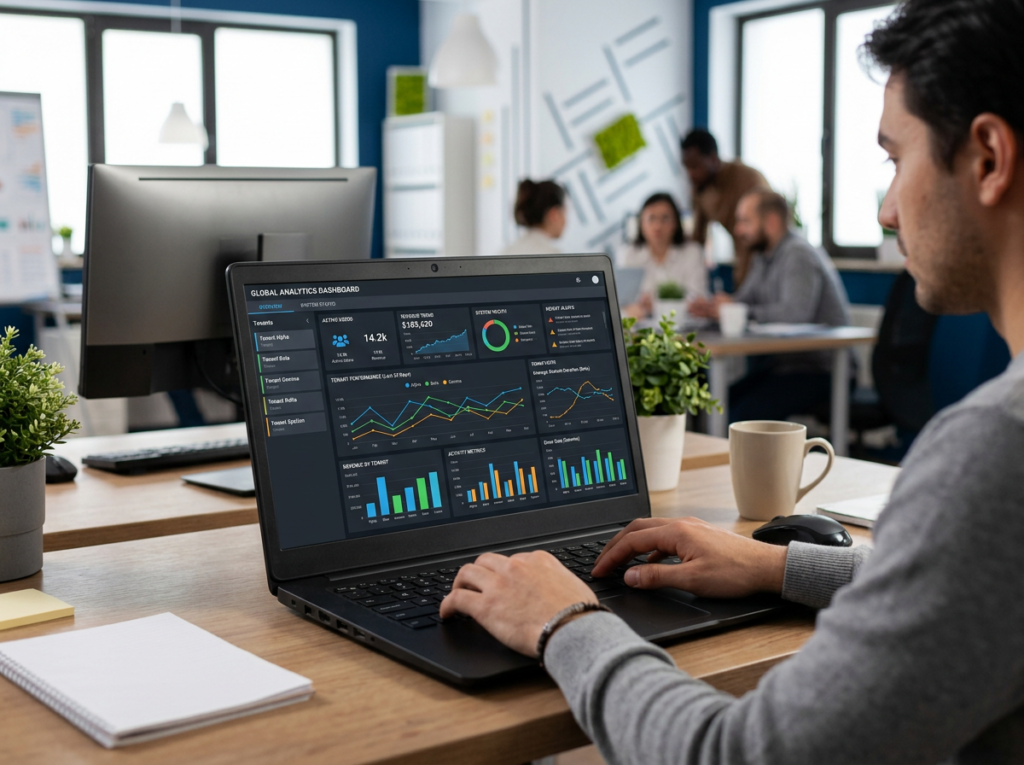
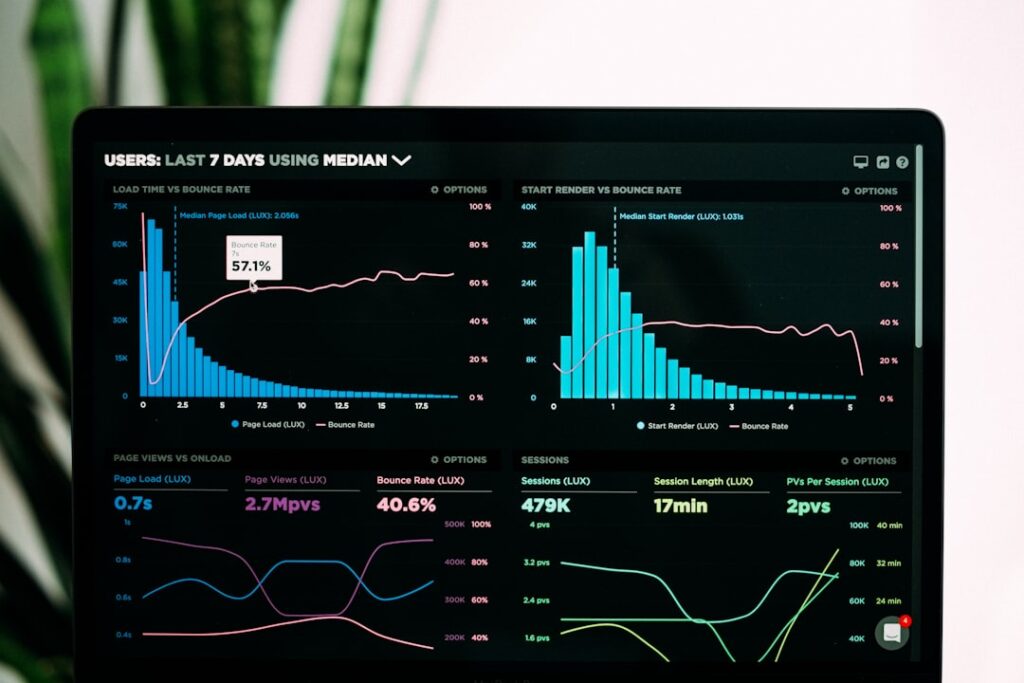
California BI embedding sits at the intersection of two fast-moving trends: a major new state compliance requirement and the growing need to surface real-time data inside branded customer portals.
Here’s the quick answer for what most people are looking for:
California BI embedding refers to two related topics:
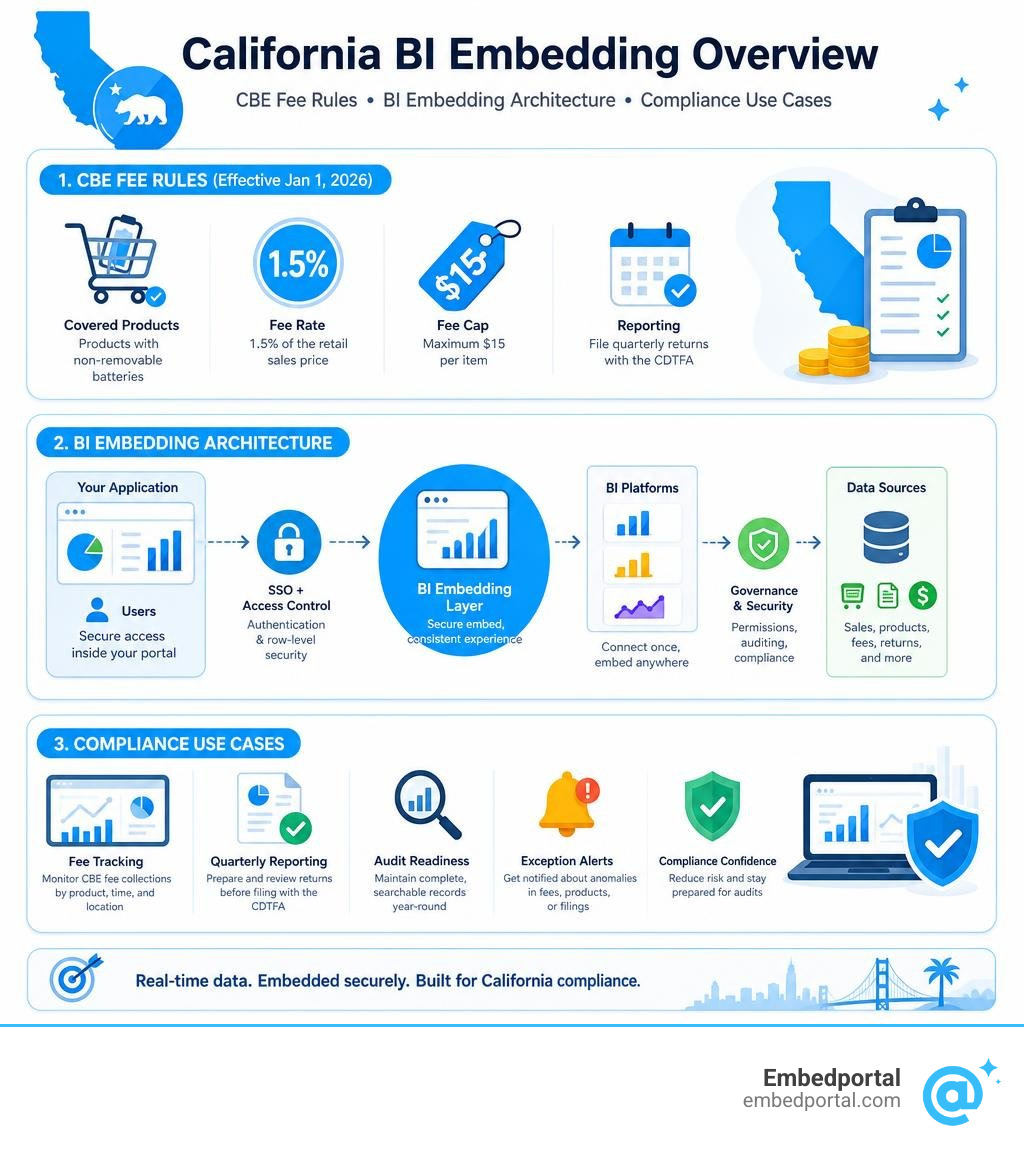
- The California Covered Battery-Embedded (CBE) Waste Recycling Fee — a new regulation effective January 1, 2026, requiring retailers to collect a 1.5% fee (capped at $15 per item) on products with non-removable batteries, and file quarterly returns with the CDTFA.
- Business Intelligence (BI) embedding in California — the practice of embedding interactive reports, dashboards, and analytics into custom web applications, which is increasingly being used by California retailers and agencies to track CBE fee compliance, automate reporting, and prepare for audits.
If you’re a product or analytics lead at a SaaS company, you’re likely dealing with the second problem: embedding dashboards from multiple BI tools into a single branded portal — without rebuilding row-level security from scratch every time or losing consistent branding across vendors.
Both meanings matter here, and they’re more connected than they first appear.
California’s CBE fee creates a real reporting burden. Retailers must track fee collections by product, file quarterly returns, and maintain audit documentation. That’s exactly the kind of structured, recurring data problem that embedded BI is built to solve — putting live compliance dashboards directly inside the tools your team already uses.
The California government has already proven this model works. The FI$Cal system replaced a 30-minute PeopleSoft reporting process with a 2-minute Power BI dashboard — cutting time by 93% while reducing errors. That same approach now applies directly to CBE compliance tracking.
The challenge for most teams isn’t understanding why to embed analytics. It’s figuring out how to do it across multiple BI vendors, with consistent auth, branding, and row-level security — without months of custom engineering work.
This guide walks through both sides: what the CBE fee requires, and how embedded BI tools can help you meet those requirements at scale.
Understanding California’s Covered Battery-Embedded (CBE) Recycling Fee
To build the right dashboards, we first have to understand the underlying rules of the game. On January 1, 2026, California rolled out the Covered Battery-Embedded (CBE) Waste Recycling Fee. This brand-new regulation changed the landscape for any business selling electronic devices in the Golden State.
Under these rules, retailers must collect a 1.5% fee on the retail sales price of any qualified CBE product sold or leased to California consumers. However, the state has capped this fee at a maximum of $15 per individual item.
The mechanism for managing this fee is handled by two major state entities: CalRecycle, which oversees the environmental and classification side of the program, and the California Department of Tax and Fee Administration (CDTFA), which handles registration, collection, and auditing. You can review the exact definitions and operational parameters in the official CalRecycle SB 1215 Guidelines.
The collection process happens right at the point of sale. Retailers must register with the CDTFA, clearly list the fee as a separate line item on customer receipts, and file quarterly returns online. Because we are currently in July 2026, the very first quarterly reporting period (covering January 1 through March 31, 2026) wrapped up with returns due by April 30, 2026. Retailers are now actively managing their second-quarter filings.
Classification is one of the trickiest parts of this law. A CBE product is generally defined as any device with a battery that cannot be easily removed by the average user without specialized tools. This includes everyday items like smartphones, smartwatches, wireless earbuds, gaming controllers, and even certain smart toys or power tools.
While manufacturers are technically responsible for identifying and classifying these products, the compliance risk falls squarely on the retailer if they fail to collect the fee at checkout. Missing these classifications or failing to file accurate quarterly returns can lead to heavy penalties, interest charges, and grueling audits from the CDTFA.
Leveraging California BI Embedding for Regulatory Compliance
Given the complexity of tracking thousands of transactions, point-of-sale calculations, and varying product classifications, spreadsheets simply won’t cut it anymore. This is where California BI embedding becomes an invaluable operational tool.
By utilizing Embedded Analytics, retail organizations can merge their sales transactions, inventory catalogs, and tax calculation databases into a unified, interactive dashboard. This dashboard can then be embedded directly into their internal corporate portals, compliance tools, or store manager interfaces.
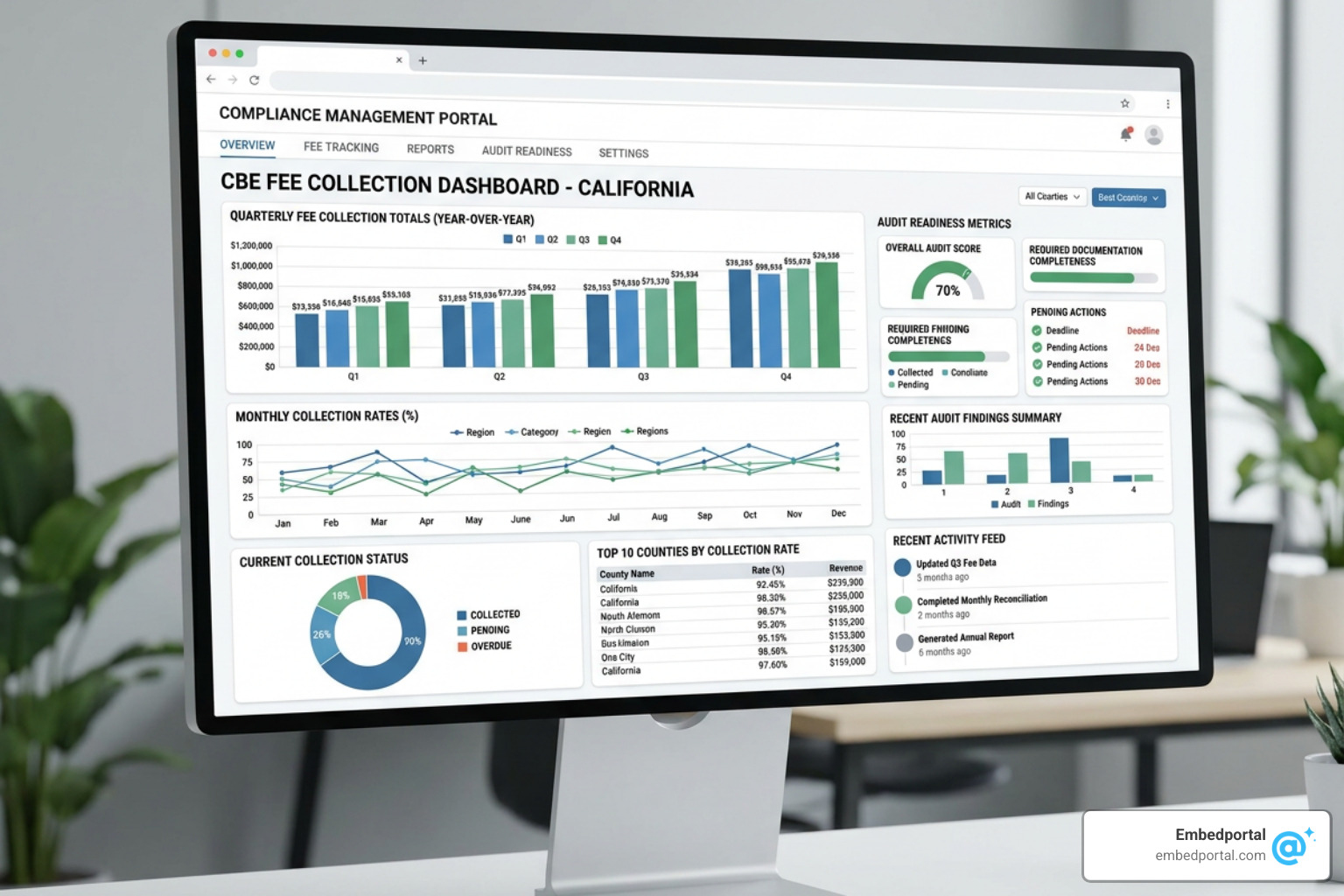
With a dedicated compliance dashboard, your team can achieve several critical goals:
- Real-Time Point of Sale Monitoring: Ensure that the 1.5% fee (and the $15 cap) is being applied correctly across all digital and physical checkout lanes.
- Automated Exemption Tracking: Keep an eye on transactions that are legally exempt from the fee, such as sales for resale, shipments sent to out-of-state addresses, or sales made to Native Americans within Indian country.
- CDTFA Audit Preparation: Maintain a clean, visual history of transaction-level data. If state auditors knock on your door, you can easily filter, export, and present your historical data to prove compliance.
- Product Classification Auditing: Cross-reference your active inventory against CalRecycle’s updated lists of covered battery-embedded products to ensure no new inventory items are missing the fee.
Having these metrics embedded directly into your everyday business applications means your operations team doesn’t have to keep switching between disjointed software tools. The data is right there, fully contextualized and ready for action.
Technical Architecture of BI Embedded for CBE Analytics
Building a robust compliance portal requires a solid understanding of how modern BI tools are embedded into custom web applications. The core architectural approach relies on embedding reports through secure web standards like HTML5, CSS, and JavaScript.
Typically, the process involves your web application requesting a secure, temporary token from the BI service via an API. Once authenticated, your application renders the report inside an iframe, pointing to a secure URL provided by the BI host. This allows you to Embed Power BI Report assets or dashboards from other vendors smoothly, while maintaining full interactivity such as filtering, slicing, and drill-downs.
To understand the best path forward for your development team, let’s compare the primary methods used to embed BI reports:
| Embedding Method | Technical Complexity | Customization Level | Implementation Time | Licensing & Overhead |
|---|---|---|---|---|
| Basic iframe Sharing | Extremely Low | Very Low (No custom filters) | Minutes | Requires every viewer to have a BI license |
| Native API & SDK Integration | High | Extremely High | Weeks to Months | Requires managing complex token flows and capacities |
| White-Label Portal (Embedportal) | Low | High (Unified branding) | Under 1 Hour | Single streamlined platform with built-in SSO and RLS |
First-Party vs. Third-Party California BI Embedding Models
When architecting your embedded analytics, you must choose between two distinct identity models: first-party embedding and third-party embedding.
First-party embedding (often referred to as the “user-owns-data” model) relies on the viewer’s own identity. In this setup, every single user viewing the report must have an active license for the BI tool and be authenticated within your organization’s directory. This is ideal for internal compliance teams where everyone already has corporate BI access. You can learn more about managing these scenarios in our guide on Power BI External Users.
Third-party embedding (the “app-owns-data” model) is far more common for customer-facing portals or multi-tenant SaaS applications. Here, the application itself authenticates with the BI service using a master account or service principal. The application then generates temporary, restricted “embed tokens” for the end users. Under this model, your customers or external store managers do not need individual BI licenses or directory accounts to view the reports safely.
Dedicated Capacities and Performance Optimization in California BI Embedding
If you choose the third-party embedding route for high-volume retail analytics, you will need to host your workspaces within dedicated capacities rather than shared capacity environments.
In shared environments, your datasets are subject to strict limitations, such as a 1GB size limit and a maximum of eight refreshes per day. Furthermore, shared environments can suffer from performance degradation due to the “noisy neighbor” effect, where other companies’ heavy queries slow down your reports.
By moving to dedicated capacities (using specific Power BI Embedded A SKUs, EM SKUs, or P SKUs), you unlock isolated compute power, unlimited daily refreshes, and higher dataset limits. This ensures that your CBE compliance dashboards load instantly, even when handling millions of transaction rows. For a breakdown of how these costs scale, check out our analysis of Power BI Embedded Pricing.
To further optimize performance, your engineering team can utilize advanced database practices like table partitioning and clustering. By partitioning your transaction tables by transaction date (e.g., monthly or quarterly), your embedded reports only query the specific time slices needed for the current CDTFA filing, drastically reducing load times.
Integrating Embedded BI with ERP and Tax Systems
For embedded analytics to be truly effective, they cannot live on an island. They must integrate seamlessly with your existing ERP (Enterprise Resource Planning) and tax automation systems.
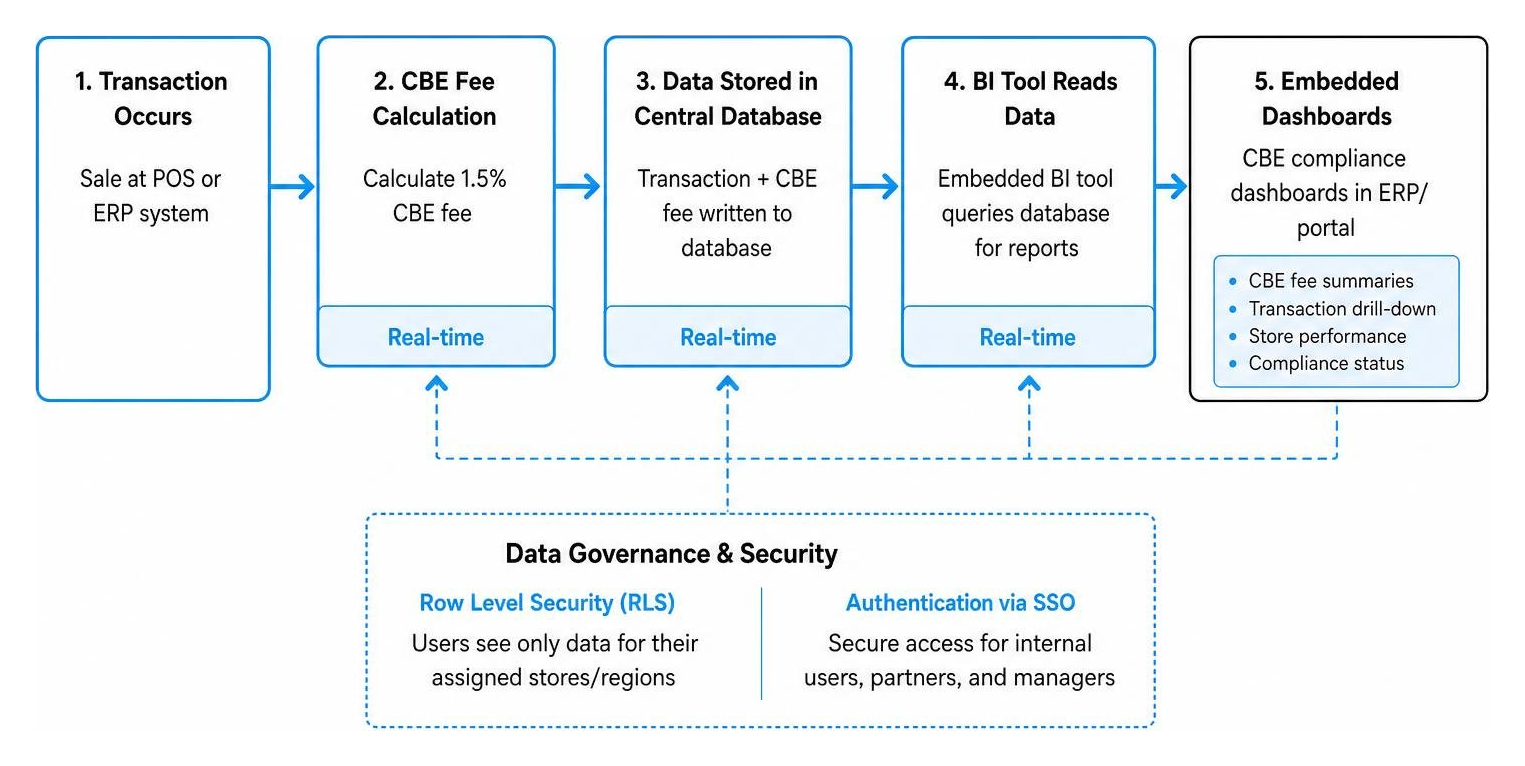
When a transaction occurs, your ERP or point-of-sale system calculates the 1.5% CBE fee and writes the data to your central database. Your embedded BI tool then reads from this database to populate your compliance reports.
To make this system secure and scalable, you must implement robust data governance and security measures. For example, if you operate stores across multiple regions or manage a franchise model, store managers should only see data for their specific locations.
We can achieve this by configuring Row Level Security Power BI roles. Row-level security (RLS) filters the underlying data at the database level based on the user’s logged-in identity, ensuring that sensitive financial and tax information never leaks across tenant boundaries.
This exact strategy of using modern BI tools to streamline legacy ERP data has been highly successful in public administration. As highlighted in the FI$Cal Power BI Case Study, the State of California’s financial system successfully migrated cumbersome reporting processes into interactive dashboards, making complex state-level financial data accessible and actionable in a fraction of the time.
Frequently Asked Questions about California BI Embedding
What products are subject to the California CBE recycling fee?
The Covered Battery-Embedded (CBE) Waste Recycling Fee applies to a wide range of consumer electronics containing non-removable batteries. A battery is considered “embedded” if it cannot be removed by the consumer using common household tools without damaging the device.
Common examples of covered products include:
- Smartphones and tablets
- Smartwatches and fitness trackers
- Wireless earbuds and headphones
- Handheld video game consoles and accessories
- Electric toothbrushes and personal care devices
- Cordless power tools and smart home devices
If you are unsure whether a product qualifies, you should consult the manufacturer’s official classification lists or CalRecycle’s database.
How does row-level security protect sensitive tax data in embedded reports?
Row-level security (RLS) is a database-level security feature that restricts data access based on user characteristics. When a user logs into your custom compliance portal, your application passes their identity and permissions to the embedded report.
In a Multi Tenant Analytics setup, RLS ensures that:
- Store Managers can only view the CBE fee collections and transaction details for their specific retail locations.
- Regional Directors can view aggregated metrics across their designated territories.
- Corporate Compliance Officers have global access to run state-wide audits and prepare quarterly filings.
Because the data filtering is handled securely at the query level, there is no risk of a user manipulating the client-side code to view unauthorized financial records.
When are the quarterly CDTFA returns for the CBE fee due?
Retailers must file their CBE fee returns and remit the collected payments quarterly. The deadlines follow the standard CDTFA calendar, with filings due by the last day of the month following the close of each calendar quarter:
- Q1 (January 1 – March 31): Due April 30
- Q2 (April 1 – June 30): Due July 31
- Q3 (July 1 – September 30): Due October 31
- Q4 (October 1 – December 31): Due January 31
All returns must be submitted electronically through the CDTFA Online Services portal.
Conclusion
Navigating the complexities of California’s regulatory environment — especially with the rollout of the Covered Battery-Embedded (CBE) Waste Recycling Fee — requires a modern, data-driven approach. By combining robust compliance tracking with California BI embedding, retailers can turn a stressful regulatory burden into a streamlined, automated workflow.
However, building custom embedding solutions from scratch often takes months of development time, requiring your engineers to wrestle with complex token handshakes, custom CSS styling, and multi-tenant security rules.
At Embedportal, we help teams bypass this complexity entirely. Our white-label embedding platform allows you to embed multi-vendor analytics (including Tableau, Power BI, QuickSight, and Metabase) with unified branding, robust row-level security, and single sign-on (SSO) in under an hour.
Whether you are building internal compliance tools or customer-facing reporting portals, we make the integration process simple, secure, and incredibly fast. Ready to see how easy your BI integration can be? Learn more about our Power BI Embedding solutions and start building your compliance dashboards today.