
Shipping customer-facing dashboards looks straightforward right up until access rules enter the room. User management for BI is where polished demos turn into support tickets, CSV exports, and one nervous check before launch, because if the wrong customer sees the wrong row, the dashboard is not finished.
Why user management becomes the hard part of customer-facing BI
A chart can be correct and still be unusable. The moment analytics leaves an internal team and lands inside your product, access becomes part of the product itself. That means every customer, team, region, account manager, and admin role needs the right slice of data, not just a login.
This is why user management becomes the hard part. Visuals are the visible layer, but trust sits underneath. If one customer can see another customer’s pipeline, invoices, support metrics, or territory data, the problem is bigger than a rough launch. It is a product and security failure.
What “user management for BI” actually means
In plain English, user management for BI means deciding who can get in, what each person can open, and which rows of data each person is allowed to see. That includes provisioning users, mapping permissions, syncing identity from your app or identity provider, and enforcing row-level security.
For embedded analytics, this usually lives between your application and the BI tool. A user signs into your product, lands on a dashboard, and expects the experience to feel native. No second login. No mystery permissions. No seeing six accounts when only one belongs to that user.
Why this gets more complicated in Tableau, Power BI, and AWS QuickSight
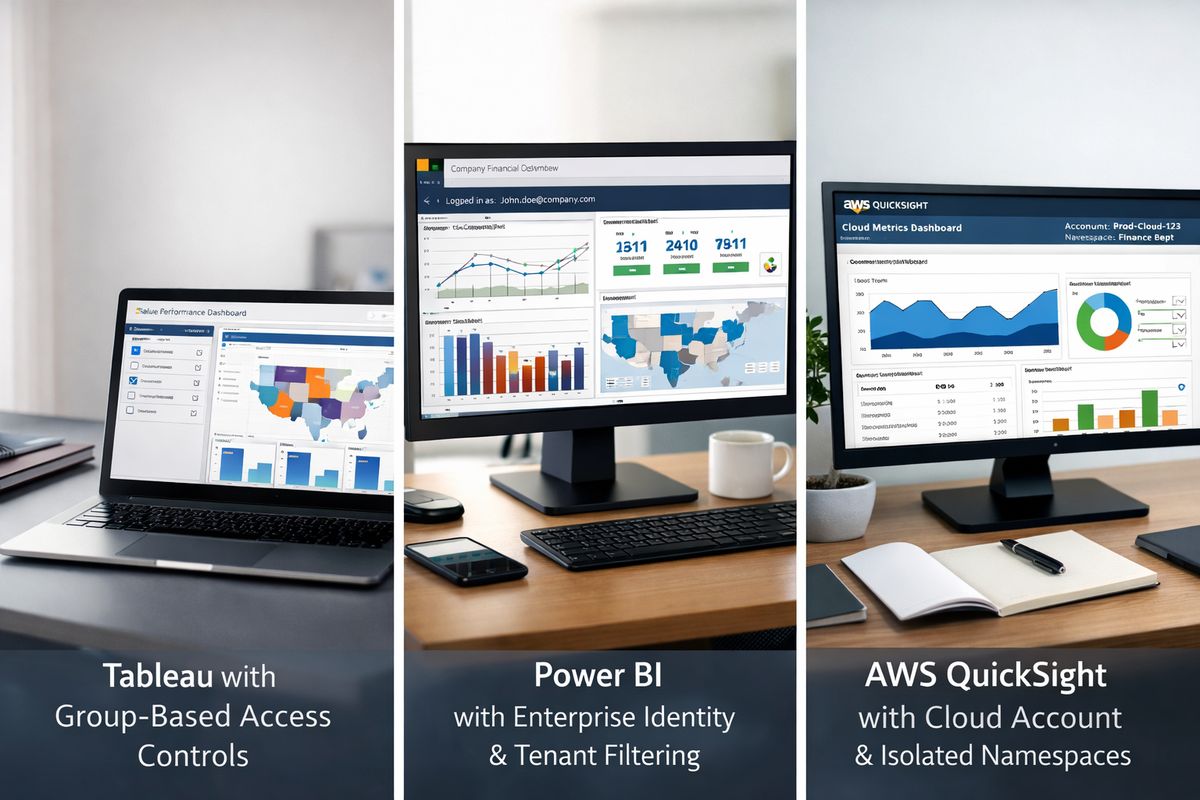
Tableau, Power BI, and AWS QuickSight can all display dashboards well. The catch is that customer-facing access rarely fits neatly inside the dashboard layer alone. You still need to connect app identity, tenant membership, roles, entitlements, and data filtering.
It gets messier once customers manage their own users. Someone changes teams on Tuesday. An account gets split into two business units on Thursday. A trial user becomes a paid admin on Friday at 4:15 p.m. If your setup depends on manual updates in three systems, your launch starts to feel like babysitting permissions instead of shipping analytics.

The core pieces you need before you choose an approach
Before comparing platforms or deciding to build, get clear on the building blocks. Different tools package them differently, but the same needs keep showing up. If one of these pieces is weak, the whole setup feels brittle.
Identity and authentication
Authentication is just how a user proves who that user is. In practice, that usually means SSO, SAML, OAuth, or app-authenticated access. The right option depends on how users already sign into your product.
If customers already use your app login, forcing a separate BI login creates friction immediately. If enterprise customers expect SAML with Okta or Entra ID, skipping that path creates sales friction instead. This choice affects onboarding, support, and security all at once, so it deserves more attention than a tiny checkbox in a demo.
Authorization and role mapping
Authentication answers “who are you?” Authorization answers “what can you do?” Those are different problems, and teams often mix them up.
A valid user may still need limits based on customer account, plan tier, region, or internal role. Your product may have roles like admin, manager, and viewer. Your BI layer needs a clean way to map those into permissions and entitlements. This is where a lot of setups crack, especially if your app roles and BI groups drift apart over time.
Row-level security built for multi-tenant analytics
Row-level security, or RLS, means filtering data so a user sees only allowed rows. Not just the right dashboard, the right records inside the dashboard. That distinction matters. A single shared dashboard can be perfectly safe if the data layer filters by tenant, account, region, or team. Without that, private data leaks through a public-looking surface.
For customer-facing analytics, RLS is not optional. It is the control that makes multi-tenant reporting possible. If you want a clearer baseline on how this works in practice, this guide to keeping each user’s dashboard data scoped correctly lays out the core pattern.
Provisioning and deprovisioning
Provisioning is user creation and access assignment. Deprovisioning is removing or updating access when roles change, contracts end, or employees leave. It sounds administrative because it is, but it quickly becomes product-critical.
Manual invites are tolerable when you have ten customers. At one hundred, it turns into a weekly drag. At one thousand, it becomes a support queue with a dashboard attached. The better path is automated creation, updates, and removal tied to your source of truth.
The buying criteria that actually matter
A lot of demos make access look simple because the demo tenant has one admin, one viewer, and one neat data rule. Real products are messier. The criteria below are what separate a smooth rollout from an endless permission cleanup project.
How well it handles external users at scale
Internal BI is one thing. External users are another. Customer-facing analytics needs support for many tenants, large user counts, delegated administration, and self-serve onboarding that does not require your engineering team to touch every account.
Look closely at how a setup handles growth. Can customer admins invite and manage their own users? Can one person belong to multiple accounts? Can trial tenants be created without manual work? If not, your support team becomes the missing feature.
Flexibility of row-level security rules
Simple tenant filters are a good start, but most products outgrow them. Customers want access based on account lists, regional ownership, business unit, team membership, or custom entitlements pulled from your app. That means RLS has to bend without breaking.
The best setups support dynamic rules based on metadata you already manage. The worst ones rely on scattered hardcoded filters that nobody wants to touch after launch. If you are comparing options, pay close attention to how centralized access rules can stay as your model grows. That design choice saves a lot of pain later.
Ease of integration with your product and data stack
This is where hidden work tends to appear. A platform may support embedding, but does it fit your app authentication flow? Does it expose APIs for provisioning and group sync? Does it work cleanly with your warehouse and existing identity provider?
You want fewer translation layers, not more. If access logic lives in your app, warehouse, and BI tool all at once, debugging turns into archaeology. A good fit should plug into your architecture without forcing strange workarounds just to get a signed-in user onto the right dashboard.
Admin experience for your team
Bad admin workflows will slow every release. That is a direct rule, not a mild suggestion.
Your team needs a sane way to answer basic questions fast: who can see this dashboard, why can this user access this account, what changed yesterday, and how do you fix it without editing five things by hand? If the admin experience is clunky, every customer org change becomes a mini incident.
Security, auditability, and compliance
Sooner or later, a customer asks who had access to a dashboard last Tuesday at 4:15 p.m. If your answer involves checking logs in one system, group membership in another, and a spreadsheet from someone’s desktop, you have a problem.
Look for traceable access decisions, least-privilege defaults, strong tenant separation, and clear audit history. Security is not only about preventing access. It is also about proving what happened.
Time to launch and time to maintain
Fast setup is nice. Low maintenance is better.
Some approaches get a dashboard live quickly but quietly sign you up for months of custom upkeep. Others take more planning but remove a huge amount of ongoing admin work. The trick is to judge both clocks: how long until launch, and how many engineering hours per month after launch.
Common approaches teams use for BI user management
https://www.youtube.com/watch?v=Fiyw2YT4w-E
Most teams end up in one of three buckets. Each can work. Each comes with tradeoffs.
Native user management inside the BI tool
This means using Tableau, Power BI, or QuickSight users, groups, and native security controls directly. It can work well for internal reporting or smaller external rollouts where access patterns are simple and the user base is limited.
The trouble starts when your product needs customer-managed users, app-native sign-in, and fast changes to entitlements. Native controls are often fine at the dashboard layer, but more awkward when you need customer-facing workflows. That tension shows up quickly in setups built for outside users without weakening access controls.
Custom-built user and permission layer
Building everything in-house gives you maximum control. You can shape roles exactly, sync from your product model, and tailor workflows to your customers. For some teams, that sounds ideal.
But the catch is maintenance. Every edge case becomes yours forever: account mergers, role inheritance, audit trails, failed syncs, temporary access, delegated admins, and exceptions for enterprise customers. It is a bit like building your own airport baggage system because the conveyor belt seemed simple from a distance.
Embedded analytics layer on top of BI tools
This middle path keeps Tableau, Power BI, or QuickSight for visualization while adding a layer that manages users, tenants, provisioning, and RLS outside the BI tool itself. That is often the sweet spot for product teams.
You keep the BI investment you already made, but avoid forcing product-grade access control through tooling designed mainly for internal analytics. If you are weighing this route, it helps to review what a stronger embedded analytics layer should handle for you.
What to watch for in Tableau, Power BI, and AWS QuickSight
Each platform can support customer-facing analytics. None removes the need to think carefully about access.
Tableau
Tableau is strong on visualization flexibility and familiar to many analytics teams. User and group management are workable, and embedding is mature enough for a lot of product use cases.
Still, external sharing and tenant-specific controls often push you into extra infrastructure. The friction usually appears when your app owns the customer relationship, but Tableau owns access primitives. If those models do not line up neatly, your team ends up translating permissions constantly.
Power BI
Power BI fits naturally in Microsoft-heavy environments, especially if your identity setup already leans on Azure and Entra ID. Embedded scenarios are possible, and RLS can be wired in effectively.
Operational overhead tends to show up as customer count grows. Workspace permissions, app access, identity dependencies, and distinct customer access models can turn a straightforward rollout into ongoing permission choreography. It works, but it needs discipline.
AWS QuickSight
QuickSight is appealing if your stack already lives in AWS. Namespaces, groups, and embedding options can make sense for SaaS use cases, and RLS support is there.
But do not assume AWS-native means simple by default. Check how namespaces, user lifecycle management, and customer isolation will work in your exact model. A setup that looks clean for ten tenants can feel very different at scale.
Mistakes that make BI access harder than it needs to be
Most access pain comes from a few repeat mistakes. Spotting them early saves a lot of cleanup work.
Treating internal BI permissions like customer-facing access
Internal reporting assumes a trusted organization, shared systems, and fewer tenant boundaries. Customer-facing analytics assumes the opposite. What works for employees often breaks for customers.
The moment dashboards enter your product, access needs to behave like a product feature. That means cleaner tenant isolation, stronger auditability, and more predictable entitlement logic.
Managing entitlements in spreadsheets or ad hoc scripts
Nothing ages badly faster than a permission spreadsheet. A Friday afternoon access change living in a CSV is the kind of thing everyone avoids touching until something breaks.
Manual processes create drift. One user gets added but not removed somewhere else. One customer admin change misses a sync job. Suddenly your support team is comparing exports instead of fixing the root cause.
Hardcoding row-level rules in too many places
If access rules live partly in your app, partly in SQL, and partly inside the BI tool, drift is almost guaranteed. One update lands in one place, another gets missed, and now the same user sees different results depending on which dashboard opens.
A single source of truth is cleaner and safer. That matters even more when you rely on one dashboard shell serving many tenants with private underlying data.
Forgetting the customer admin workflow
Your customers do not want to open a support ticket every time a manager joins, leaves, or changes regions. If only your team can manage those changes, your team becomes the bottleneck.
Delegated admin is easy to overlook during setup because it feels like a later problem. It is not. It changes whether your access model can scale without grinding your operations down.
How to choose the right setup for your team
There is no single best setup for every product. The right choice depends on how many customers you support, how complex your entitlements are, and how much engineering time you want to keep spending on access.
Best fit for early-stage teams shipping fast
If you have a small number of tenants and straightforward access rules, a simpler setup can be enough. Basic tenant-level RLS, automated provisioning for core users, and limited admin workflows may get you live without much overhead.
But do not take shortcuts that create instant debt. Separate logins, manual entitlement updates, and duplicated access logic look manageable right until growth starts.
Best fit for growing SaaS products with many customer accounts
This is the tipping point where automation matters more than clever workarounds. Once many accounts need distinct user models, delegated admin, centralized RLS, and reliable sync stop being nice extras.
If your support team already spends too much time fixing access, your current setup has probably expired. Growing products need less improvisation and more repeatable control.
Best fit for complex enterprise or regulated environments
Enterprise and regulated environments usually need detailed audits, custom entitlement logic, tighter separation, and support for enterprise identity systems. Feature depth matters here, but maintainability matters just as much.
A flashy demo is not enough. You need to know how access changes are tracked, how exceptions are handled, and how your team will support the system six months after launch.
A practical evaluation checklist before you commit
https://www.youtube.com/watch?v=VaOhNqNtGGE
Before buying or building, use a short checklist that forces the real questions into the open. This is where polished demos either hold up or fall apart.
Questions to ask before buying or building
Ask where users are provisioned and updated. Ask where RLS logic actually lives. Ask how customer admins invite users and change permissions. Ask what happens when an account gets reorganized, split, or merged. Ask how audits work, down to the exact path for reviewing past access. Ask how many manual steps exist in the normal workflow, not just the happy path.
A good answer feels boring in the best way. Predictable, visible, easy to trace.
Signs a solution will create support debt later
Warning signs are usually obvious once you know where to look. Manual provisioning is one. Weak audit trails are another. Limited support for external users is a big one. RLS that depends on fragile custom code or dashboard-by-dashboard edits should also make you pause.
If a setup needs special handling every time a customer structure changes, the support debt is already baked in.
Try the simpler path with EmbedPortal
If your goal is customer-facing analytics with user management and row-level security for Tableau, Power BI, or AWS QuickSight, EmbedPortal gives you a cleaner way to handle provisioning, permissions, and RLS without stitching everything together by hand.
Instead of turning every access change into a small engineering project, you get a setup built for embedded analytics and multi-tenant control. Try EmbedPortal this week and see how much admin work it can take off your plate.
Frequently Asked Questions
What is user management for BI in an embedded analytics product?
It is the system that controls who can access analytics, what dashboards open, and which data rows appear for each signed-in user. In embedded BI, that usually includes identity sync, role mapping, provisioning, and row-level security tied to your product.
Why isn’t dashboard permission alone enough?
Dashboard permission only controls access to the page or asset. Customer-facing analytics also needs data-level filtering inside the dashboard. Without row-level security, two users could open the same dashboard and see data that should stay private.
When should you stop managing BI access manually?
As soon as customer admins, changing teams, trial users, or multiple tenants enter the picture. Manual invites and spreadsheet-based entitlements break down fast once access changes become a daily event instead of an occasional task.
Is native access control in Tableau, Power BI, or QuickSight enough?
Sometimes, for small or internal use cases. For embedded, customer-facing analytics, native controls often need extra layers to support app-based identity, tenant-aware permissions, delegated admin, and scalable provisioning.
Where should row-level security logic live?
The cleanest answer is one place that acts as the source of truth, then applies those rules consistently across your analytics stack. Spreading logic across the app, warehouse, and BI tool creates drift and makes debugging much harder.
What is the biggest red flag during evaluation?
Anything that hides the day-to-day admin work. If a demo looks smooth but access updates, audits, and customer org changes still require manual intervention, that setup will create support debt quickly.