
Power BI licensing is the set of rules that determines who can build, share, and view Power BI content, and those rules matter a lot once you want to embed reports in a website, portal, or app. If Power BI embedding has ever felt weirdly harder than it should be, this is usually why: the license affects your viewers, your hosting model, and your costs all at once.
What Power BI Licensing Means When You Want to Embed
In plain English, Power BI licensing is how Microsoft decides what each person, workspace, or capacity is allowed to do. Some licenses are tied to individual users. Others are tied to dedicated capacity, which is basically reserved compute power for running Power BI workloads.
That sounds administrative, but it quickly becomes technical once you embed. Why? Because embedding is not just “put report on website.” It raises bigger questions: Who is looking at the report? Are they employees or customers? Do they sign in with their own account, or does your app handle access for them? Are you paying per person or paying for shared capacity?
Here’s the thing: the same report can require very different licensing depending on where it appears and who sees it. That’s why so many teams get stuck in Microsoft docs and pricing pages.
The Two Embedding Paths You Need to Know
Most Power BI licensing decisions get simpler once you separate embedding into two paths: embed for your organization and embed for your customers. If you mix those up, everything else gets muddy fast.
Embed for Your Organization
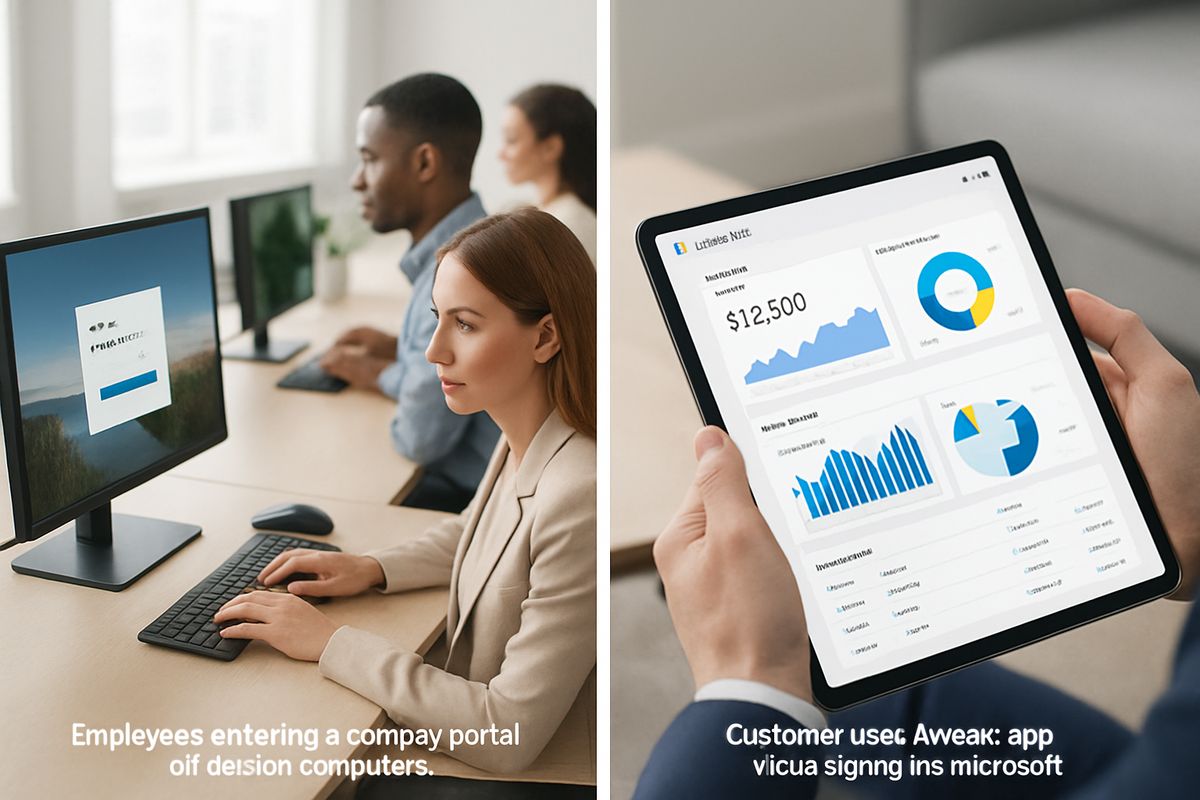
Embed for your organization means the people viewing the report are inside your company. Think employees using an internal portal, a SharePoint site, or a business app that only staff can access.
In this setup, viewers usually need their own Power BI license. Most often, that means Power BI Pro, unless the content is hosted in Premium or Fabric capacity that covers read access more broadly. Even then, the people creating and publishing the reports still usually need Pro or something higher.
This is often called user-owned data, because users authenticate as themselves and see content based on their own identity and permissions.
Embed for Your Customers
Embed for your customers is for external users, like clients, partners, franchisees, or subscribers in your SaaS product. These are people outside your organization, and in most cases you do not want to tell each one to go buy a Power BI Pro license. That would be a deal-breaker.
This path usually relies on Power BI Embedded or Microsoft Fabric capacity. Instead of licensing every viewer, you pay for dedicated capacity and let your app present the analytics experience to end users.
This is usually app-owned data. Your application controls access, and external viewers typically do not need individual Power BI licenses.

The Main Power BI License Types, Without the Jargon
Microsoft has several Power BI licensing options, and the names are not exactly beginner-friendly. But the ideas behind them are pretty manageable once you map them to real embedding scenarios.
Power BI Free
Power BI Free is the entry-level option for individual use. It lets you try Power BI, create reports for yourself, and get familiar with the product.
For embedding, though, Free is usually too limited. It does not give you the kind of sharing, collaboration, governance, or production deployment support you need for a real internal portal or customer-facing application. It’s fine for learning. It’s not the answer for a serious embed project.
If your team is still testing ideas, Free can help you kick the tires. But once actual users are involved, you’ll almost certainly need to move up.
Power BI Pro
Power BI Pro is the standard per-user license for sharing and collaboration. If your employees need to access reports in workspaces, apps, or embedded internal pages, Pro is often where the conversation starts.
For internal embedding, Pro matters because it covers the people who create, publish, and usually view content. If you have 50 employees who need access to embedded reports in your company portal, the simple version is that those users may each need Pro, unless the workspace is backed by capacity that changes the viewing model.
Pro is the “normal business use” license. Not flashy, but very relevant.
Power BI Premium Per User
Power BI Premium Per User, usually shortened to PPU, is a per-user upgrade that unlocks more advanced features. Think larger models, paginated reports, AI features, and other higher-end capabilities.
But it still follows a per-user logic. That means it can make sense for internal teams that need premium features without moving to full dedicated capacity. It is not usually the default answer for external customer embedding, because external embedding is more commonly solved with capacity-based licensing instead of assigning premium licenses to outside viewers.
In other words, PPU is great when a specific group of users needs extra horsepower, but it is not a magic shortcut around external licensing rules.
Power BI Embedded Capacity
Power BI Embedded is capacity-based licensing designed for embedding analytics into applications. Instead of buying a license for every external viewer, you pay for a dedicated pool of resources that serves those embedded reports.
That’s the core idea. You are buying the engine, not a ticket for every passenger.
This is why Power BI Embedded is so common in customer-facing software. It gives developers a way to put reports inside a SaaS product, customer portal, or white-labeled experience without requiring every end user to be a Power BI customer themselves.
Microsoft Fabric or Premium Capacity
Microsoft Fabric has changed the licensing conversation because it brings Power BI into a broader platform story. You’ll still see older references to Power BI Premium capacity, but Fabric capacity now overlaps with many of those conversations.
For embedding, the big takeaway is simple: capacity-based options can support larger-scale deployments, advanced workloads, and broader access models. If you need dedicated resources for embedded analytics, Fabric capacity may be part of the answer.
Microsoft’s own licensing guidance explains how licenses and capacity work together in Power BI and Fabric (learn.microsoft.com). Pricing and plan details also continue to evolve under the Fabric umbrella (microsoft.com).
How Licensing Works for Internal vs External Viewers
This is where teams make expensive mistakes. They look at the report, not the audience. But licensing follows the audience.
If Your Audience Is Employees or Internal Users
If employees are viewing the embedded reports, Power BI usually treats that as internal sharing. In many setups, each viewer needs a Power BI Pro license. If the content is hosted in capacity-backed workspaces, read access can be handled differently, which may reduce the need to license every viewer the same way.
The catch is that report authors, publishers, and the people managing the workspace still often need Pro or PPU. Capacity does not erase the need for author licenses.
So for internal use, think in terms of identity-first access. Users sign in, permissions are tied to their accounts, and per-user licensing often stays relevant.
If Your Audience Is Customers, Partners, or Website Visitors
If the audience is external, the model usually shifts. You are no longer trying to share reports with coworkers. You are delivering analytics as part of your product or service.
That is where app-owned data becomes the normal route. Your application authenticates, gets an embed token, and presents the report to users inside your own experience. In that setup, external viewers generally do not each need a Power BI Pro license. Instead, you need the right capacity behind the scenes.
This is why customer-facing embedding often feels less like document sharing and more like product infrastructure. Because it is.
What You Actually Need Before You Embed
At some point, every team asks the same question: okay, what do we actually need to buy or set up?
Here’s the practical version.
A Power BI Tenant and Workspace
You need a Microsoft tenant and a Power BI workspace where your reports, semantic models, and related assets live. The workspace is the container that holds the content you’ll embed.
That workspace also needs to be set up correctly for your licensing model. If you plan to use capacity, the workspace has to be assigned to that capacity. If you miss this step, the licensing math you planned for may not match the way the content is actually served.
The Right License for Report Authors
This one gets missed all the time. Even if viewers are covered through capacity, the people building and publishing reports usually still need Pro or PPU licenses.
That includes BI developers, analysts, and sometimes service accounts involved in deployment workflows. If your team only budgets for viewer access and forgets author licensing, the project can stall before the first report goes live.
Capacity, If You’re Embedding for External Users
If you’re embedding for customers, partners, or public-facing portal users, capacity is usually the real cost center. That may be Power BI Embedded capacity, Fabric capacity, or another Microsoft-supported capacity option depending on how your environment is set up.
Capacity matters for cost, but also for performance. If 500 users hit the same dashboard Monday morning, your licensing choice is now a user experience issue too.
Authentication and Embedding Method
You also need to choose how authentication works. This is not just a coding detail. It changes the licensing model.
If users sign in with their own identities and access reports based on their own permissions, that’s user-owned data. If your app manages access and presents reports on behalf of users, that’s app-owned data. One is typically aligned with internal business apps, the other with external customer analytics.
User-Owned Data vs App-Owned Data
This distinction shows up all over Microsoft documentation because it affects both architecture and licensing.
User-Owned Data
With user-owned data, the user signs in and views reports under their own identity. Power BI knows who they are, checks permissions, and enforces access accordingly.
This model usually fits internal apps. Employees use their corporate accounts, and licensing tends to follow a per-user pattern. If you’re embedding dashboards in an employee portal, this is often the natural fit.
It’s like each user bringing their own badge to get through the door.
App-Owned Data
With app-owned data, the application handles authentication and access on the backend. End users see the report inside your app, but the app is the one talking to Power BI.
This is the normal model for customer-facing analytics. It works well when you want a smooth embedded experience without requiring every customer to manage a Microsoft account or a Power BI license.
Think of it like a hotel concierge checking in guests for a private lounge. The guest gets the experience, but the app handles the gatekeeping.
Common Licensing Scenarios and the Best Fit for Each
Abstract licensing talk gets old fast, so let’s map this to actual situations.
You’re Embedding Dashboards for Employees in a Company Portal
If your users are employees, the likely options are straightforward. For a smaller team, giving each viewer a Pro license is often the simplest move. It’s easy to understand, easy to manage, and usually cheaper at low scale.
If you’re serving a large internal audience, capacity may make more sense, especially if many people only need read access. That can reduce friction and make distribution easier, though the math depends on how many users you have and what features you need.
You’re Building a SaaS Product With Analytics for Customers
This is where capacity-based embedding usually wins. You generally want app-owned data, external users, and a setup where your customers do not need to buy Microsoft licenses just to use your product.
In practice, that often points to Power BI Embedded or Fabric capacity. Your app becomes the delivery layer, and Power BI runs behind the scenes. That’s the cleanest model for customer portals, white-labeled analytics, and subscription software.
You’re Piloting a Small Project and Want to Keep Costs Low
If you’re piloting internally, Pro licenses can be a sensible way to start. The upfront cost is lower, and you avoid paying for capacity before you know the project has traction.
If you’re piloting an external product, though, be careful. Starting with the wrong licensing model can create migration headaches later. A small capacity setup may cost more upfront, but it can save a messy rework once customer adoption grows.
Cheap now is not always cheap later.
You Need Premium Features Like Paginated Reports or Bigger Models
Sometimes the deciding factor is not viewer count at all. It’s features.
If you need paginated reports, larger semantic models, AI features, or more enterprise-level capabilities, Pro may not be enough. That can push you toward PPU for specific internal users or toward capacity if the solution also needs scale or external embedding.
This is why price-only comparisons can mislead. The cheapest license on paper may simply not support the thing you’re building.
Power BI Licensing Costs: What Drives the Price
Power BI costs are driven by two broad pricing models: per-user and capacity-based. Everything else is basically a variation on those themes.
Per-User Costs vs Capacity Costs
Per-user pricing means you pay for each licensed person. That’s usually easier to predict in internal scenarios with a known set of employees.
Capacity pricing means you pay for dedicated compute resources that can serve many viewers. That often makes more sense for external products, larger internal rollouts, or situations where viewer counts are high and individual licensing gets clunky.
Which is cheaper? Depends on scale. Ten internal users might be cheaper on Pro. Ten thousand external users in a SaaS app will not be.
Hidden Cost Factors Teams Forget
The obvious license fee is only part of the picture. Teams often forget to budget for author licenses, premium feature needs, environment setup, workspace management, and performance headroom.
Growth is another sneaky one. A licensing model that works for 100 users can become awkward at 2,000. Concurrency matters too. If many people use the system at once, capacity and performance planning matter just as much as raw viewer counts.
And honestly, support and governance can drive costs indirectly. The wrong setup creates operational drag, which gets expensive fast.

Mistakes to Avoid Before You Buy a License
A few licensing mistakes show up over and over again.
Assuming Power BI Free Is Enough for Production Embedding
Power BI Free is useful for learning and personal experimentation. It is not usually enough for production sharing, governed collaboration, or commercial embedding.
If your project involves real users, security, or customer access, Free is almost certainly not the finish line.
Mixing Up Internal Sharing With Customer-Facing Embedding
This is the big one. Internal sharing and customer-facing embedding are not the same licensing problem.
A report embedded for employees usually follows identity-based access and per-user licensing rules. A report embedded for customers usually follows an app-owned, capacity-based model. Same visual, different licensing logic.
Forgetting That Report Creators Need Their Own Licenses
Capacity can cover viewers in many scenarios, but it does not remove the need for proper author licenses. The people building, publishing, and maintaining reports still need the right permissions and licenses.
This is one of those details that sounds small until launch week.
Choosing Based Only on Today’s User Count
It’s tempting to choose the cheapest option based on current usage. But licensing should reflect where the project is going, not just where it starts.
If you expect growth, heavier usage, more advanced features, or external customers later, plan for that now. Otherwise, you may save a little upfront and pay for the change twice.
How to Choose the Right Power BI License for Your Embedding Project
A good licensing decision usually comes down to three filters: audience, features, and scale.
Start With Your Audience
Start here because it drives almost everything else. Are the viewers employees inside your company, or customers outside it?
If they’re internal users, think user-owned data and per-user licensing first. If they’re external users, think app-owned data and capacity first. That one split clears up a surprising amount of confusion.
Then Check Feature Requirements
Next, look at what the solution actually needs. Do you need paginated reports, larger models, premium features, AI capabilities, or broad enterprise distribution?
If yes, that may push you beyond Pro even if your audience is small. Feature requirements can matter just as much as viewer count.
Finally, Estimate Scale and Budget
Now look at expected usage. How many viewers will you have? How many will be active at the same time? What response time do users expect? How fast could this grow over the next year?
If your numbers are small and stable, per-user licensing may age well. If your audience is broad, external, or growing fast, capacity often becomes the better long-term fit.
Quick FAQs About Power BI Licensing and Embedding
Do all viewers need a Power BI Pro license?
No. Internal viewers often need Pro unless the content is in capacity-backed workspaces that support broader read access. External viewers in app-owned embedding scenarios usually do not need individual Pro licenses, because the solution is typically covered by capacity instead.
Can I embed Power BI reports on a public website?
Yes, but there’s an important distinction. Secure customer embedding uses authenticated app or user access and proper licensing. “Publish to web” is a separate feature intended for public, non-sensitive content, and it is not appropriate for private or regulated data.
Is Power BI Embedded the same as Power BI Pro?
No. Power BI Pro is a per-user license for sharing and collaboration. Power BI Embedded is a capacity-based model used to power embedded analytics in applications, especially for external users.
Do external customers need Microsoft accounts?
Usually not, if you use the right embedding model. In app-owned data scenarios, your application manages access, so external users typically do not need individual Power BI licenses or Microsoft identities to view embedded reports.
A Simple Pre-Embed Checklist
Before you embed anything, make sure you can clearly answer these six points:
- Audience type: internal users or external customers
- Embedding model: user-owned data or app-owned data
- Author licenses: Pro or PPU for creators and publishers
- Capacity needs: none, internal capacity, or external embedding capacity
- Security setup: how users authenticate and what they can access
- Expected scale: viewer count, concurrency, performance needs, and growth
If you can answer those without hand-waving, you’re in good shape. If not, don’t buy licenses yet. Sort out the audience, access model, and scale first, because in Power BI licensing, those three decisions shape almost everything that comes next.
Frequently Asked Questions
What license do developers need to embed Power BI?
Developers usually need Power BI Pro or PPU to work with content in the Power BI service, publish reports, and manage workspaces. If they’re building an external embedding solution, the app will also typically need capacity behind it.
Can I start with Power BI Pro and switch to Embedded later?
Yes, many teams start that way for internal pilots or early development. But if your real destination is external customer embedding, plan the move early so you don’t have to redesign authentication, workspace setup, and deployment later.
Does Fabric replace Power BI Embedded?
Not exactly. Fabric changes how Microsoft packages and talks about capacity, but the basic capacity-based idea for embedded analytics still applies. In many cases, Fabric capacity is now part of the same broader decision.
Is “publish to web” a valid way to embed customer dashboards?
Usually no. Publish to web is for openly public content. Anyone with access to the link or embed can view it, so it should never be used for customer-specific, private, or sensitive business data.
How do I know if capacity is worth it?
Capacity tends to make sense when you have many viewers, external users, premium feature needs, or performance demands that make per-user licensing awkward. If licensing every viewer feels expensive, operationally messy, or impossible, that’s a strong sign to evaluate capacity.