White label analytics sounds simple until you sit through a polished demo and realize the “native” experience still lives on somebody else’s URL, uses somebody else’s login flow, and starts to wobble the moment you test real tenants. If you’re evaluating white label analytics, the hard part is not finding tools that look good for ten minutes, it’s finding one that still feels secure, branded, and sane to operate six months after launch.
What “white-label analytics” should mean before you buy anything
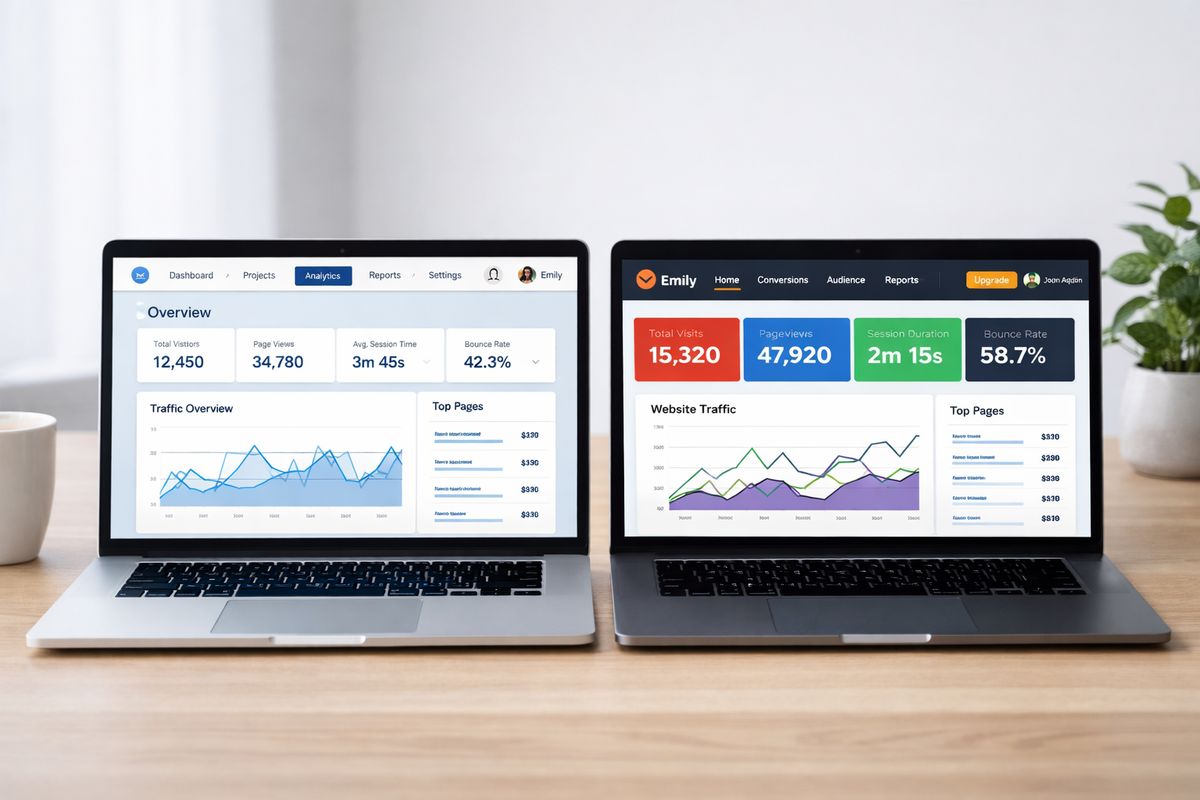
True white-label analytics is not just embedded charts with your logo in the corner. It should feel like a built-in part of your product, on your domain, inside your navigation, using your design system, and flowing through your authentication the same way the rest of your app does. The vendor should disappear. That is the standard.
That distinction matters because customers notice seams immediately. If a user clicks “Analytics” in your app and lands on a vendor-hosted subdomain with different fonts, a different session timeout, and a strange admin menu, trust drops fast. You lose the native-product feel that makes analytics sticky in the first place.
There’s also a business reason to care. Embedded analytics is moving from nice-to-have to baseline, with more than 60% of new business apps expected to ship with it by 2027. For B2B SaaS, agencies, and internal platforms, that means analytics is part of retention, monetization, and time-to-market, not an optional add-on.
Start with the real decision: buy the embedding layer or build it yourself
Most teams are not deciding between analytics and no analytics. You’re deciding whether to deliver customer-facing analytics with a platform now, or spend the next 6 to 18 months building auth flows, tenancy controls, dashboard delivery, theming, caching, provisioning, and support yourself.
That timeline is the part people underestimate. A proof of concept can look convincing after a few weeks. Then reality shows up. Customer-specific permissions. SSO edge cases. Expiring sessions. Versioning dashboards across environments. Support tickets when one tenant’s filter state breaks another tenant’s saved view. Suddenly your “small analytics feature” turns into a platform project.
Buying usually wins unless analytics is the thing you sell. If your core product is something else, your product and engineering time is almost always better spent there. That logic gets stronger when you factor in the 20% to 30% of engineering capacity that homegrown analytics can keep consuming after launch.
If you’re still framing this as a pure tooling choice, reframe it. This is a resource allocation choice.
Where homegrown analytics projects usually get stuck
The sticking points are rarely the charts. The charts are the easy part.
Projects usually bog down around JWT signing and token refresh, SSO handoff between your app and the analytics layer, row-level security that has to be airtight, tenant provisioning, dashboard versioning across staging and production, caching rules, and all the support overhead that comes with external-facing reporting. A setup that worked in a dev environment on a Tuesday afternoon can break badly at Monday 9:00 a.m. when hundreds of customer users hit the same dashboard at once.
Another common trap is underestimating data isolation. Filtering dashboards by customer ID in the UI is not tenant security. You need enforcement at the query or data layer. If you’re comparing options, it helps to understand what mature tenant-safe analytics architecture actually looks like before a vendor turns “multi-tenant” into a marketing word.
When building can still make sense
There are edge cases where building is reasonable. If you have unusual regulatory requirements, strict data residency rules, customer-managed infrastructure mandates, or highly custom analytic interactions that commercial platforms cannot support cleanly, a custom stack can make sense.
But that’s the exception. For most teams, building only feels cheaper before the maintenance bill arrives.
The buyer’s checklist that actually matters
A lot of products pass the demo test and fail the production test. The goal of your evaluation is to find out what survives real customer-facing use, not what looks smooth on sample data.
1. Branding depth: can you remove every trace of the vendor?
“White-labeled” should include custom domain support, fonts, colors, spacing, navigation, login pages, email templates, and enough theme control to match your product without awkward compromises. You should also check for subtle leaks: vendor favicon, vendor URLs, system emails from a vendor domain, or UI patterns you can’t change.
Here’s the thing: screenshot-level branding is not enough. Your customers use flows, not screenshots. Click through loading states, empty states, exports, alerts, password resets, mobile layouts, and admin settings. If the experience stops feeling native anywhere, that gap will show up in production.
2. Secure embedding: does it support signed, expiring access?
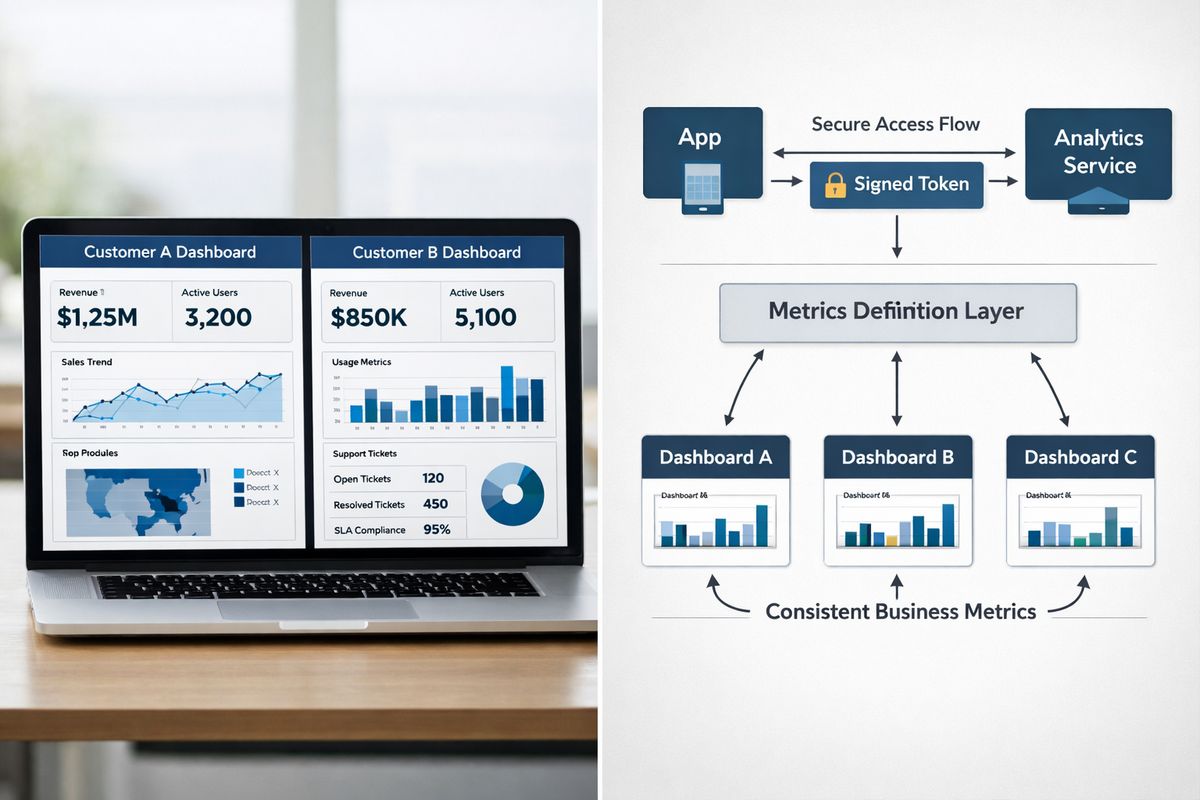
Customer-facing analytics should load only for the right user, only for the right tenant, and only for a limited period. In practice, that means signed, expiring access tokens such as JWTs, plus sane session handling and refresh behavior.
Public or unsigned embeds should be an immediate no for sensitive customer data. You also want to verify auditability. Can you trace which identity accessed what and when? Can you rotate secrets without drama? Does the platform inherit your app’s session model, or does it quietly create a parallel identity layer that you now have to manage forever?
3. Multi-tenancy and data isolation: can one tenant never see another tenant’s data?
This is non-negotiable. Not “good to have,” not “on the roadmap.” Non-negotiable.
A real answer includes row-level security, tenant scoping at the query layer, and in some cases stronger isolation such as separate databases or dynamic database routing. If you rely on tools like Tableau or Power BI today, it helps to look at the practical limits of permission rules in common BI setups before assuming a vendor can safely wrap them for external use.
Do not accept abstract assurances here. In a proof of concept, create at least two tenants with overlapping account names, similar roles, and different data boundaries. Try to break it. Switch roles mid-session. Test bookmarked links. Test exports. Test API access. If one mistake can leak data, you have your answer.
4. Semantic layer: can you keep metrics consistent across dashboards, customers, and AI?
A semantic layer is just the shared definition of your business metrics and dimensions. Plain English: it’s where “ARR,” “active users,” or “gross margin” gets one agreed meaning instead of five slightly different SQL formulas hiding in five dashboards.
This matters more than most buyers expect. Without a semantic layer, metrics drift. Sales sees one number, finance sees another, your customer success dashboard says something else, and your new AI assistant invents a fourth answer based on whichever query path it stumbled into. That is how confidence in analytics dies.
If AI features are on your roadmap, this becomes even more important. AI analytics features are getting better fast, but they need governed metrics underneath or they become a very polished way to produce nonsense.
5. SSO and identity fit: will it work with your auth stack without hacks?
Your analytics layer should fit your auth model, not force you into a separate one.
Look for support for SSO and identity federation that aligns with how your customers already log in, whether that’s SAML, OIDC, JWT-based app sessions, or something more enterprise-specific. If you need SCIM or provisioning workflows, verify those early. If your product supports account hierarchies, delegated admins, or customer-specific roles, check whether the analytics platform understands that model or requires fragile mapping logic.
The catch is that plenty of tools handle employee access fine and get messy with customer-facing identity. That difference only shows up once you test against your real auth flow.
6. Performance at scale: will dashboards still feel fast when usage climbs?
Every vendor demo is fast on a tiny sample dataset. That tells you almost nothing.
You need to understand caching strategy, concurrency limits, query optimization, warehouse pushdown behavior, pre-aggregation support, and how the platform handles spikes. Ask what happens when thousands of users open the same dashboard, refresh filters, and trigger exports during a usage peak. Ask what background jobs run where. Ask how performance changes when you add AI summaries on top.
This is where a platform sitting cleanly between your app and warehouse can help, especially if it handles query orchestration and caching well. If you’re still sorting through the category itself, a quick primer on how embedded BI platforms fit into products helps clarify what belongs in the analytics layer versus your application layer.
7. AI and natural-language features: are they governed, white-labeled, and useful?
AI is now part of the evaluation, but not because every buyer needs a chatbot on day one. It matters because customers increasingly expect search, natural-language questions, summaries, and explanations inside the workflow.
Useful AI should inherit tenant permissions, stay grounded in governed metrics, and be fully brandable if it’s customer-facing. Useful AI should also be auditable. If a user asks why churn increased and gets a narrative answer, you need a way to trace the logic and underlying data, not just admire the wording.
If the AI feature looks flashy but ignores your semantic layer or bypasses permissions, skip it. That is a support problem waiting to happen.
Pricing can break the deal faster than missing features
Pricing deserves its own section because it’s where otherwise solid deals collapse.
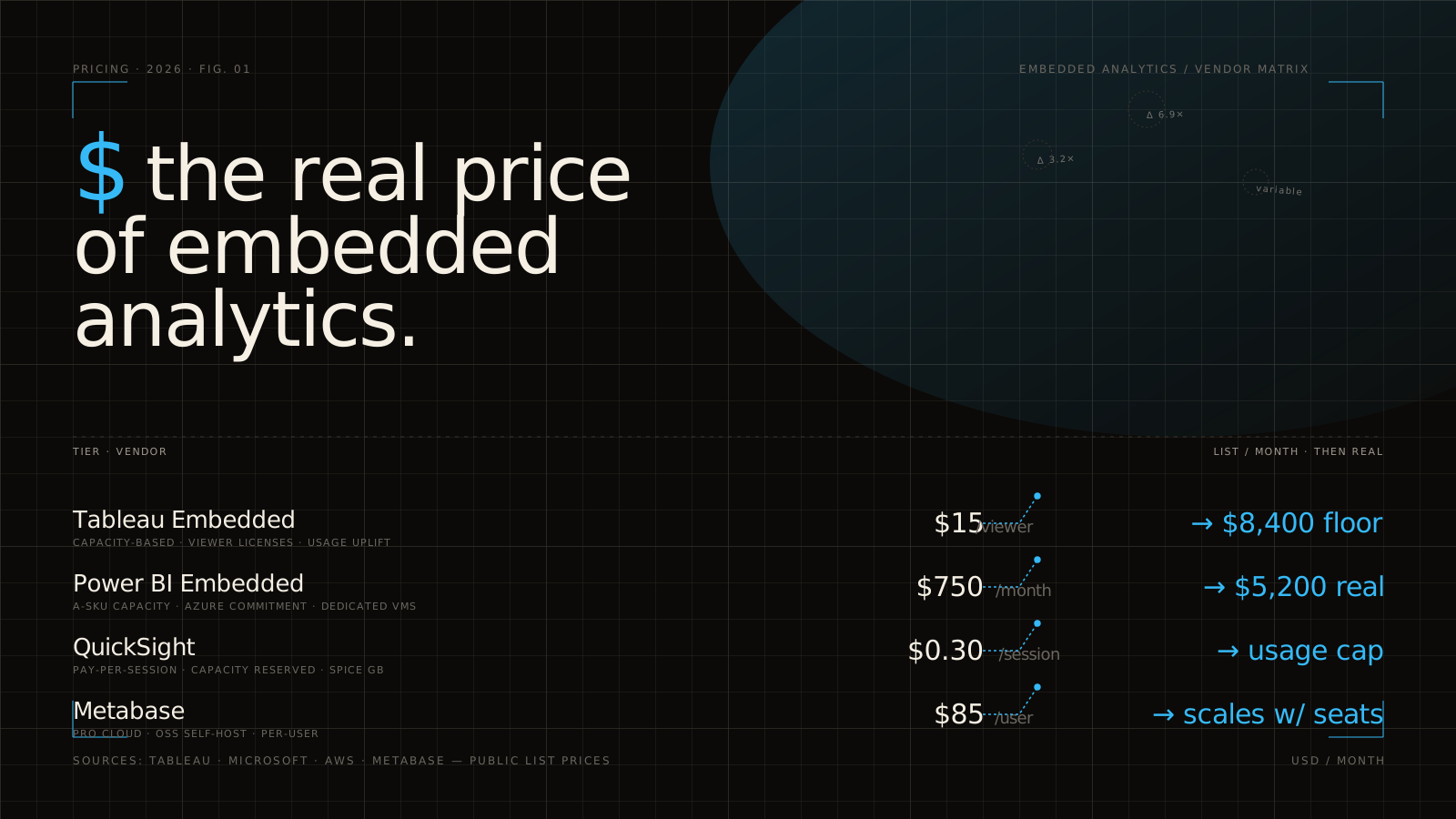
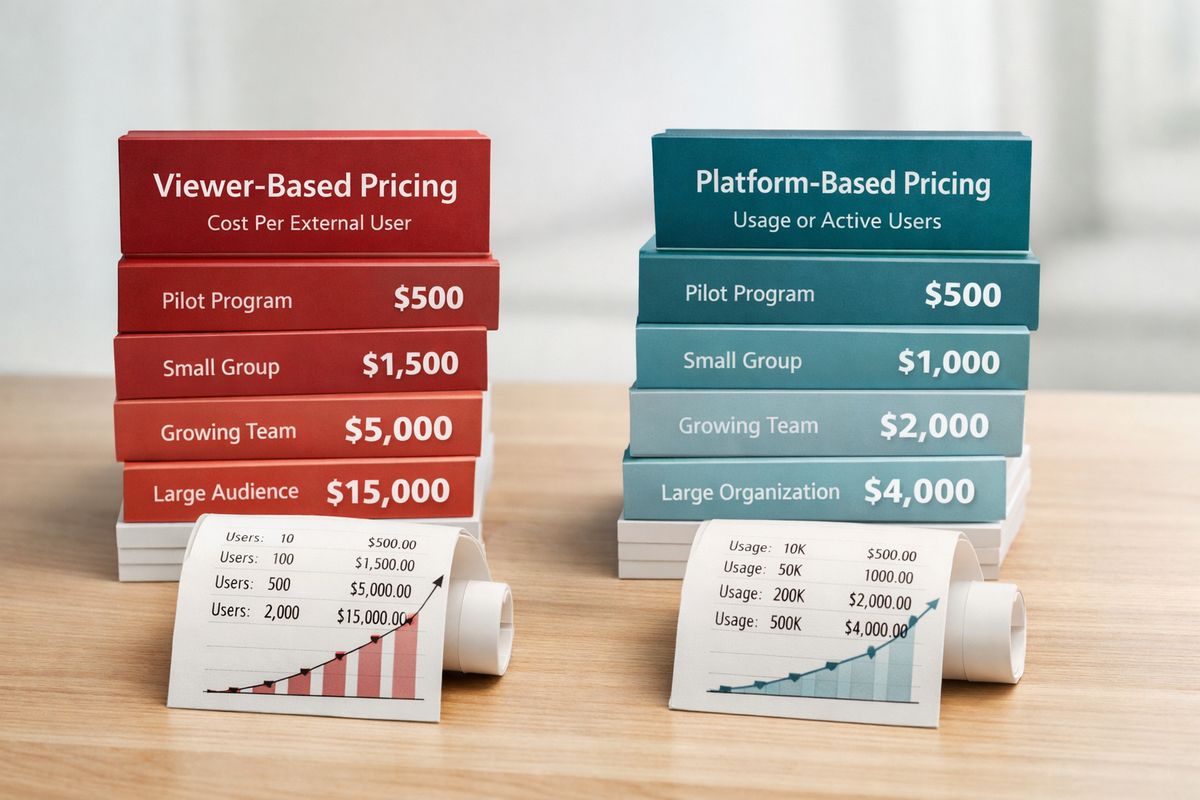
Per-viewer pricing looks manageable at first. Eight to fifteen dollars per viewer sounds fine when you model 50 users. Then your product launches analytics to 2,000 end users and the line item turns ugly. Research on embedded platforms keeps calling out this trap, especially for customer-facing SaaS deployments with broad adoption.
Platform, usage-based, or compute-based pricing often scales better, but only if you model real growth. Run the math at 3x and 10x your current usage. Include external users, staging, support access, exports, and AI queries. If you need a deeper framework for this part, it’s worth reviewing how embedded analytics costs really stack up before signing anything.
Pricing questions to ask before signing
Ask whether viewers are billed individually, whether external users are priced differently from internal users, what counts as an overage, and whether AI queries have separate charges. Ask if white-labeling is locked behind higher tiers. Ask whether sandbox, staging, and multi-environment setups are included.
Also ask how pricing changes if you add more tenants, more workspaces, or more branded portals. Agencies and multi-client consultancies get burned here all the time because the starting plan looks simple and the expansion model does not.
The deployment details that matter in the real world
White-label analytics usually sits between your app and your warehouse, handling querying, visualization, caching, and sometimes AI. That placement is useful because it offloads a lot of hard plumbing. It also means deployment flexibility matters more than buyers expect.
If you’re in a straightforward SaaS environment, vendor cloud may be fine. If you’re in healthcare, financial services, or a large enterprise with internal platform standards, deployment constraints can decide the deal before feature depth does.
Cloud, private cloud, or on-prem: what your environment requires
Some teams need public cloud and want the fastest setup. Others need private networking, region-specific data residency, customer-managed infrastructure, or full on-prem deployment. In regulated settings, especially healthcare, those details are not edge cases. They are table stakes.
Security stakes are real here. In healthcare alone, average breach costs can top $7 million per incident. That doesn’t mean every buyer needs on-prem. It does mean vague answers about PHI handling, encryption boundaries, and private deployment options are a serious red flag.
Integration with your current data stack
Check warehouse and lakehouse support, but don’t stop there. If you’re consolidating dashboards across multiple BI vendors, ask how existing data models get mapped, whether APIs and SDKs are mature enough for your app, and how much work is required to migrate logic from current reports into a governed layer.
Also verify event hooks, usage telemetry, and admin APIs. If you need product analytics on the analytics experience itself, that instrumentation should not be an afterthought.
Red flags that show up after the demo
This is the save-yourself-later section.
The most expensive mistakes usually come from products that look white-labeled in a sales environment but leak vendor assumptions everywhere else: URLs, licensing, tenancy, permissions, admin concepts, and support flows.
“White-label” that only means a logo and color picker
A logo upload and color picker is theming, not true white-labeling. If the product still uses vendor-hosted URLs, unchangeable navigation patterns, or visible third-party UI elements, your customers will feel like they’ve been dropped into another app.
That disconnect hurts more than aesthetics. It creates friction in support, training, onboarding, and security review because the experience no longer behaves like the rest of your product.
Traditional BI tools forced into external-facing use cases
Traditional BI tools can be excellent for internal analytics and still be awkward for customer-facing use. The friction usually shows up in licensing, user management, branding artifacts, and tenancy controls that were designed for internal teams, not thousands of external users.
If you’re weighing a familiar option, compare it against the extra work required to make it customer-safe and brand-clean. That’s especially true when evaluating tools in the Power BI or Tableau family, where external-facing branding tradeoffs often matter more than feature depth on paper.
Security claims that fall apart under review
Vague answers are bad answers. If a vendor can’t clearly explain JWT handling, RLS enforcement, audit logs, SSO flow, encryption scope, and session expiration, assume the implementation is weaker than the slide says.
You want exact mechanics, not reassuring language.
How to compare vendors without getting lost in feature grids
Feature grids are where clarity goes to die. Every vendor checks every box, every box means something slightly different, and you end up comparing marketing pages instead of deployment realities.
A better approach is to score the few criteria that matter in production: branding depth, tenant isolation, embedding security, semantic layer maturity, pricing scalability, AI governance, and deployment fit. Weight them based on your use case, then ignore the noise.
A proof-of-concept plan worth 2 weeks of effort
A useful POC is short and mean. Embed one dashboard into your app. Apply your real theme. Authenticate with signed tokens. Enforce tenant isolation. Validate metric definitions. Simulate multiple customer roles. Then test performance on real data, not a toy dataset.
Pick one concrete stress case and run it hard. Monday morning is a good one. At 9:00 a.m., simulate a burst of customer logins, dashboard loads, and support-side impersonation in staging. That moment reveals more than ten polished demos ever will.
Questions to ask every vendor before you buy
Ask these directly and listen for specifics:
- Can every piece of vendor branding be removed?
- How is tenant isolation enforced, exactly?
- How do signed embeds, token refresh, and session expiry work?
- What does SSO look like with your current auth flow?
- Is there a semantic layer for governed metrics?
- How is AI permissioned, branded, and audited?
- How does pricing change at 1,000 or 10,000 end users?
- What changes in private cloud, hybrid, or on-prem deployments?
If answers stay abstract, move on.
Best-fit recommendations by use case
The right choice depends less on the feature sheet and more on the shape of your problem.
For B2B SaaS teams shipping customer-facing dashboards fast
Prioritize native UX, signed embedding, hard tenant safety, and pricing that won’t punish adoption. Speed matters here. If analytics is holding up launch, retention, or upsell, your best option is usually the one that gets into production quickly without creating a permanent side project.
For analytics consultancies and agencies building client portals
Focus on multi-client branding, reusable templates, permission controls, low-friction provisioning, and pricing that doesn’t explode when many viewers across many clients log in. Sub-branding and operational simplicity matter a lot more here than fancy self-service features.
For internal data teams unifying dashboards across tools
Put semantic consistency, portal-style delivery, identity management, and governance at the center. If you’re pulling together dashboards from different systems, consistency is the product. Without shared definitions and clean access control, a branded portal is just a nicer container for disagreement.
Your short list: the non-negotiables to verify before choosing
Before choosing a platform, verify seven things: native branding, secure signed embedding, proven multi-tenancy, semantic-layer support, scalable pricing, deployment fit, and governed AI. Miss one of those, and the pain usually shows up after launch, when changing course is expensive.
Try one thing before your next demo ends: run the vendor through a real tenant-isolation and branding test using your own app flow, not a canned dashboard. That single exercise will tell you more than any feature grid.
Frequently Asked Questions
What is the difference between white label analytics and embedded analytics?
Embedded analytics is the broad category of putting analytics inside another product. White label analytics is the stricter version where the analytics experience is fully branded as your own, with no visible vendor identity, ideally on your domain and inside your UX patterns.
Is iframe embedding enough for white label analytics?
Sometimes, but often not. iFrames can work for simple embedding, yet they usually hit a ceiling on branding depth, interaction control, and native feel. If you need the experience to behave like a real part of your product, deeper SDK or headless options tend to fit better.
How long does it usually take to launch white label analytics?
Buying a platform usually gets you live much faster than building from scratch. In-house builds often take 6 to 18 months. Platform-based deployments can reach a first usable version in weeks if your data model and auth flow are ready.
Why is row-level security such a big deal in customer-facing analytics?
Because one tenant seeing another tenant’s data is the nightmare scenario. Row-level security enforces who can see which records at query time. In customer-facing analytics, that control should be tested aggressively, not assumed from a vendor promise.
What pricing model is usually best for customer-facing analytics?
For broad external usage, pricing that scales by platform, workload, or compute is often safer than per-viewer pricing. Seat-based pricing can look cheap early and become expensive fast once adoption grows.
Do AI features actually matter in white label analytics?
Yes, but only if they are governed. Natural-language queries, summaries, and anomaly explanations can be genuinely useful when they respect tenant permissions, use consistent metric definitions, and can be branded as part of your product. Without that foundation, AI mostly adds risk.