
Trying to choose between Power BI Embedded vs publish to web can feel deceptively simple. Both let you put a Power BI report on a site, but that surface-level similarity hides a much bigger difference: one is built for secure product experiences, and the other is built for public sharing.
For most businesses and developers, the answer is straightforward. If anybody needs to sign in, see only their own data, or access reports inside a customer portal, Power BI Embedded is the right choice. Publish to Web only makes sense when the data is truly public and you would be comfortable showing it on a billboard downtown.
Quick Overview of Power BI Embedded vs Publish to Web
The easiest way to frame this comparison is with one question: do you need public sharing, or secure embedded analytics? That one decision clears up most of the confusion.
Power BI Embedded is meant for applications, portals, and SaaS products where analytics live inside your product. It supports secure access, app-driven experiences, and personalized reporting. Publish to Web does something much simpler. It creates a public link and iframe for a report, so you can place it on a website and let anybody view it.
People mix them up because both end with a report on a webpage. But the underlying model is completely different. One is a front door with keys, locks, and room assignments. The other is a window facing the street.
What Power BI Embedded actually is
Power BI Embedded is a developer-focused way to place reports, dashboards, and visuals inside your app or website. Microsoft positions it as a way to deliver analytics directly inside a product experience, not as a casual sharing tool. In practice, that means your application can control access, shape the user experience, and decide what each signed-in user gets to see.
This matters most when analytics are part of the job your app already does. Think customer dashboards, partner portals, franchise reporting, or a SaaS platform with built-in metrics. In those cases, the report is not a standalone destination. It is part of the product.
What Publish to Web actually is
Publish to Web creates a public embed link that anybody can open on the internet, with no sign-in required. You generate the code, paste the iframe into a page, and the report becomes visible to anyone with the URL.
The catch is not subtle. Publish to Web is for information you are comfortable making fully public. Microsoft explicitly describes it as public sharing and warns against using it for confidential or proprietary information because anyone with the link can view it.
The fastest way to tell them apart
Here’s the simple rule: if access matters, use Embedded. If access does not matter because the report is intentionally public, use Publish to Web.
That is the real divide. These are not two close substitutes with slightly different pricing. They solve different jobs.
Security and Data Exposure
Security is the biggest deciding factor here, and honestly, it is the reason many comparisons could end after two paragraphs. If your data should not be public, Publish to Web is the wrong tool.
Power BI Embedded gives you control over who sees the report and how access is granted. Publish to Web removes that control by design. That difference alone puts them in separate categories, especially once customer data, internal metrics, sales numbers, or partner performance enters the picture.
How access control works in Power BI Embedded
With Power BI Embedded, your app can work with authenticated users and app-level permissions. That means your application can recognize who somebody is, decide what content belongs to that person, and present reports accordingly.
This is the setup for customer portals, supplier dashboards, staff applications, and partner extranets. If one account should only see its own numbers, or one business unit should only see its own region, Embedded supports that model. Microsoft’s embedded architecture includes secure application scenarios such as “embed for your customers,” where the app manages access on behalf of external users, and “embed for your organization,” where signed-in users access content through their own credentials.
How access works in Publish to Web
Publish to Web has no sign-in wall and no permission enforcement once the link exists. That means anybody who gets the URL can view the report, and that link can be copied, forwarded, posted, or indexed well beyond the audience you had in mind.
That is why Publish to Web should never be treated like a lightweight secure embed. It is not secure embed. It is public distribution.
Why Microsoft treats Publish to Web as public by design
Microsoft is very direct about this. Publish to Web is intended for content that can be made openly available, and Microsoft also warns that detail-level data can be exposed, including information beyond what appears on screen.
The practical takeaway is simple: internal portals, customer dashboards, and protected reporting experiences should not use Publish to Web. If permissions matter, use a secure embedding method.

Authentication and User Permissions
This is the section where the two options stop looking even vaguely similar. Authentication changes everything because it decides whether your site can recognize a user and show the right experience.
If your application already has users, roles, accounts, or tenants, Embedded fits naturally. Publish to Web ignores all of that.
Power BI Embedded and authenticated users
Power BI Embedded works with signed-in experiences and application logic. Your app can know that a specific customer logged in, confirm the account, and then load the right report or the right filtered view. That makes it a good fit for customer portals, SaaS products, partner hubs, and operational apps where identity shapes the experience.
This is also why embedded analytics keeps growing. Analysts increasingly expect data inside the tools they already use, not in a separate reporting tab somewhere else. Research even suggests more than 60% of new business applications will ship with embedded analytics capabilities by 2027. That trend exists because identity-aware analytics inside products is useful in a way public iframes simply are not.
Publish to Web and anonymous viewing
Publish to Web skips identity entirely. No user account, no app-aware permission model, no Power BI sign-in check for the viewer. The report is just there, open to anyone with the link.
That speed is the appeal. You can get a report onto a public page in minutes. But your site cannot use Power BI permissions to tailor what different users see, because Power BI does not know who those users are in the first place.
What this means for customer-facing portals
Picture a client logging into a portal in Chicago at 8:12 on a Monday morning, coffee in hand, expecting to see only that account’s sales pipeline and support metrics. That expectation is normal. It is also exactly where Publish to Web fails.
Anonymous embeds break the logic of a customer portal. A portal suggests personalized, protected access. Publish to Web provides neither.
Row-Level Security and Personalized Data
If your project requires personalized dashboards, this is the deal-breaker. Power BI Embedded supports row-level security. Publish to Web does not.
That is not a minor missing feature. It changes what kinds of applications you can safely build.
Power BI Embedded supports row-level security
Row-level security, usually shortened to RLS, means each user only sees the slice of data assigned to that user. In plain English, it is the filter that keeps one customer from seeing another customer’s numbers.
This matters in multi-tenant apps, client dashboards, franchise reporting, and regulated environments. One shared semantic model can serve many users, while rules make sure each user only sees the right rows. Power BI Embedded supports row-level security and secure access control, which is why it is the standard path for personalized analytics.
Publish to Web does not support row-level security
This part is simple: if your report depends on RLS, Publish to Web is off the table.
Microsoft lists RLS as unsupported for Publish to Web, and that alone disqualifies it from any scenario where users should see different data. No workaround changes the core issue, because the viewing model is anonymous and public.
Why personalized dashboards require Embedded
Personalized dashboards need identity, access control, and data separation working together. That is true for customer account analytics, franchise scorecards, supplier views, and partner performance portals.
If one franchise owner should see only one location, or one reseller should see only one territory, public embedding cannot safely replace Embedded. It is the difference between handing out custom hotel room keys and pinning every room open with a doorstop.
Audience and Sharing Model
https://www.youtube.com/watch?v=lQpBi4vDF6k
The intended audience tells you a lot about which option fits. Power BI Embedded is built for people using your app or portal. Publish to Web is built for the broader public.
That is why choosing between them often has less to do with features and more to do with distribution.
Best audience for Power BI Embedded
Power BI Embedded fits external customers, partners, application users, and internal teams when analytics need to live inside another system. In those cases, the dashboard is not just content. It is part of the workflow.
That product angle matters more every year. Embedded analytics is becoming standard inside business software because users want insights where work already happens, not in a separate BI tool. If analytics are part of your product experience, Embedded is the audience fit.
Best audience for Publish to Web
Publish to Web fits public websites, blog posts, newsroom pages, investor pages, community dashboards, and awareness campaigns. Open access is the point.
If your goal is reach, simplicity is the win here. No sign-in friction. No licensing complexity for viewers. Just a public report on a page.
Internal sharing vs external public sharing
A common mistake is treating Publish to Web as a shortcut for internal business reporting because it is easy to set up. Microsoft explicitly recommends secure embedding methods for internal portals instead of Publish to Web, because secure options preserve permissions and data protection.
So if your report is for employees or invited collaborators, “not public” still matters. Easy does not mean appropriate.

Setup Complexity and Developer Effort
Now for the tradeoff that makes Publish to Web tempting: it is much easier to launch.
If speed is your only concern, Publish to Web wins. But if fit over time matters, Embedded usually justifies the extra effort.
Getting started with Publish to Web
Publish to Web is the quick route. Generate a link, copy the iframe, paste it into a page, and you are live. For a public campaign page or open data project, that simplicity is real and useful.
The catch is that the same simplicity comes from removing control. No user-specific access, no secure gating, no RLS, and no application-aware permissions.
Getting started with Power BI Embedded
Power BI Embedded takes actual implementation work. You are dealing with Azure resources, embedding tokens, front-end integration, and app logic that controls how reports are loaded. In production, Microsoft also requires capacity for full embedded deployment, not just trial tokens.
That can sound heavy at first, but it is really just the cost of building a proper entrance with keys instead of leaving the door open. If analytics are part of your product, that effort is usually justified.
Which option is easier to maintain over time
Publish to Web is easier on day one. Embedded is often easier six months later.
A public iframe can become a headache the moment your site needs tenant separation, branded flows, secure access, or personalized content. At that point, you are not “upgrading” a little. You are rebuilding around a different sharing model. Starting with Embedded makes more sense when your roadmap already points toward authentication or customer-specific data.
Customization and User Experience
There is also a big difference in how polished the final experience can feel. If you want analytics to feel native to your product, Embedded is the stronger option by a wide margin.
Publish to Web works more like dropping a public frame onto a page. Sometimes that is enough. Often it is not.
Branding and white-label options in Power BI Embedded
Power BI Embedded gives you much more control over how analytics appear inside your application. You can shape layouts, fit the report into your navigation, control what users can do, and make the experience feel like part of your product instead of a bolt-on reporting tab.
That matters in customer-facing SaaS products especially. A dashboard that looks and behaves like the rest of your app builds trust. A pasted-on BI frame feels separate.
Limited presentation control in Publish to Web
Publish to Web gives you a simple public frame. You can place it on a page and surround it with your own site design, but the report experience itself is not built for deeper product-level customization.
That is fine for public storytelling, investor updates, or awareness pages. It is much less convincing inside a polished application experience where users expect everything to feel connected.
Why embedded analytics feels more native
Embedded analytics works because it keeps the insight inside the workflow. A user checks inventory, then sees a forecast. A partner reviews orders, then opens a margin report. A customer visits an account portal and sees usage trends right there.
That is why 62% of organizations say embedded analytics contributes to productivity gains. The value is not just seeing a chart. It is seeing the chart in context.
Interactivity, Features, and Functional Limits
Both options allow some interactivity, which is another reason people confuse them. But the level of control and integration is very different.
Interactive capabilities in Power BI Embedded
Power BI Embedded supports interactive reports with filtering, drill-down, slicing, and application-driven behavior. Developers can also use APIs to shape how the report behaves inside the host app, which gives you more control over the surrounding experience and the report itself.
That makes Embedded suitable for richer workflows, especially when report behavior should respond to what users do elsewhere in the app.
What users can do in Publish to Web
Users can still interact with a Publish to Web report to a degree. Basic filtering and exploration are possible, and for public reporting that may be enough.
But the experience is more limited and less controllable. The bigger issue is not one missing button here or there. It is that the report is not secure, app-aware, or identity-aware.
Hidden limits that matter later
The most common mistake is choosing the easiest path for a first demo and discovering later that personalization, permissions, or product integration are missing. That happens a lot.
A public embed can look perfectly fine in an early prototype. Then someone asks for account-based views, role restrictions, auditability, or branded in-app navigation. Suddenly the simple route was not simple at all. It was just temporary.
Compliance, Governance, and Risk
Convenience has a cost when governance enters the picture. If your organization cares about audit trails, contractual obligations, access policies, or regulated data handling, this comparison stops being philosophical and becomes operational.
Why Power BI Embedded fits governed environments better
Embedded is the better fit for governed environments because it supports controlled delivery and permission-aware experiences. You can align reporting access with your application security model instead of bypassing it.
That makes Embedded a safer option when your data carries contractual, customer, or compliance implications. Even outside heavily regulated industries, that kind of control reduces avoidable risk.
Why Publish to Web creates governance risk
Public links are hard to treat as controlled distribution because they are not controlled distribution. Once a report is publicly available, you lose meaningful control over where it travels.
Microsoft warns against using Publish to Web for confidential information and notes that underlying model data may be exposed beyond what appears visually in the report. That is a governance risk even for teams that think they are only publishing a harmless summary dashboard.
Questions to ask before embedding anything publicly
Before you paste a public iframe into your site, stop and run three checks. Is the data truly public, not just “probably okay”? Would you be comfortable with the link being shared widely or indexed? Could someone infer more from the report model, detail rows, or filters than you intended?
If any of those questions makes you hesitate, Publish to Web is probably the wrong choice.
Performance, Scale, and Product Growth
Performance and scale matter differently depending on what you are building. For public visibility, Publish to Web can work well. For a growing product experience, Embedded has a much stronger ceiling.
How Power BI Embedded supports scalable app experiences
Power BI Embedded is built for applications serving many users, including external users in customer-facing products. It uses a capacity-based model that can make sense as your audience grows, especially when analytics become part of the product instead of an add-on.
That product direction is not niche anymore. Research suggests 76% of organizations already use embedded analytics internally, which says a lot about where application design is heading.
Where Publish to Web fits best at smaller scope
Publish to Web fits best when your goal is straightforward public publishing. A public dashboard for community transparency, a campaign microsite, or a page showing non-sensitive market data can all work well.
It is not the right foundation for a tenant-aware analytics product. Even if traffic is high, public visibility is still not the same thing as secure application scale.
Why embedded analytics keeps gaining momentum
Analytics increasingly lives inside the tools where work happens. That shift is driven by self-service reporting, faster decision-making, cloud delivery, and the general expectation that software should explain itself with data.
So Embedded exists for a reason. It is not just a more complicated way to share a chart. It is built for the reality that analytics is becoming part of the product.
Pricing and Licensing
https://www.youtube.com/watch?v=NC3pospVrgU
The pricing conversation can be misleading because Publish to Web looks cheap for a reason. You are not getting the same thing for less money. You are getting a different thing.
Power BI Embedded pricing basics
Power BI Embedded uses a capacity-based model, usually tied to Azure. That means you are paying for the infrastructure and capability to deliver secure embedded analytics at scale. For many external-user scenarios, that can be more practical than trying to manage per-user Power BI licensing for everyone.
You do need more planning here. Capacity sizing, implementation, and ongoing management all matter.
Publish to Web pricing basics
Publish to Web does not come with the same secure embedding cost structure, which makes it feel almost free from an implementation standpoint. In many cases, the biggest cost is just the time it takes to generate the embed code and place it on a page.
But the low barrier exists because you are giving up access control, personalized delivery, and secure distribution. It is not discounted Embedded. It is public publishing.
Cost vs value: what are you actually paying for?
With Embedded, you are paying for secure delivery, app integration, user-aware experiences, and room to grow. With Publish to Web, you are paying almost nothing because the viewer side is open by design.
The hidden costs show up later. Rework, governance headaches, security exposure, and a poor in-app experience can make the “cheap” option expensive fast.
Best Use Cases for Power BI Embedded
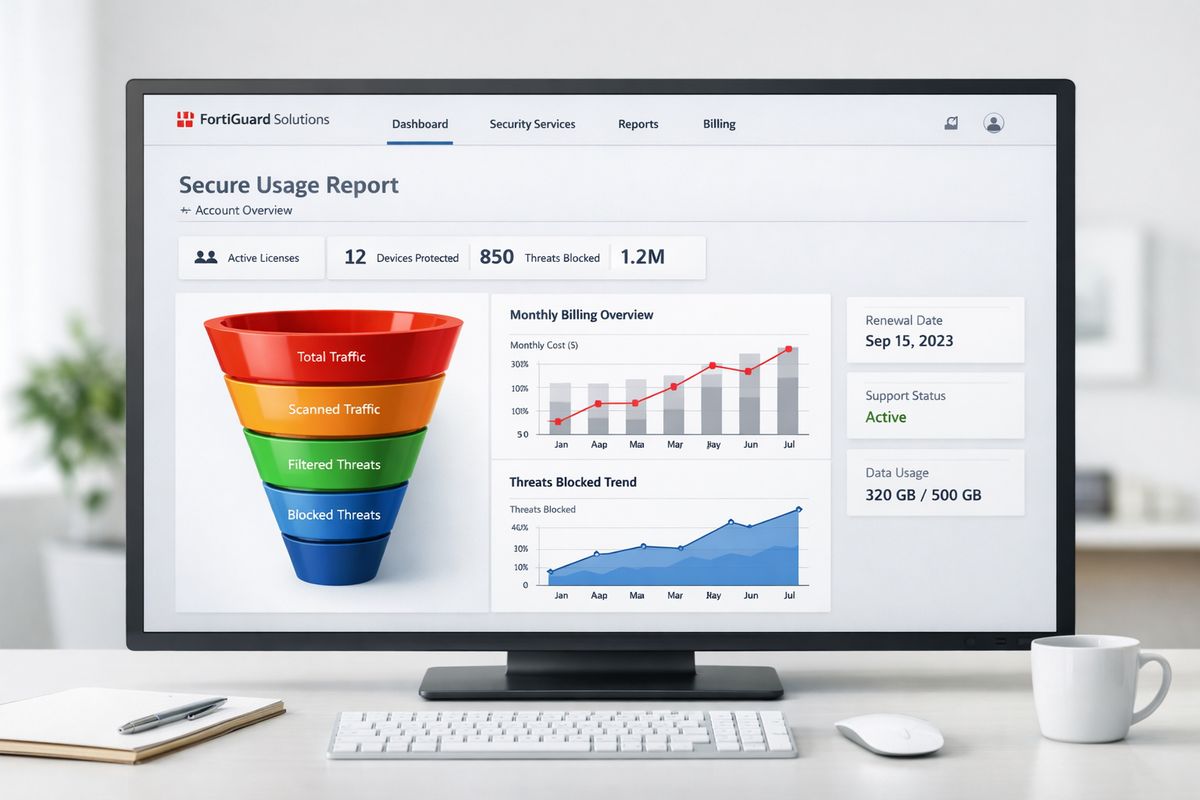
Power BI Embedded is the right choice when analytics belongs inside a protected experience and different users should see different things.
Customer portals and account dashboards
This is one of the clearest use cases. A customer logs in and sees only that account’s metrics, usage, billing trends, or operational KPIs. That requires authentication, personalized access, and often RLS.
If that sounds like your project, Embedded is the answer.
SaaS products with built-in analytics
If your software includes dashboards as part of the product, Embedded fits naturally. You can keep the experience branded, integrated, and secure while making analytics feel like a native product feature instead of a separate BI tool.
That matters for adoption too. Products with embedded dashboards often perform better because users do not have to leave the workflow to get insight.
Partner, franchise, and multi-tenant reporting
Multi-tenant reporting is exactly where Embedded earns its keep. Different organizations can access the same application, while permission rules and RLS keep data isolated.
That is the foundation you want when separate businesses share the same platform but should never see each other’s data. No public embed should be anywhere near that setup.
Best Use Cases for Publish to Web
Publish to Web is not a bad tool. It is just a narrow one. When your content is meant to be public, it can be the better option because it is fast, simple, and friction-free.
Public dashboards for marketing or awareness
If you want to share campaign results, community activity, public usage metrics, or awareness dashboards, Publish to Web can be exactly right. The goal here is reach, not restricted access.
In that scenario, removing barriers is a feature.
Newsrooms, investor pages, and open data projects
Public storytelling is another good fit. Investor updates, press pages, civic dashboards, research snapshots, and open data projects can benefit from a quick public embed that is easy to view and easy to share.
The simplicity helps when speed matters more than gated access.
When the data is truly safe to share with anyone
“Public enough” means you would be comfortable putting the same numbers in a press release, homepage banner, downloadable PDF, or public annual update. No hidden customer details. No internal logic you would regret exposing. No audience-based filtering.
If that is your situation, Publish to Web is reasonable.
Power BI Embedded vs Publish to Web: Side-by-Side Decision Table
| Category | Power BI Embedded | Publish to Web |
|---|---|---|
| Security | Controlled, secure access | Public by design |
| Authentication | Supports signed-in users and app logic | No authentication |
| Row-level security | Supported | Not supported |
| Audience | Customers, partners, portal users, app users | General public |
| Personalization | Yes | No |
| Setup effort | Higher, developer implementation | Very low, quick iframe |
| Customization | Strong branding and app integration | Limited presentation control |
| User experience | Native product feel | Public embedded frame |
| Governance fit | Better for controlled environments | Higher exposure risk |
| Pricing model | Capacity-based, Azure-oriented | Low-cost public sharing |
| Best use case | Secure embedded analytics | Fully public reports |
Verdict: Which One Should You Choose?
For most real business use cases, Power BI Embedded is the better choice. If your reports sit inside a portal, app, SaaS platform, or customer-facing experience, Embedded gives you the security, permissions, and customization you actually need.
Publish to Web only wins in a narrow but valid scenario: the report is fully public, every viewer can see the same data, and simplicity matters more than control.
Choose Power BI Embedded if you need secure embedded analytics
If your reports are for customers, logged-in users, partners, staff in protected portals, or anybody who should not see everybody else’s data, choose Embedded. That is the right choice for most product and portal builds, full stop.
You get authenticated access, support for RLS, better customization, and a model that matches how modern apps handle analytics.
Choose Publish to Web only for fully public data
Use Publish to Web only when the data can safely be seen, shared, forwarded, and indexed by anyone. If you would hesitate to post the same report on your homepage with no gate, do not use it.
It is fast, and for public reporting that speed is useful. But the boundary needs to stay firm.
The one next step to take before you build
Write down exactly who should see the report, then check whether every person should see the same data. If the answer is no, pick Power BI Embedded and move forward with confidence. If the answer is yes, and the data is genuinely public, Publish to Web may be all you need.