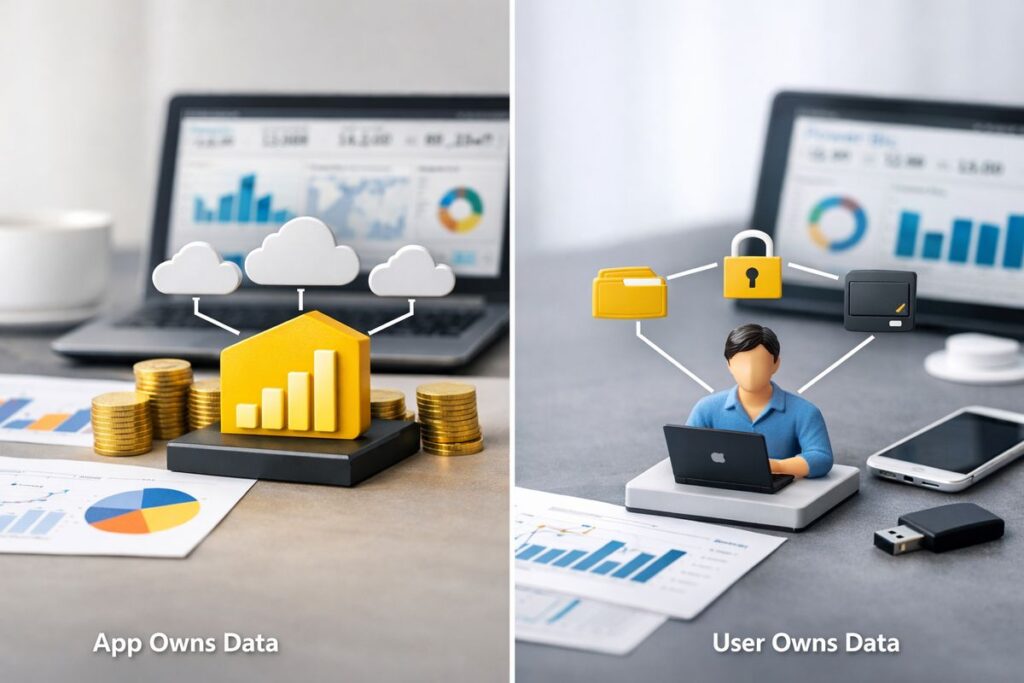
If you’re stuck on app owns data vs user owns data in Power BI, the real question is simpler than the docs make it sound: who signs in, who controls access, and how much of the experience you want to own yourself. Pick the wrong model and you end up building around friction later, usually right when customers or internal teams start relying on the dashboards every day.
App Owns Data vs User Owns Data in Power BI: Quick Overview
At a high level, these two models solve different problems. In one, your application stands between Power BI and the person viewing the report. In the other, each person connects directly with a Microsoft identity and Power BI decides what that person can see.
That sounds like a small architectural choice. It isn’t. It affects authentication, licensing, security design, support load, and even whether your dashboard feels like part of your product or like a handoff to somebody else’s tool.
What “App Owns Data” Means
App owns data means your application authenticates to Power BI and embeds the content for your users. Your customer opens your portal, clicks into analytics, and sees the report without needing a separate Power BI account for that viewing experience.
This is the usual fit for external embedding. If you run a SaaS product, a partner portal, or a customer-facing dashboard, this is normally the right direction because your app controls the experience from end to end. Power BI is still powering the visuals and data behind the scenes, but your application is the gatekeeper.
What “User Owns Data” Means
User owns data means each person signs in with a Microsoft identity, and Power BI honors that person’s own permissions. Access is tied to the signed-in user, not abstracted through your application.
That tends to work best when your audience is internal. If your employees already live inside Microsoft 365, already have Entra ID identities, and already use Power BI, this model feels natural. Permission management stays closer to existing workspace access, role assignments, and internal governance.
The Fast Answer
Here’s the short version: app owns data is usually the better choice for external customer embedding, and user owns data is usually the cleaner choice for internal employee access.
The catch is that governance, licensing, and security setup can completely change how painful either one becomes. A technically valid setup can still be the wrong choice once real users show up.
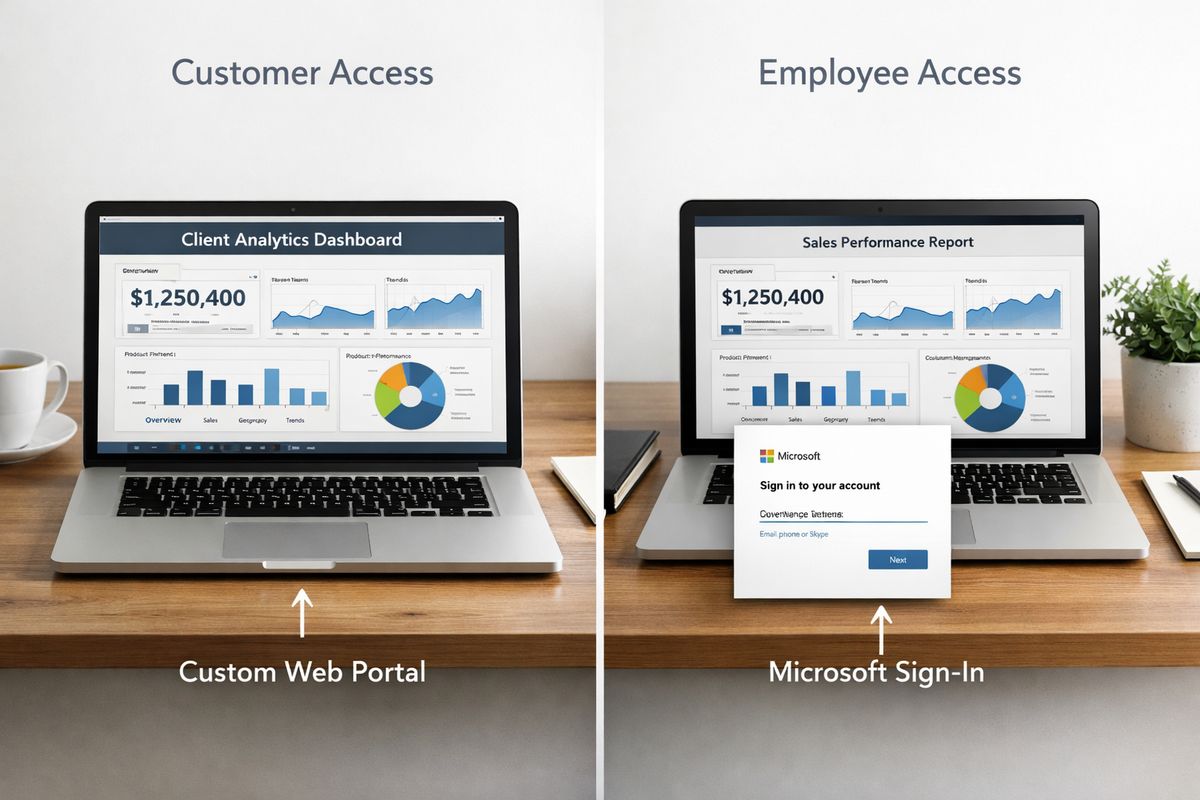
Authentication and Identity
This is where the two models really split. The report might look the same in a browser, but the identity flow behind it is completely different.
How App Owns Data Handles Authentication
With app owns data, your app uses a service principal or, less ideally now, a master user pattern to authenticate and request embed tokens. Your backend gets the right Power BI artifacts, creates the embed token, and sends the right parameters to the front end.
For your end user, that can feel beautifully simple. Sign in once to your app, then the dashboard just appears.
But simplicity on the surface means more responsibility underneath. Your app has to decide which customer gets which report, how tenant boundaries are enforced, and how token generation stays protected. If your backend logic is sloppy, the embedded experience can leak far more than the UI suggests.
How User Owns Data Handles Authentication
With user owns data, each person authenticates directly through Microsoft identity. Power BI already knows who the signed-in user is, and access follows the permissions already granted in the service.
That removes a lot of custom auth work in your app. You do not need to act as the identity broker in the same way, because Power BI is enforcing access based on native permissions.
The downside shows up fast for external audiences. Asking customers, partners, or occasional users to manage the right Microsoft identity and sign in through that flow is often where adoption starts to wobble.
Which Model Feels Simpler in Real Life
On paper, user owns data can look simpler because Microsoft handles more of the identity layer. In real life, that is only true when your users already exist neatly inside your Microsoft environment.
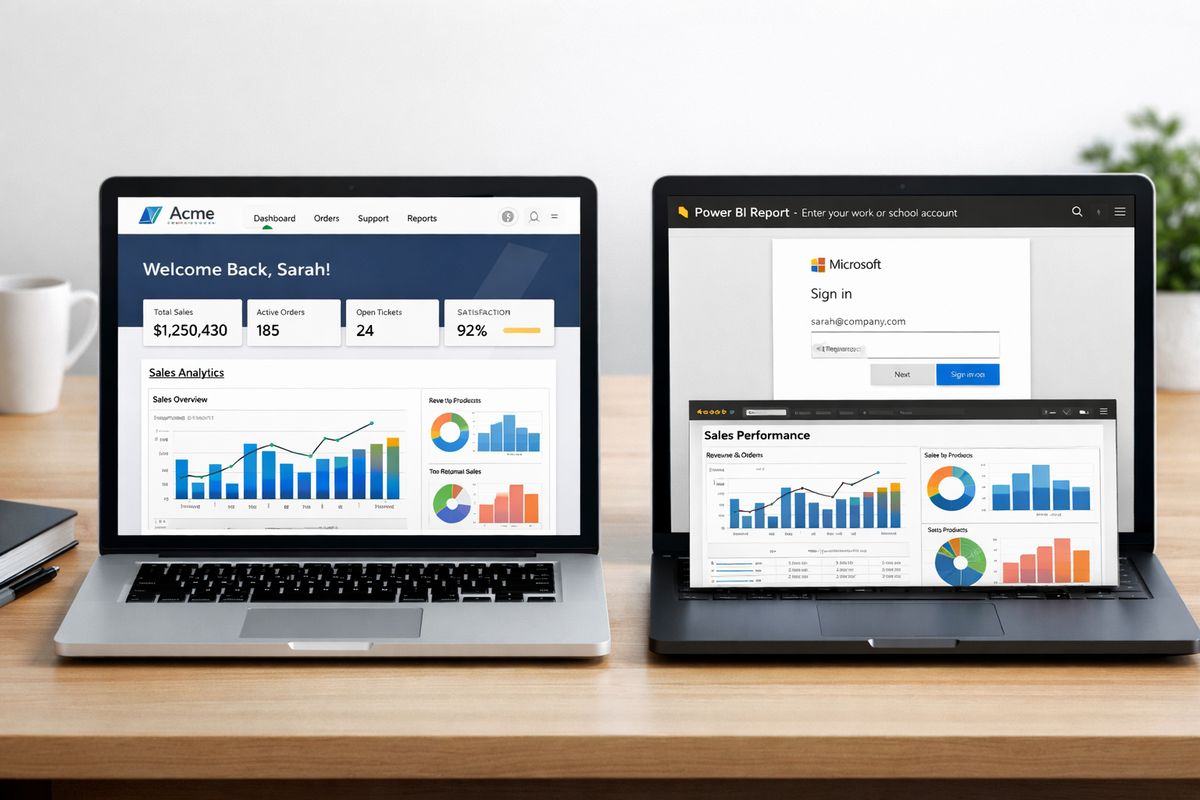
If your audience is external, app owns data usually feels simpler where it matters most, at the moment of use. Picture a client opening a support portal at 8:15 a.m. before a status call. A dashboard that just loads wins. A surprise Microsoft login prompt does not.
For internal IT teams, though, user owns data can be easier to live with. Existing identities, groups, and access patterns are already there, so the operational burden lands in a familiar place.
Audience Fit and Embedding Scenarios
A lot of bad Power BI embedding decisions start with “can this work?” instead of “who is this actually for?”
Best Fit for External Customers and Portals
App owns data is built for customer-facing embedding. If your dashboard is part of your product, part of your client portal, or part of a partner experience, this is the default winner.
Your customers do not want to think about Power BI. Your customers want answers. If someone logs into a support portal on a Monday morning, opens an account health page, and expects usage, revenue, or SLA data to load instantly, app owns data gives the cleanest route to that experience.
It also scales better for commercial scenarios because you are not asking every outside user to maintain separate Power BI access.
Best Fit for Internal Teams and Employee Access
User owns data fits internal analytics much better. Employees already have Microsoft accounts, and in many organizations, Power BI licenses and workspace permissions are already part of normal IT operations.
That means embedded dashboards can respect the same access patterns your organization already uses elsewhere. If finance should see one workspace, operations another, and executives everything, Power BI can enforce that directly through user identity.
This usually feels less forced inside an existing Microsoft ecosystem.
Where Each Model Starts to Break Down
User owns data breaks down when your audience is external, occasional, or loosely managed. Customers do not want extra identity friction, and support teams do not want tickets about why a client can’t access a Microsoft-authenticated report.
App owns data starts to look excessive for a small internal team with strong Entra ID hygiene, existing Power BI licenses, and a self-service culture. In that setup, building custom token flows and app-side access logic can be like installing a vault door on a room that already locks just fine.
Access Control and Security
Security is not just about keeping the wrong person out. It is about making sure the right person only sees the right slice of data, every single time.
Security Strengths of App Owns Data
App owns data gives you tight control over the embedded experience. You can hide the Power BI layer from end users, shape exactly what gets shown, and deliver analytics inside your own product shell.
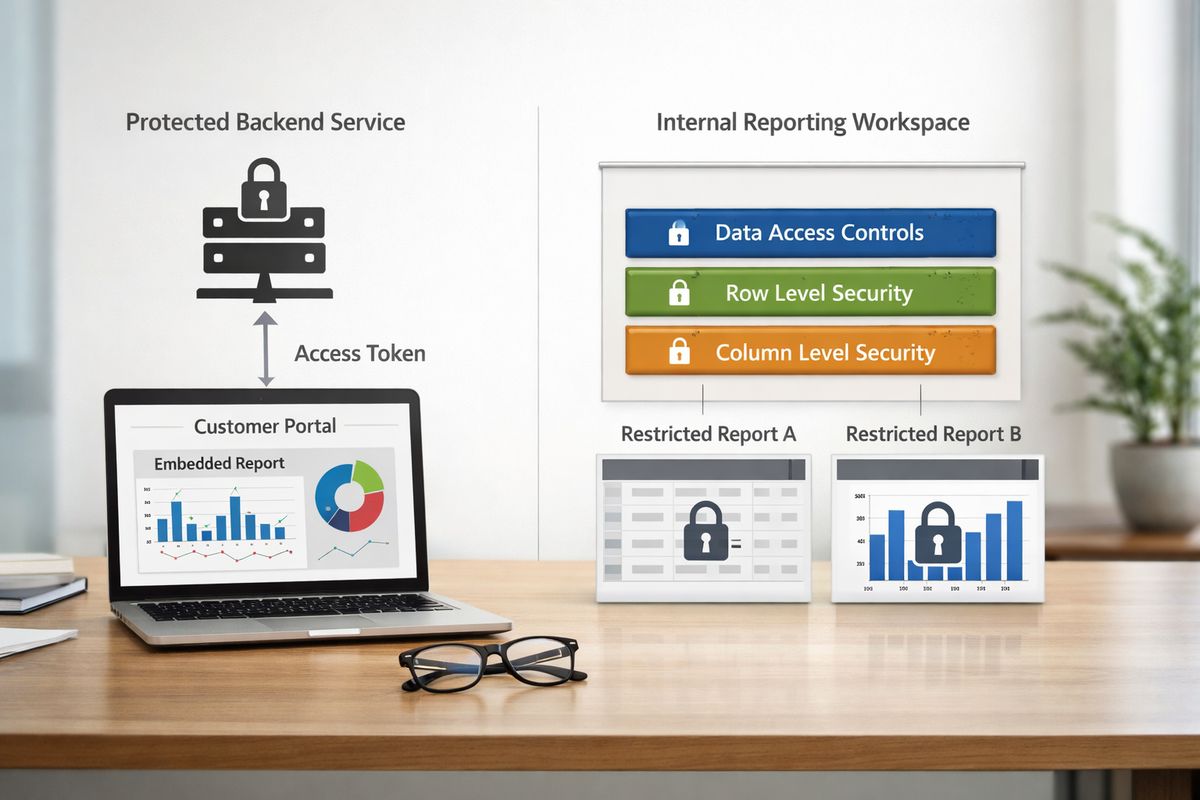
That control is powerful. It is also unforgiving. Secure token generation, protected backend services, careful workspace design, and strict tenant configuration are not optional. In shared customer environments, Row-Level Security is often the difference between a clean implementation and a disaster waiting for a screenshot.
If you want centralized oversight, app owns data supports it well. Governance-first systems are usually better at secure sharing because access can be standardized instead of improvised.
Security Strengths of User Owns Data
User owns data leans on Power BI and Microsoft identity for access control. That reduces the amount of custom security logic sitting in your own app, which is a real advantage.
When internal permissions already map well to business roles, this setup is often cleaner. Access decisions happen where your organization already manages identity, and audit trails tend to be easier to tie back to a specific signed-in person.
For internal analytics, that can be a very sane model.
RLS and OLS in Both Models
RLS, or Row-Level Security, limits which rows of data a person can see. OLS, or Object-Level Security, can hide entire tables or columns. Both matter when users should only see their own slice of the data.
In app owns data, RLS is especially important when many customers are viewing the same report design against shared data structures. Without it, your app might successfully embed the report while still exposing the wrong records under the hood.
In user owns data, RLS and OLS still matter, but the identity context is more direct because the signed-in user is already known to Power BI. The model is easier to reason about, though only if permissions are kept disciplined.
Common Security Mistakes
The usual mistakes are not exotic. They are boring, which makes them dangerous.
Overbroad workspace access is one. Weak token handling is another. Sharing the wrong artifact, such as a dataset or workspace where only an app should mediate access, also causes trouble. And there is a more subtle problem: a report can hide a field visually while still exposing underlying data if the model is too open.
Poor governance is usually where sensitive data leaks start. That matters more now because uncontrolled software access already creates broader organizational risk, including external data oversharing in other SaaS environments.
Governance and Control
If your setup grows beyond a handful of reports, governance stops being a nice idea and becomes survival.
Why App Owns Data Usually Gives You Stronger Central Control
App owns data tends to support a more centralized operating model. Your team owns the semantic models, the reports, the release flow, and the rules for who sees what.
That usually means fewer conflicting metrics, fewer surprise report copies, and a cleaner path to certified datasets. If revenue in one customer account needs to be calculated exactly the same way as revenue in another, centralized ownership makes that far easier to enforce.
This is where app owns data often pulls ahead in a serious way.
Why User Owns Data Can Drift Into Report Sprawl
User owns data encourages flexibility, which can be great right up until five versions of the same report exist with slightly different filters, measures, or naming. That is report sprawl in plain English: too many copies, too many tweaks, not enough trust.
Power BI governance guidance consistently pushes version control, naming standards, and certification for this reason. Without guardrails, you get multiple versions of the truth, and then every dashboard review turns into an argument about whose number is “real.”
Governance Tools That Matter in Power BI
A few controls do most of the work. Workspace roles keep permissions clean. Endorsed or certified semantic models signal which data is trusted. Naming standards stop your environment from turning into a junk drawer. Lifecycle management and approval processes prevent report creation from becoming permanent clutter.
That sounds administrative, but it saves time later. Organizations already feel the cost of unmanaged software growth, and visibility and control matter more than ever once usage expands.
Data Ownership and Single Source of Truth
This part gets philosophical fast, but the practical issue is simple: can two people answer the same business question and get the same number?
App Owns Data and Consistency
App owns data usually works best when you want one approved version of your metrics and logic delivered everywhere. If customer usage, revenue, compliance status, or contract-based KPIs need to match across accounts, centralized ownership keeps the definitions stable.
That consistency matters because trust in analytics is fragile. Once users see conflicting numbers in two places, confidence drops hard and usually stays low.
User Owns Data and Flexibility
User owns data gives teams room to explore. Internal analysts can build, remix, and test without waiting for every change to flow through a central product team.
That flexibility is useful, especially for internal discovery work. But the tradeoff is obvious: freedom creates variation, and variation creates inconsistency unless the semantic layer is well governed.
When “Single Source of Truth” Really Matters
Sometimes consistency is just nice to have. Sometimes it is non-negotiable.
If your dashboards are customer-facing, tied to contracts, used in executive reviews, or touching regulated data, centralized ownership usually wins. In those cases, “close enough” is not good enough. Governance-first architectures are built for single source of truth because secure sharing and consistency matter more than local improvisation.
Setup Complexity and Development Effort
Both models are workable. The question is where you want the complexity to live.
Development Work in App Owns Data
App owns data usually means more backend development. You need embedding APIs, token generation, identity mapping between your app and Power BI, and strict access logic that your own code enforces.
That is more work up front. No point pretending otherwise.
The payoff is a smoother customer experience and a product that feels cohesive once everything is set up correctly. If analytics are part of what you sell, that payoff is worth a lot.
Development Work in User Owns Data
User owns data can reduce custom embedding logic because Power BI handles more of the identity side. Your app does less impersonation and less access brokering.
But you become more dependent on the user having the right account, license, tenant alignment, and sign-in flow. That can be fine internally. Externally, it turns into friction and support tickets very quickly.
Which One Is Faster to Launch
For internal pilots, user owns data can be faster to launch. Existing identities, existing licenses, existing governance, less custom auth.
For a commercial product, app owns data is often the better long-term move even if it takes more setup. Short-term speed is nice. Rebuilding later because your external model was wrong is not.
Scalability and Operations
What works for 20 users can get ugly at 2,000.
Scaling App Owns Data for Customer-Facing Products
App owns data is usually the more scalable choice for external embedding at volume. You can centralize provisioning patterns, keep onboarding consistent, and avoid making every customer deal with Microsoft authentication directly.
It also reduces login friction, which matters more than people admit. Every extra hurdle cuts usage.
Scaling User Owns Data Across Internal Teams
User owns data can scale well across internal teams when identity, licensing, and role management are already mature. Large organizations with strong Microsoft administration can support this model without much drama.
The problems start when outside users enter the picture. Then every access edge case becomes harder, and the tidy internal logic stops holding up.
Support and Admin Overhead
Day to day, the overhead looks different. App owns data means more responsibility in your own platform for onboarding, access mapping, and token safety. User owns data means more dependency on licenses, sign-in state, workspace permissions, and identity troubleshooting.
Either way, unmanaged sprawl gets expensive. Most companies already manage hundreds of apps, and ownership gaps are a big reason software costs and control issues creep upward.
Compliance and Risk Management
If regulated data is involved, architecture stops being an engineering preference and starts being a risk decision.
Compliance Advantages of App Owns Data
App owns data can make it easier to centralize controls, standardize access paths, and keep tighter oversight of what gets exposed inside your product. That matters when many customers are consuming analytics through the same application.
A controlled delivery layer is useful for GDPR, HIPAA, CCPA, and internal review processes because you can shape one approved experience instead of relying on many loosely governed user paths.
Compliance Advantages of User Owns Data
User owns data has a different strength: actions map directly to named identities. For internal environments with mature identity governance, that can support strong auditability and cleaner responsibility chains.
If your compliance posture depends heavily on knowing exactly which employee accessed what and when, user-linked access has an obvious advantage.
Which Model Lowers Risk for Sensitive Data
For external delivery of sensitive data, app owns data is often safer if implemented carefully. You centralize the experience and limit what end users touch directly.
But there is a real catch. If your app-level permissions are sloppy, the model becomes dangerous because the app is now the enforcement point.
User owns data lowers risk through identity clarity, but it is clumsy for external sharing. So the safer model depends less on theory and more on whether your actual controls are disciplined.
Pricing and Licensing
Cost is not just about license line items. Support overhead and architectural mismatch can become their own hidden bill.
Licensing Basics for App Owns Data
App owns data is commonly tied to capacity-based licensing in embedded scenarios. That usually makes more economic sense when you need to serve many external users without buying individual Power BI licenses for each one.
The bigger your external audience gets, the more attractive that model tends to look.
Licensing Basics for User Owns Data
User owns data usually relies more on per-user licensing because each person accesses Power BI with a personal identity. For smaller internal groups that already have the right licenses, this can be perfectly reasonable.
If those users are already in your Microsoft stack, the incremental cost may be modest.
Cost Tradeoffs as You Grow
As usage grows, the cost story changes. A model that looks cheap in a pilot can become expensive once support requests, permission fixes, and license management start stacking up.
That is the broader lesson from SaaS operations too. Costs creep quietly when ownership is unclear, and unexpected charges are common once tools scale.
Customization and User Experience
This is the part users notice immediately, even if they never think about architecture.
UX Advantages of App Owns Data
App owns data usually creates the better product experience. Your analytics live inside your application, match your branding, follow your navigation, and feel like part of the same product story.
That matters a lot when dashboards are part of what customers pay for. A seamless embedded experience feels intentional. A separate sign-in flow feels bolted on.
UX Advantages of User Owns Data
User owns data can feel perfectly natural for employees already signed into Microsoft tools. For internal users, another Microsoft-authenticated experience is not weird. It fits the environment.
But for external customers, unexpected sign-in prompts and permission errors feel jarring fast.
Which Model Gives You More Control Over the Product Experience
App owns data gives you more control over onboarding, access flow, navigation, and overall behavior. If your dashboard should behave like a product feature rather than a linked report, this model is stronger.
For customer-facing products, that usually decides it.
Collaboration and Self-Service Analytics
This is where the tension between trust and freedom becomes most obvious.
App Owns Data for Controlled Consumption
App owns data is strongest when your goal is trusted delivery, not unlimited exploration. You define the experience, approve the metrics, and serve the output consistently.
That keeps things clean, though it can limit spontaneous analysis unless you design specific ways to support it.
User Owns Data for Self-Service
User owns data is better for analysts and business teams that need to create, share, and iterate inside Power BI. If internal teams want autonomy, this model supports it far better.
That makes it the stronger fit for self-service BI cultures where users are expected to explore, not just consume.
The Hybrid Pattern That Often Works Best
A hybrid setup often works best over time: centrally managed semantic models and core reports, with user-driven analysis layered on top for internal exploration.
That gives you trusted foundations without freezing every team into a read-only experience. Honestly, this is often the smartest long-term pattern if you need both consistency and flexibility.
When to Choose App Owns Data
Choose App Owns Data If You Serve External Customers
If your audience is customers, partners, or users in a portal outside your organization, start here. This is the default answer for embedded SaaS analytics and customer-facing dashboards.
Choose App Owns Data If Governance and Consistency Matter Most
If certified metrics, central oversight, and consistent numbers matter more than open-ended self-service, app owns data is the better fit.
Choose App Owns Data If You Want a Seamless Product Experience
If analytics should feel like part of your product, not a side trip through Power BI, choose app owns data.
When to Choose User Owns Data
Choose User Owns Data If Your Audience Is Internal
If your users are employees with Microsoft identities and existing Power BI access, user owns data is usually the cleaner path.
Choose User Owns Data If Self-Service Is the Priority
If internal teams need to build, share, and explore their own reports, this model fits better.
Choose User Owns Data If You Want Less Custom App Security Logic
If you would rather rely on Power BI’s native identity and permission model than build more access enforcement into your own application, user owns data is appealing.
Verdict: Which One Wins?
Winner for External Embedding: App Owns Data
For websites, customer portals, and external users, app owns data usually wins. The user experience is smoother, your product control is stronger, and the model scales better for customer-facing delivery.
Winner for Internal Analytics: User Owns Data
For internal employee access with existing Microsoft identities and a real self-service BI culture, user owns data is often the better choice.
The Bottom-Line Recommendation
If you are embedding Power BI for external customers, start with app owns data. If you are enabling internal teams inside an existing Microsoft setup, start with user owns data.
Before you build anything, map your audience and access model on one page. Just that one step catches most bad decisions early.